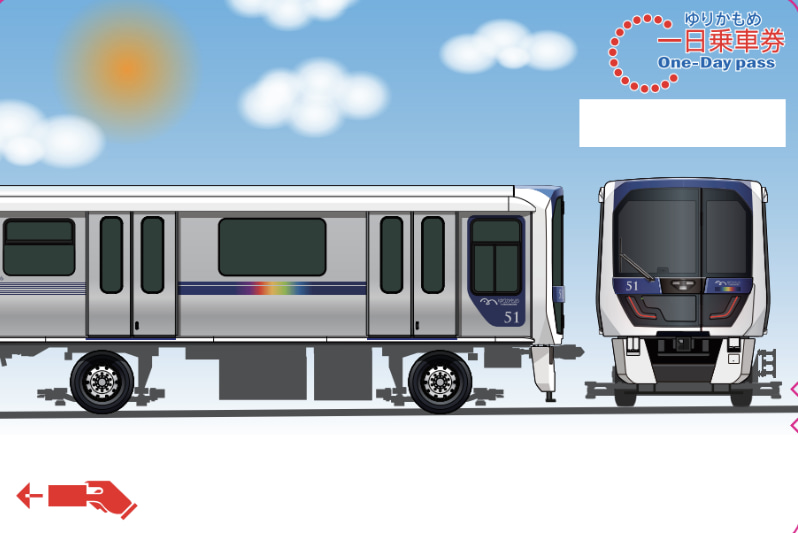
Yurikamome One-day Pass

Tokyo, Japan
5 (344 reviews)
Public Transfer - Non-API
Instant Confirmation
Mobile Voucher

Available Options

24-Hour Unlimited Ride Ticket

Adult
86 100 UZS
≈$7
Child(6-11) (6-11 years)
49 200 UZS
≈$4

Included

  • 1-day travel pass
  • Unlimited rides on Yurikamome
  • The [Yurikamome Enjoy Pass] is valid for 24 hours from the time of first use during the pass's validity period
  • This ticket is valid for one person only.

Confirmation

  • You'll get confirmation within minutes. If you don't see any confirmation, reach out to our customer support.

Usage validity

  • The voucher is valid for 90 day(s) from the booking confirmation date. It expires at 23:59 on the last day

  • The "Yurikamome Enjoy Pass" is valid for 24 hours from the time of first use during the pass's validity period

Redemption information

  • Present your QR code/voucher to enter directly

  • To board, open the usage screen by following the link in the voucher sent to you at the time of purchase on your smartphone. Display the boarding QR code and scan it at the QR code-compatible ticket gate to enter and exit the station.

  • *Please ensure you have a stable network connection, as you will need to access the web page on your smartphone.

  • *Screenshots and printed copies cannot be accepted.

  • *If you purchase multiple tickets in one transaction, they cannot be used separately, and all tickets will be activated simultaneously. To use the tickets individually, please purchase them separately.

  • *For security purposes, you may be required to authenticate using a one-time password (OTP). If prompted, please follow the steps below:

    1. Enter the email address to receive the OTP and press the send button.
    1. Check that the OTP has been received by the email address set up in step 1. (The email containing the OTP will be sent from the domain “@linktivity.co.jp.” Please also check your spam folder just to be sure. If you can’t find it there, your email address may be incorrect. Open the URL for the usage screen from the voucher again and try again by entering your email address.)
    1. Enter the OTP listed in the received email into the ticket screen and press the Confirm button. If you enter it correctly, the usage screen will be displayed. (Once OTP authentication is complete, the OTP will be sent to the email address you set. This email address cannot be changed, so please set an email address that can be confirmed locally on the day of use.)
  • If you buy multiple tickets, you must transfer them to other customers' mobile devices, except for the one ticket used by the purchaser. You can't use multiple tickets on one smartphone.

  • If your ticket cannot be displayed due to a device malfunction, a dead battery, or an unstable communication service, you will not be able to use the service. In such cases, please pay the fare separately before using the service. Please note that any fares paid separately during the period when your ticket cannot be displayed are non-refundable.

  • Recommended environment for using digital tickets: iOS 15 or later / Safari (latest version), Android 10.0 or later / Chrome (latest version).*Please note that even with the recommended browsing environment, service availability may vary depending on your device or usage conditions.

  • Refunds are available only before use within the validity period. A ¥220 processing fee applies per ticket.

Select This Option

1-Day Unlimited Ride Ticket

Adult
86 100 UZS
≈$7
Child(6-11) (6-11 years)
49 200 UZS
≈$4

Included

  • 1-day travel pass
  • Unlimited rides on Yurikamome
  • The digital ticket can be used on any day within the validity period of the Yurikamome 24-hour ticket, from the first train to the last train
  • This ticket is valid for 1 person only

Confirmation

  • You'll get confirmation within minutes. If you don't see any confirmation, reach out to our customer support.

Usage validity

  • The voucher is valid for 90 day(s) from the booking confirmation date. It expires at 23:59 on the last day

  • The digital ticket can be used on any day within the validity period of the Yurikamome 24-hour ticket, from the first train to the last train

Redemption information

  • Present your QR code/voucher to enter directly

  • To board, open the usage screen by following the link in the voucher sent to you at the time of purchase on your smartphone. Display the boarding QR code and scan it at the QR code-compatible ticket gate to enter and exit the station.

  • *Please ensure you have a stable network connection, as you will need to access the web page on your smartphone.

  • *Screenshots and printed copies cannot be accepted.

  • *If you purchase multiple tickets in one transaction, they cannot be used separately, and all tickets will be activated simultaneously. To use the tickets individually, please purchase them separately.

  • *For security purposes, you may be required to authenticate using a one-time password (OTP). If prompted, please follow the steps below:

    1. Enter the email address to receive the OTP and press the send button.
    1. Check that the OTP has been received by the email address set up in step 1. (The email containing the OTP will be sent from the domain “@linktivity.co.jp.” Please also check your spam folder just to be sure. If you can’t find it there, your email address may be incorrect. Open the URL for the usage screen from the voucher again and try again by entering your email address.)
    1. Enter the OTP listed in the received email into the ticket screen and press the Confirm button. If you enter it correctly, the usage screen will be displayed. (Once OTP authentication is complete, the OTP will be sent to the email address you set. This email address cannot be changed, so please set an email address that can be confirmed locally on the day of use.)
  • If you buy multiple tickets, you must transfer them to other customers' mobile devices, except for the one ticket used by the purchaser. You can't use multiple tickets on one smartphone.

  • If your ticket cannot be displayed due to a device malfunction, a dead battery, or an unstable communication service, you will not be able to use the service. In such cases, please pay the fare separately before using the service. Please note that any fares paid separately during the period when your ticket cannot be displayed are non-refundable.

  • Recommended environment for using digital tickets: iOS 15 or later / Safari (latest version), Android 10.0 or later / Chrome (latest version).*Please note that even with the recommended browsing environment, service availability may vary depending on your device or usage conditions.

  • Refunds are available only before use within the validity period. A ¥220 processing fee applies per ticket.

Select This Option

24-Hour Unlimited Ride Ticket

Adult
86 100 UZS
≈$7
Child(6-11) (6-11 years)
49 200 UZS
≈$4

Included

  • 1-day travel pass
  • Unlimited rides on Yurikamome
  • The [Yurikamome Enjoy Pass] is valid for 24 hours from the time of first use during the pass's validity period
  • This ticket is valid for one person only.

Confirmation

  • You'll get confirmation within minutes. If you don't see any confirmation, reach out to our customer support.

Usage validity

  • The voucher is valid for 90 day(s) from the booking confirmation date. It expires at 23:59 on the last day

  • The "Yurikamome Enjoy Pass" is valid for 24 hours from the time of first use during the pass's validity period

Redemption information

  • Present your QR code/voucher to enter directly

  • To board, open the usage screen by following the link in the voucher sent to you at the time of purchase on your smartphone. Display the boarding QR code and scan it at the QR code-compatible ticket gate to enter and exit the station.

  • *Please ensure you have a stable network connection, as you will need to access the web page on your smartphone.

  • *Screenshots and printed copies cannot be accepted.

  • *If you purchase multiple tickets in one transaction, they cannot be used separately, and all tickets will be activated simultaneously. To use the tickets individually, please purchase them separately.

  • *For security purposes, you may be required to authenticate using a one-time password (OTP). If prompted, please follow the steps below:

    1. Enter the email address to receive the OTP and press the send button.
    1. Check that the OTP has been received by the email address set up in step 1. (The email containing the OTP will be sent from the domain “@linktivity.co.jp.” Please also check your spam folder just to be sure. If you can’t find it there, your email address may be incorrect. Open the URL for the usage screen from the voucher again and try again by entering your email address.)
    1. Enter the OTP listed in the received email into the ticket screen and press the Confirm button. If you enter it correctly, the usage screen will be displayed. (Once OTP authentication is complete, the OTP will be sent to the email address you set. This email address cannot be changed, so please set an email address that can be confirmed locally on the day of use.)
  • If you buy multiple tickets, you must transfer them to other customers' mobile devices, except for the one ticket used by the purchaser. You can't use multiple tickets on one smartphone.

  • If your ticket cannot be displayed due to a device malfunction, a dead battery, or an unstable communication service, you will not be able to use the service. In such cases, please pay the fare separately before using the service. Please note that any fares paid separately during the period when your ticket cannot be displayed are non-refundable.

  • Recommended environment for using digital tickets: iOS 15 or later / Safari (latest version), Android 10.0 or later / Chrome (latest version).*Please note that even with the recommended browsing environment, service availability may vary depending on your device or usage conditions.

  • Refunds are available only before use within the validity period. A ¥220 processing fee applies per ticket.

Select This Option

1-Day Unlimited Ride Ticket

Adult
86 100 UZS
≈$7
Child(6-11) (6-11 years)
49 200 UZS
≈$4

Included

  • 1-day travel pass
  • Unlimited rides on Yurikamome
  • The digital ticket can be used on any day within the validity period of the Yurikamome 24-hour ticket, from the first train to the last train
  • This ticket is valid for 1 person only

Confirmation

  • You'll get confirmation within minutes. If you don't see any confirmation, reach out to our customer support.

Usage validity

  • The voucher is valid for 90 day(s) from the booking confirmation date. It expires at 23:59 on the last day

  • The digital ticket can be used on any day within the validity period of the Yurikamome 24-hour ticket, from the first train to the last train

Redemption information

  • Present your QR code/voucher to enter directly

  • To board, open the usage screen by following the link in the voucher sent to you at the time of purchase on your smartphone. Display the boarding QR code and scan it at the QR code-compatible ticket gate to enter and exit the station.

  • *Please ensure you have a stable network connection, as you will need to access the web page on your smartphone.

  • *Screenshots and printed copies cannot be accepted.

  • *If you purchase multiple tickets in one transaction, they cannot be used separately, and all tickets will be activated simultaneously. To use the tickets individually, please purchase them separately.

  • *For security purposes, you may be required to authenticate using a one-time password (OTP). If prompted, please follow the steps below:

    1. Enter the email address to receive the OTP and press the send button.
    1. Check that the OTP has been received by the email address set up in step 1. (The email containing the OTP will be sent from the domain “@linktivity.co.jp.” Please also check your spam folder just to be sure. If you can’t find it there, your email address may be incorrect. Open the URL for the usage screen from the voucher again and try again by entering your email address.)
    1. Enter the OTP listed in the received email into the ticket screen and press the Confirm button. If you enter it correctly, the usage screen will be displayed. (Once OTP authentication is complete, the OTP will be sent to the email address you set. This email address cannot be changed, so please set an email address that can be confirmed locally on the day of use.)
  • If you buy multiple tickets, you must transfer them to other customers' mobile devices, except for the one ticket used by the purchaser. You can't use multiple tickets on one smartphone.

  • If your ticket cannot be displayed due to a device malfunction, a dead battery, or an unstable communication service, you will not be able to use the service. In such cases, please pay the fare separately before using the service. Please note that any fares paid separately during the period when your ticket cannot be displayed are non-refundable.

  • Recommended environment for using digital tickets: iOS 15 or later / Safari (latest version), Android 10.0 or later / Chrome (latest version).*Please note that even with the recommended browsing environment, service availability may vary depending on your device or usage conditions.

  • Refunds are available only before use within the validity period. A ¥220 processing fee applies per ticket.
Select This Option
From
86 100 UZS per person
≈$7
Select Option & Book

Choose from available options above

Secure payment
Instant Confirmation

Cancellation Policy

  • Refunds are available only if requested before use and within the validity period. A processing fee of JPY 220 per ticket will apply

Similar Activities