Europe or United Kingdom · First class · Flexible · 4 days in 1 month
Adult
6 106 450 so'm
≈$511
Senior(60+)
(60-0 yosh)
5 497 000 so'm
≈$460
Youth(12-27)
(12-27 yosh)
4 576 850 so'm
≈$383
Child(0-11)
(0-11 yosh)
Narx so'rov bo'yicha
Включено
Unlimited first class train rides in specified areas for 4 flexible days in 1 month (route map)
Не включено
Meals and beverages
Seat reservation fees (Reserved separately via Interrail)
Confirmation
You'll get confirmation within minutes. If you don't see any confirmation, reach out to our customer support.
Usage validity
The voucher is valid for 334 day(s) from the booking confirmation date. It expires at 23:59 on the last day
Voucher type
You can use the Mobile Pass by downloading the Interrail Rail Planner app
By buying this Interrail pass, you are accepting the Interrail Terms and Conditions
Redemption information
An electronic voucher will be sent to your email instantly after booking confirmation
Activation Process
You can actively use the Mobile Pass up to 11 months from the date of purchase by downloading the Interrail Rail Planner app
How to activate Interrail Mobile Pass
Step 1: Add your Pass by entering your Last Name & Pass Number sent by Klook
Step 2: Connect a trip to your Pass by either creating a new trip or choosing a trip you’ve already created in the App
Step 3: Activate your Pass by entering your Passport/ID Number and choosing your first travel day. Note that you can't board your first train unless your Pass has been activated, and you need to be online to activate your Pass
Do take note that it is not necessary to activate your pass to make seat reservations
Phones must be set as Gregorian calendar in order to activate the pass in Rail Planner App
You can deactivate your Pass any time before the start of your chosen start date (00:00 CET on that day). On the Rail Planner App, go to My Pass, tap the three dots on the top right, and tap ‘Deactivate Pass’. You can then activate your Pass again when you’re ready to travel
How to Travel with the Interrail Mobile Pass
Once the Interrail Mobile Pass gets activated, you may start your travel with the following easy steps
Step 1: Plan your journey by searching for train times in the Interrail Rail Planner app
Step 2: Tap to save the preferred journey to your trip
Step 3: Once you are ready to travel, tap to add your journey to your Pass
Step 4: For ticket inspection, simply present your Mobile Pass by going to My Pass and tapping ‘Show ticket’. Note that every travel day in your Pass has a different ticket, and each ticket shows all the journeys you add to your Pass for that travel day
Flexi Passes only: If the date of your journey is not a travel day yet, you'll need to use one of your travel days. You can see how many travel days you have left in My Trip and in My Pass, along with an overview of all your travel days
Group Travel
If you are traveling in a group, you can load more than one Pass on your device
For group redemption: Create a separate trip in the app for each Pass
If you've already created a trip, duplicate it and link it to another Pass (Please name each trip differently to keep track of all your journeys)
For ticket inspection, show a ticket for every traveler. Select another Pass in My Pass and tap Show ticket
Seat Reservation Process
Reservations are required to board domestic high speed trains, international ‘cross-border’ trains, scenic trains and night trains. Local and regional trains do not require reservations
Reservations can be made at Interrail.com website or Interrail Rail Planner app. To view final prices and seat availability, you must be logged in and have a Pass
Alternatively, reservations can also be made at local train stations or respective railway carriers websites
There’s no need to activate the pass to make seat reservations
Europe or United Kingdom · First class · Flexible · 5 days in 1 month
Adult
6 871 250 so'm
≈$575
Senior(60+)
(60-0 yosh)
6 178 150 so'm
≈$517
Youth(12-27)
(12-27 yosh)
5 150 450 so'm
≈$431
Child(0-11)
(0-11 yosh)
Narx so'rov bo'yicha
Включено
Unlimited first class train rides in specified areas for 5 flexible days in 1 month (route map)
Не включено
Meals and beverages
Seat reservation fees (Reserved separately via Interrail)
Confirmation
You'll get confirmation within minutes. If you don't see any confirmation, reach out to our customer support.
Usage validity
The voucher is valid for 334 day(s) from the booking confirmation date. It expires at 23:59 on the last day
Voucher type
You can use the Mobile Pass by downloading the Interrail Rail Planner app
By buying this Interrail pass, you are accepting the Interrail Terms and Conditions
Redemption information
An electronic voucher will be sent to your email instantly after booking confirmation
Activation Process
You can actively use the Mobile Pass up to 11 months from the date of purchase by downloading the Interrail Rail Planner app
How to activate Interrail Mobile Pass
Step 1: Add your Pass by entering your Last Name & Pass Number sent by Klook
Step 2: Connect a trip to your Pass by either creating a new trip or choosing a trip you’ve already created in the App
Step 3: Activate your Pass by entering your Passport/ID Number and choosing your first travel day. Note that you can't board your first train unless your Pass has been activated, and you need to be online to activate your Pass
Do take note that it is not necessary to activate your pass to make seat reservations
Phones must be set as Gregorian calendar in order to activate the pass in Rail Planner App
You can deactivate your Pass any time before the start of your chosen start date (00:00 CET on that day). On the Rail Planner App, go to My Pass, tap the three dots on the top right, and tap ‘Deactivate Pass’. You can then activate your Pass again when you’re ready to travel
How to Travel with the Interrail Mobile Pass
Once the Interrail Mobile Pass gets activated, you may start your travel with the following easy steps
Step 1: Plan your journey by searching for train times in the Interrail Rail Planner app
Step 2: Tap to save the preferred journey to your trip
Step 3: Once you are ready to travel, tap to add your journey to your Pass
Step 4: For ticket inspection, simply present your Mobile Pass by going to My Pass and tapping ‘Show ticket’. Note that every travel day in your Pass has a different ticket, and each ticket shows all the journeys you add to your Pass for that travel day
Flexi Passes only: If the date of your journey is not a travel day yet, you'll need to use one of your travel days. You can see how many travel days you have left in My Trip and in My Pass, along with an overview of all your travel days
Group Travel
If you are traveling in a group, you can load more than one Pass on your device
For group redemption: Create a separate trip in the app for each Pass
If you've already created a trip, duplicate it and link it to another Pass (Please name each trip differently to keep track of all your journeys)
For ticket inspection, show a ticket for every traveler. Select another Pass in My Pass and tap Show ticket
Seat Reservation Process
Reservations are required to board domestic high speed trains, international ‘cross-border’ trains, scenic trains and night trains. Local and regional trains do not require reservations
Reservations can be made at Interrail.com website or Interrail Rail Planner app. To view final prices and seat availability, you must be logged in and have a Pass
Alternatively, reservations can also be made at local train stations or respective railway carriers websites
There’s no need to activate the pass to make seat reservations
Non-Europe or United Kingdom · First class · Flexible · 4 days in 1 month
Adult
5 855 500 so'm
≈$490
Senior(60+)
(60-0 yosh)
5 258 000 so'm
≈$440
Youth(12-27)
(12-27 yosh)
4 385 650 so'm
≈$367
Child(0-11)
(0-11 yosh)
Narx so'rov bo'yicha
Включено
Unlimited first class train rides in specified areas for 4 flexible days in 1 month (route map)
Не включено
Meals and beverages
Seat reservation fees (Reserved separately via Interrail)
Confirmation
You'll get confirmation within minutes. If you don't see any confirmation, reach out to our customer support.
Usage validity
The voucher is valid for 334 day(s) from the booking confirmation date. It expires at 23:59 on the last day
Voucher type
You can use the Mobile Pass by downloading the Interrail Rail Planner app
By buying this Interrail pass, you are accepting the Interrail Terms and Conditions
Redemption information
An electronic voucher will be sent to your email instantly after booking confirmation
Activation Process
You can actively use the Mobile Pass up to 11 months from the date of purchase by downloading the Interrail Rail Planner app
How to activate Interrail Mobile Pass
Step 1: Add your Pass by entering your Last Name & Pass Number sent by Klook
Step 2: Connect a trip to your Pass by either creating a new trip or choosing a trip you’ve already created in the App
Step 3: Activate your Pass by entering your Passport/ID Number and choosing your first travel day. Note that you can't board your first train unless your Pass has been activated, and you need to be online to activate your Pass
Do take note that it is not necessary to activate your pass to make seat reservations
Phones must be set as Gregorian calendar in order to activate the pass in Rail Planner App
You can deactivate your Pass any time before the start of your chosen start date (00:00 CET on that day). On the Rail Planner App, go to My Pass, tap the three dots on the top right, and tap ‘Deactivate Pass’. You can then activate your Pass again when you’re ready to travel
How to Travel with the Interrail Mobile Pass
Once the Interrail Mobile Pass gets activated, you may start your travel with the following easy steps
Step 1: Plan your journey by searching for train times in the Interrail Rail Planner app
Step 2: Tap to save the preferred journey to your trip
Step 3: Once you are ready to travel, tap to add your journey to your Pass
Step 4: For ticket inspection, simply present your Mobile Pass by going to My Pass and tapping ‘Show ticket’. Note that every travel day in your Pass has a different ticket, and each ticket shows all the journeys you add to your Pass for that travel day
Flexi Passes only: If the date of your journey is not a travel day yet, you'll need to use one of your travel days. You can see how many travel days you have left in My Trip and in My Pass, along with an overview of all your travel days
Group Travel
If you are traveling in a group, you can load more than one Pass on your device
For group redemption: Create a separate trip in the app for each Pass
If you've already created a trip, duplicate it and link it to another Pass (Please name each trip differently to keep track of all your journeys)
For ticket inspection, show a ticket for every traveler. Select another Pass in My Pass and tap Show ticket
Seat Reservation Process
Reservations are required to board domestic high speed trains, international ‘cross-border’ trains, scenic trains and night trains. Local and regional trains do not require reservations
Reservations can be made at Interrail.com website or Interrail Rail Planner app. To view final prices and seat availability, you must be logged in and have a Pass
Alternatively, reservations can also be made at local train stations or respective railway carriers websites
There’s no need to activate the pass to make seat reservations
Non-Europe or United Kingdom · First class · Flexible · 5 days in 1 month
Adult
6 584 450 so'm
≈$551
Senior(60+)
(60-0 yosh)
5 915 250 so'm
≈$495
Youth(12-27)
(12-27 yosh)
4 923 400 so'm
≈$412
Child(0-11)
(0-11 yosh)
Narx so'rov bo'yicha
Включено
Unlimited first class train rides in specified areas for 5 flexible days in 1 month (route map)
Не включено
Meals and beverages
Seat reservation fees (Reserved separately via Interrail)
Confirmation
You'll get confirmation within minutes. If you don't see any confirmation, reach out to our customer support.
Usage validity
The voucher is valid for 334 day(s) from the booking confirmation date. It expires at 23:59 on the last day
Voucher type
You can use the Mobile Pass by downloading the Interrail Rail Planner app
By buying this Interrail pass, you are accepting the Interrail Terms and Conditions
Redemption information
An electronic voucher will be sent to your email instantly after booking confirmation
Activation Process
You can actively use the Mobile Pass up to 11 months from the date of purchase by downloading the Interrail Rail Planner app
How to activate Interrail Mobile Pass
Step 1: Add your Pass by entering your Last Name & Pass Number sent by Klook
Step 2: Connect a trip to your Pass by either creating a new trip or choosing a trip you’ve already created in the App
Step 3: Activate your Pass by entering your Passport/ID Number and choosing your first travel day. Note that you can't board your first train unless your Pass has been activated, and you need to be online to activate your Pass
Do take note that it is not necessary to activate your pass to make seat reservations
Phones must be set as Gregorian calendar in order to activate the pass in Rail Planner App
You can deactivate your Pass any time before the start of your chosen start date (00:00 CET on that day). On the Rail Planner App, go to My Pass, tap the three dots on the top right, and tap ‘Deactivate Pass’. You can then activate your Pass again when you’re ready to travel
How to Travel with the Interrail Mobile Pass
Once the Interrail Mobile Pass gets activated, you may start your travel with the following easy steps
Step 1: Plan your journey by searching for train times in the Interrail Rail Planner app
Step 2: Tap to save the preferred journey to your trip
Step 3: Once you are ready to travel, tap to add your journey to your Pass
Step 4: For ticket inspection, simply present your Mobile Pass by going to My Pass and tapping ‘Show ticket’. Note that every travel day in your Pass has a different ticket, and each ticket shows all the journeys you add to your Pass for that travel day
Flexi Passes only: If the date of your journey is not a travel day yet, you'll need to use one of your travel days. You can see how many travel days you have left in My Trip and in My Pass, along with an overview of all your travel days
Group Travel
If you are traveling in a group, you can load more than one Pass on your device
For group redemption: Create a separate trip in the app for each Pass
If you've already created a trip, duplicate it and link it to another Pass (Please name each trip differently to keep track of all your journeys)
For ticket inspection, show a ticket for every traveler. Select another Pass in My Pass and tap Show ticket
Seat Reservation Process
Reservations are required to board domestic high speed trains, international ‘cross-border’ trains, scenic trains and night trains. Local and regional trains do not require reservations
Reservations can be made at Interrail.com website or Interrail Rail Planner app. To view final prices and seat availability, you must be logged in and have a Pass
Alternatively, reservations can also be made at local train stations or respective railway carriers websites
There’s no need to activate the pass to make seat reservations
Europe or United Kingdom · First class · Flexible · 7 days in 1 month
Adult
8 245 500 so'm
≈$690
Senior(60+)
(60-0 yosh)
7 409 000 so'm
≈$620
Youth(12-27)
(12-27 yosh)
6 178 150 so'm
≈$517
Child(0-11)
(0-11 yosh)
Narx so'rov bo'yicha
Включено
Unlimited first class train rides in specified areas for 7 flexible days in 1 month (route map)
Не включено
Meals and beverages
Seat reservation fees (Reserved separately via Interrail)
Confirmation
You'll get confirmation within minutes. If you don't see any confirmation, reach out to our customer support.
Usage validity
The voucher is valid for 334 day(s) from the booking confirmation date. It expires at 23:59 on the last day
Voucher type
You can use the Mobile Pass by downloading the Interrail Rail Planner app
By buying this Interrail pass, you are accepting the Interrail Terms and Conditions
Redemption information
An electronic voucher will be sent to your email instantly after booking confirmation
Activation Process
You can actively use the Mobile Pass up to 11 months from the date of purchase by downloading the Interrail Rail Planner app
How to activate Interrail Mobile Pass
Step 1: Add your Pass by entering your Last Name & Pass Number sent by Klook
Step 2: Connect a trip to your Pass by either creating a new trip or choosing a trip you’ve already created in the App
Step 3: Activate your Pass by entering your Passport/ID Number and choosing your first travel day. Note that you can't board your first train unless your Pass has been activated, and you need to be online to activate your Pass
Do take note that it is not necessary to activate your pass to make seat reservations
Phones must be set as Gregorian calendar in order to activate the pass in Rail Planner App
You can deactivate your Pass any time before the start of your chosen start date (00:00 CET on that day). On the Rail Planner App, go to My Pass, tap the three dots on the top right, and tap ‘Deactivate Pass’. You can then activate your Pass again when you’re ready to travel
How to Travel with the Interrail Mobile Pass
Once the Interrail Mobile Pass gets activated, you may start your travel with the following easy steps
Step 1: Plan your journey by searching for train times in the Interrail Rail Planner app
Step 2: Tap to save the preferred journey to your trip
Step 3: Once you are ready to travel, tap to add your journey to your Pass
Step 4: For ticket inspection, simply present your Mobile Pass by going to My Pass and tapping ‘Show ticket’. Note that every travel day in your Pass has a different ticket, and each ticket shows all the journeys you add to your Pass for that travel day
Flexi Passes only: If the date of your journey is not a travel day yet, you'll need to use one of your travel days. You can see how many travel days you have left in My Trip and in My Pass, along with an overview of all your travel days
Group Travel
If you are traveling in a group, you can load more than one Pass on your device
For group redemption: Create a separate trip in the app for each Pass
If you've already created a trip, duplicate it and link it to another Pass (Please name each trip differently to keep track of all your journeys)
For ticket inspection, show a ticket for every traveler. Select another Pass in My Pass and tap Show ticket
Seat Reservation Process
Reservations are required to board domestic high speed trains, international ‘cross-border’ trains, scenic trains and night trains. Local and regional trains do not require reservations
Reservations can be made at Interrail.com website or Interrail Rail Planner app. To view final prices and seat availability, you must be logged in and have a Pass
Alternatively, reservations can also be made at local train stations or respective railway carriers websites
There’s no need to activate the pass to make seat reservations
Non-Europe or United Kingdom · First class · Flexible · 7 days in 1 month
Adult
7 887 000 so'm
≈$660
Senior(60+)
(60-0 yosh)
7 098 300 so'm
≈$594
Youth(12-27)
(12-27 yosh)
5 915 250 so'm
≈$495
Child(0-11)
(0-11 yosh)
Narx so'rov bo'yicha
Включено
Unlimited first class train rides in specified areas for 7 flexible days in 1 month (route map)
Не включено
Meals and beverages
Seat reservation fees (Reserved separately via Interrail)
Confirmation
You'll get confirmation within minutes. If you don't see any confirmation, reach out to our customer support.
Usage validity
The voucher is valid for 334 day(s) from the booking confirmation date. It expires at 23:59 on the last day
Voucher type
You can use the Mobile Pass by downloading the Interrail Rail Planner app
By buying this Interrail pass, you are accepting the Interrail Terms and Conditions
Redemption information
An electronic voucher will be sent to your email instantly after booking confirmation
Activation Process
You can actively use the Mobile Pass up to 11 months from the date of purchase by downloading the Interrail Rail Planner app
How to activate Interrail Mobile Pass
Step 1: Add your Pass by entering your Last Name & Pass Number sent by Klook
Step 2: Connect a trip to your Pass by either creating a new trip or choosing a trip you’ve already created in the App
Step 3: Activate your Pass by entering your Passport/ID Number and choosing your first travel day. Note that you can't board your first train unless your Pass has been activated, and you need to be online to activate your Pass
Do take note that it is not necessary to activate your pass to make seat reservations
Phones must be set as Gregorian calendar in order to activate the pass in Rail Planner App
You can deactivate your Pass any time before the start of your chosen start date (00:00 CET on that day). On the Rail Planner App, go to My Pass, tap the three dots on the top right, and tap ‘Deactivate Pass’. You can then activate your Pass again when you’re ready to travel
How to Travel with the Interrail Mobile Pass
Once the Interrail Mobile Pass gets activated, you may start your travel with the following easy steps
Step 1: Plan your journey by searching for train times in the Interrail Rail Planner app
Step 2: Tap to save the preferred journey to your trip
Step 3: Once you are ready to travel, tap to add your journey to your Pass
Step 4: For ticket inspection, simply present your Mobile Pass by going to My Pass and tapping ‘Show ticket’. Note that every travel day in your Pass has a different ticket, and each ticket shows all the journeys you add to your Pass for that travel day
Flexi Passes only: If the date of your journey is not a travel day yet, you'll need to use one of your travel days. You can see how many travel days you have left in My Trip and in My Pass, along with an overview of all your travel days
Group Travel
If you are traveling in a group, you can load more than one Pass on your device
For group redemption: Create a separate trip in the app for each Pass
If you've already created a trip, duplicate it and link it to another Pass (Please name each trip differently to keep track of all your journeys)
For ticket inspection, show a ticket for every traveler. Select another Pass in My Pass and tap Show ticket
Seat Reservation Process
Reservations are required to board domestic high speed trains, international ‘cross-border’ trains, scenic trains and night trains. Local and regional trains do not require reservations
Reservations can be made at Interrail.com website or Interrail Rail Planner app. To view final prices and seat availability, you must be logged in and have a Pass
Alternatively, reservations can also be made at local train stations or respective railway carriers websites
There’s no need to activate the pass to make seat reservations
Europe or United Kingdom · First class · Flexible · 10 days in 2 months
Adult
9 667 550 so'm
≈$809
Senior(60+)
(60-0 yosh)
8 687 650 so'm
≈$727
Youth(12-27)
(12-27 yosh)
7 241 700 so'm
≈$606
Child(0-11)
(0-11 yosh)
Narx so'rov bo'yicha
Включено
Unlimited first class train rides in specified areas for 10 flexible days in 2 months (route map)
Не включено
Meals and beverages
Seat reservation fees (Reserved separately via Interrail)
Confirmation
You'll get confirmation within minutes. If you don't see any confirmation, reach out to our customer support.
Usage validity
The voucher is valid for 334 day(s) from the booking confirmation date. It expires at 23:59 on the last day
Voucher type
You can use the Mobile Pass by downloading the Interrail Rail Planner app
By buying this Interrail pass, you are accepting the Interrail Terms and Conditions
Redemption information
An electronic voucher will be sent to your email instantly after booking confirmation
Activation Process
You can actively use the Mobile Pass up to 11 months from the date of purchase by downloading the Interrail Rail Planner app
How to activate Interrail Mobile Pass
Step 1: Add your Pass by entering your Last Name & Pass Number sent by Klook
Step 2: Connect a trip to your Pass by either creating a new trip or choosing a trip you’ve already created in the App
Step 3: Activate your Pass by entering your Passport/ID Number and choosing your first travel day. Note that you can't board your first train unless your Pass has been activated, and you need to be online to activate your Pass
Do take note that it is not necessary to activate your pass to make seat reservations
Phones must be set as Gregorian calendar in order to activate the pass in Rail Planner App
You can deactivate your Pass any time before the start of your chosen start date (00:00 CET on that day). On the Rail Planner App, go to My Pass, tap the three dots on the top right, and tap ‘Deactivate Pass’. You can then activate your Pass again when you’re ready to travel
How to Travel with the Interrail Mobile Pass
Once the Interrail Mobile Pass gets activated, you may start your travel with the following easy steps
Step 1: Plan your journey by searching for train times in the Interrail Rail Planner app
Step 2: Tap to save the preferred journey to your trip
Step 3: Once you are ready to travel, tap to add your journey to your Pass
Step 4: For ticket inspection, simply present your Mobile Pass by going to My Pass and tapping ‘Show ticket’. Note that every travel day in your Pass has a different ticket, and each ticket shows all the journeys you add to your Pass for that travel day
Flexi Passes only: If the date of your journey is not a travel day yet, you'll need to use one of your travel days. You can see how many travel days you have left in My Trip and in My Pass, along with an overview of all your travel days
Group Travel
If you are traveling in a group, you can load more than one Pass on your device
For group redemption: Create a separate trip in the app for each Pass
If you've already created a trip, duplicate it and link it to another Pass (Please name each trip differently to keep track of all your journeys)
For ticket inspection, show a ticket for every traveler. Select another Pass in My Pass and tap Show ticket
Seat Reservation Process
Reservations are required to board domestic high speed trains, international ‘cross-border’ trains, scenic trains and night trains. Local and regional trains do not require reservations
Reservations can be made at Interrail.com website or Interrail Rail Planner app. To view final prices and seat availability, you must be logged in and have a Pass
Alternatively, reservations can also be made at local train stations or respective railway carriers websites
There’s no need to activate the pass to make seat reservations
Non-Europe or United Kingdom · First class · Flexible · 10 days in 2 months
Adult
9 261 250 so'm
≈$775
Senior(60+)
(60-0 yosh)
8 317 200 so'm
≈$696
Youth(12-27)
(12-27 yosh)
6 931 000 so'm
≈$580
Child(0-11)
(0-11 yosh)
Narx so'rov bo'yicha
Включено
Unlimited first class train rides in specified areas for 10 flexible days in 2 months (route map)
Не включено
Meals and beverages
Seat reservation fees (Reserved separately via Interrail)
Confirmation
You'll get confirmation within minutes. If you don't see any confirmation, reach out to our customer support.
Usage validity
The voucher is valid for 334 day(s) from the booking confirmation date. It expires at 23:59 on the last day
Voucher type
You can use the Mobile Pass by downloading the Interrail Rail Planner app
By buying this Interrail pass, you are accepting the Interrail Terms and Conditions
Redemption information
An electronic voucher will be sent to your email instantly after booking confirmation
Activation Process
You can actively use the Mobile Pass up to 11 months from the date of purchase by downloading the Interrail Rail Planner app
How to activate Interrail Mobile Pass
Step 1: Add your Pass by entering your Last Name & Pass Number sent by Klook
Step 2: Connect a trip to your Pass by either creating a new trip or choosing a trip you’ve already created in the App
Step 3: Activate your Pass by entering your Passport/ID Number and choosing your first travel day. Note that you can't board your first train unless your Pass has been activated, and you need to be online to activate your Pass
Do take note that it is not necessary to activate your pass to make seat reservations
Phones must be set as Gregorian calendar in order to activate the pass in Rail Planner App
You can deactivate your Pass any time before the start of your chosen start date (00:00 CET on that day). On the Rail Planner App, go to My Pass, tap the three dots on the top right, and tap ‘Deactivate Pass’. You can then activate your Pass again when you’re ready to travel
How to Travel with the Interrail Mobile Pass
Once the Interrail Mobile Pass gets activated, you may start your travel with the following easy steps
Step 1: Plan your journey by searching for train times in the Interrail Rail Planner app
Step 2: Tap to save the preferred journey to your trip
Step 3: Once you are ready to travel, tap to add your journey to your Pass
Step 4: For ticket inspection, simply present your Mobile Pass by going to My Pass and tapping ‘Show ticket’. Note that every travel day in your Pass has a different ticket, and each ticket shows all the journeys you add to your Pass for that travel day
Flexi Passes only: If the date of your journey is not a travel day yet, you'll need to use one of your travel days. You can see how many travel days you have left in My Trip and in My Pass, along with an overview of all your travel days
Group Travel
If you are traveling in a group, you can load more than one Pass on your device
For group redemption: Create a separate trip in the app for each Pass
If you've already created a trip, duplicate it and link it to another Pass (Please name each trip differently to keep track of all your journeys)
For ticket inspection, show a ticket for every traveler. Select another Pass in My Pass and tap Show ticket
Seat Reservation Process
Reservations are required to board domestic high speed trains, international ‘cross-border’ trains, scenic trains and night trains. Local and regional trains do not require reservations
Reservations can be made at Interrail.com website or Interrail Rail Planner app. To view final prices and seat availability, you must be logged in and have a Pass
Alternatively, reservations can also be made at local train stations or respective railway carriers websites
There’s no need to activate the pass to make seat reservations
Europe or United Kingdom · First class · Flexible · 15 days in 2 months
Adult
11 950 000 so'm
≈$1,000
Senior(60+)
(60-0 yosh)
10 755 000 so'm
≈$900
Youth(12-27)
(12-27 yosh)
8 950 550 so'm
≈$749
Child(0-11)
(0-11 yosh)
Narx so'rov bo'yicha
Включено
Unlimited first class train rides in specified areas for 15 flexible days in 2 months (route map)
Не включено
Meals and beverages
Seat reservation fees (Reserved separately via Interrail)
Confirmation
You'll get confirmation within minutes. If you don't see any confirmation, reach out to our customer support.
Usage validity
The voucher is valid for 334 day(s) from the booking confirmation date. It expires at 23:59 on the last day
Voucher type
You can use the Mobile Pass by downloading the Interrail Rail Planner app
By buying this Interrail pass, you are accepting the Interrail Terms and Conditions
Redemption information
An electronic voucher will be sent to your email instantly after booking confirmation
Activation Process
You can actively use the Mobile Pass up to 11 months from the date of purchase by downloading the Interrail Rail Planner app
How to activate Interrail Mobile Pass
Step 1: Add your Pass by entering your Last Name & Pass Number sent by Klook
Step 2: Connect a trip to your Pass by either creating a new trip or choosing a trip you’ve already created in the App
Step 3: Activate your Pass by entering your Passport/ID Number and choosing your first travel day. Note that you can't board your first train unless your Pass has been activated, and you need to be online to activate your Pass
Do take note that it is not necessary to activate your pass to make seat reservations
Phones must be set as Gregorian calendar in order to activate the pass in Rail Planner App
You can deactivate your Pass any time before the start of your chosen start date (00:00 CET on that day). On the Rail Planner App, go to My Pass, tap the three dots on the top right, and tap ‘Deactivate Pass’. You can then activate your Pass again when you’re ready to travel
How to Travel with the Interrail Mobile Pass
Once the Interrail Mobile Pass gets activated, you may start your travel with the following easy steps
Step 1: Plan your journey by searching for train times in the Interrail Rail Planner app
Step 2: Tap to save the preferred journey to your trip
Step 3: Once you are ready to travel, tap to add your journey to your Pass
Step 4: For ticket inspection, simply present your Mobile Pass by going to My Pass and tapping ‘Show ticket’. Note that every travel day in your Pass has a different ticket, and each ticket shows all the journeys you add to your Pass for that travel day
Flexi Passes only: If the date of your journey is not a travel day yet, you'll need to use one of your travel days. You can see how many travel days you have left in My Trip and in My Pass, along with an overview of all your travel days
Group Travel
If you are traveling in a group, you can load more than one Pass on your device
For group redemption: Create a separate trip in the app for each Pass
If you've already created a trip, duplicate it and link it to another Pass (Please name each trip differently to keep track of all your journeys)
For ticket inspection, show a ticket for every traveler. Select another Pass in My Pass and tap Show ticket
Seat Reservation Process
Reservations are required to board domestic high speed trains, international ‘cross-border’ trains, scenic trains and night trains. Local and regional trains do not require reservations
Reservations can be made at Interrail.com website or Interrail Rail Planner app. To view final prices and seat availability, you must be logged in and have a Pass
Alternatively, reservations can also be made at local train stations or respective railway carriers websites
There’s no need to activate the pass to make seat reservations
Non-Europe or United Kingdom · First class · Flexible · 15 days in 2 months
Adult
11 448 100 so'm
≈$958
Senior(60+)
(60-0 yosh)
10 300 900 so'm
≈$862
Youth(12-27)
(12-27 yosh)
8 580 100 so'm
≈$718
Child(0-11)
(0-11 yosh)
Narx so'rov bo'yicha
Включено
Unlimited first class train rides in specified areas for 15 flexible days in 2 months (route map)
Не включено
Meals and beverages
Seat reservation fees (Reserved separately via Interrail)
Confirmation
You'll get confirmation within minutes. If you don't see any confirmation, reach out to our customer support.
Usage validity
The voucher is valid for 334 day(s) from the booking confirmation date. It expires at 23:59 on the last day
Voucher type
You can use the Mobile Pass by downloading the Interrail Rail Planner app
By buying this Interrail pass, you are accepting the Interrail Terms and Conditions
Redemption information
An electronic voucher will be sent to your email instantly after booking confirmation
Activation Process
You can actively use the Mobile Pass up to 11 months from the date of purchase by downloading the Interrail Rail Planner app
How to activate Interrail Mobile Pass
Step 1: Add your Pass by entering your Last Name & Pass Number sent by Klook
Step 2: Connect a trip to your Pass by either creating a new trip or choosing a trip you’ve already created in the App
Step 3: Activate your Pass by entering your Passport/ID Number and choosing your first travel day. Note that you can't board your first train unless your Pass has been activated, and you need to be online to activate your Pass
Do take note that it is not necessary to activate your pass to make seat reservations
Phones must be set as Gregorian calendar in order to activate the pass in Rail Planner App
You can deactivate your Pass any time before the start of your chosen start date (00:00 CET on that day). On the Rail Planner App, go to My Pass, tap the three dots on the top right, and tap ‘Deactivate Pass’. You can then activate your Pass again when you’re ready to travel
How to Travel with the Interrail Mobile Pass
Once the Interrail Mobile Pass gets activated, you may start your travel with the following easy steps
Step 1: Plan your journey by searching for train times in the Interrail Rail Planner app
Step 2: Tap to save the preferred journey to your trip
Step 3: Once you are ready to travel, tap to add your journey to your Pass
Step 4: For ticket inspection, simply present your Mobile Pass by going to My Pass and tapping ‘Show ticket’. Note that every travel day in your Pass has a different ticket, and each ticket shows all the journeys you add to your Pass for that travel day
Flexi Passes only: If the date of your journey is not a travel day yet, you'll need to use one of your travel days. You can see how many travel days you have left in My Trip and in My Pass, along with an overview of all your travel days
Group Travel
If you are traveling in a group, you can load more than one Pass on your device
For group redemption: Create a separate trip in the app for each Pass
If you've already created a trip, duplicate it and link it to another Pass (Please name each trip differently to keep track of all your journeys)
For ticket inspection, show a ticket for every traveler. Select another Pass in My Pass and tap Show ticket
Seat Reservation Process
Reservations are required to board domestic high speed trains, international ‘cross-border’ trains, scenic trains and night trains. Local and regional trains do not require reservations
Reservations can be made at Interrail.com website or Interrail Rail Planner app. To view final prices and seat availability, you must be logged in and have a Pass
Alternatively, reservations can also be made at local train stations or respective railway carriers websites
There’s no need to activate the pass to make seat reservations
Europe or United Kingdom · First class · Continuous · 15 days
Adult
10 288 950 so'm
≈$861
Senior(60+)
(60-0 yosh)
9 249 300 so'm
≈$774
Youth(12-27)
(12-27 yosh)
7 707 750 so'm
≈$645
Child(0-11)
(0-11 yosh)
Narx so'rov bo'yicha
Включено
Unlimited first class train rides in specified areas for 15 continuous days (route map)
Не включено
Meals and beverages
Seat reservation fees (Reserved separately via Interrail)
Confirmation
You'll get confirmation within minutes. If you don't see any confirmation, reach out to our customer support.
Usage validity
The voucher is valid for 334 day(s) from the booking confirmation date. It expires at 23:59 on the last day
Voucher type
You can use the Mobile Pass by downloading the Interrail Rail Planner app
By buying this Interrail pass, you are accepting the Interrail Terms and Conditions
Redemption information
An electronic voucher will be sent to your email instantly after booking confirmation
Activation Process
You can actively use the Mobile Pass up to 11 months from the date of purchase by downloading the Interrail Rail Planner app
How to activate Interrail Mobile Pass
Step 1: Add your Pass by entering your Last Name & Pass Number sent by Klook
Step 2: Connect a trip to your Pass by either creating a new trip or choosing a trip you’ve already created in the App
Step 3: Activate your Pass by entering your Passport/ID Number and choosing your first travel day. Note that you can't board your first train unless your Pass has been activated, and you need to be online to activate your Pass
Do take note that it is not necessary to activate your pass to make seat reservations
Phones must be set as Gregorian calendar in order to activate the pass in Rail Planner App
You can deactivate your Pass any time before the start of your chosen start date (00:00 CET on that day). On the Rail Planner App, go to My Pass, tap the three dots on the top right, and tap ‘Deactivate Pass’. You can then activate your Pass again when you’re ready to travel
How to Travel with the Interrail Mobile Pass
Once the Interrail Mobile Pass gets activated, you may start your travel with the following easy steps
Step 1: Plan your journey by searching for train times in the Interrail Rail Planner app
Step 2: Tap to save the preferred journey to your trip
Step 3: Once you are ready to travel, tap to add your journey to your Pass
Step 4: For ticket inspection, simply present your Mobile Pass by going to My Pass and tapping ‘Show ticket’. Note that every travel day in your Pass has a different ticket, and each ticket shows all the journeys you add to your Pass for that travel day
Group Travel
If you are traveling in a group, you can load more than one Pass on your device
For group redemption: Create a separate trip in the app for each Pass
If you've already created a trip, duplicate it and link it to another Pass (Please name each trip differently to keep track of all your journeys)
For ticket inspection, show a ticket for every traveler. Select another Pass in My Pass and tap Show ticket
Seat Reservation Process
Reservations are required to board domestic high speed trains, international ‘cross-border’ trains, scenic trains and night trains. Local and regional trains do not require reservations
Reservations can be made at Interrail.com website or Interrail Rail Planner app. To view final prices and seat availability, you must be logged in and have a Pass
Alternatively, reservations can also be made at local train stations or respective railway carriers websites
There’s no need to activate the pass to make seat reservations
Non-Europe or United Kingdom · First class · Continuous · 15 days
Adult
9 846 800 so'm
≈$824
Senior(60+)
(60-0 yosh)
8 866 900 so'm
≈$742
Youth(12-27)
(12-27 yosh)
7 385 100 so'm
≈$618
Child(0-11)
(0-11 yosh)
Narx so'rov bo'yicha
Включено
Unlimited first class train rides in specified areas for 15 continuous days (route map)
Не включено
Meals and beverages
Seat reservation fees (Reserved separately via Interrail)
Confirmation
You'll get confirmation within minutes. If you don't see any confirmation, reach out to our customer support.
Usage validity
The voucher is valid for 334 day(s) from the booking confirmation date. It expires at 23:59 on the last day
Voucher type
You can use the Mobile Pass by downloading the Interrail Rail Planner app
By buying this Interrail pass, you are accepting the Interrail Terms and Conditions
Redemption information
An electronic voucher will be sent to your email instantly after booking confirmation
Activation Process
You can actively use the Mobile Pass up to 11 months from the date of purchase by downloading the Interrail Rail Planner app
How to activate Interrail Mobile Pass
Step 1: Add your Pass by entering your Last Name & Pass Number sent by Klook
Step 2: Connect a trip to your Pass by either creating a new trip or choosing a trip you’ve already created in the App
Step 3: Activate your Pass by entering your Passport/ID Number and choosing your first travel day. Note that you can't board your first train unless your Pass has been activated, and you need to be online to activate your Pass
Do take note that it is not necessary to activate your pass to make seat reservations
Phones must be set as Gregorian calendar in order to activate the pass in Rail Planner App
You can deactivate your Pass any time before the start of your chosen start date (00:00 CET on that day). On the Rail Planner App, go to My Pass, tap the three dots on the top right, and tap ‘Deactivate Pass’. You can then activate your Pass again when you’re ready to travel
How to Travel with the Interrail Mobile Pass
Once the Interrail Mobile Pass gets activated, you may start your travel with the following easy steps
Step 1: Plan your journey by searching for train times in the Interrail Rail Planner app
Step 2: Tap to save the preferred journey to your trip
Step 3: Once you are ready to travel, tap to add your journey to your Pass
Step 4: For ticket inspection, simply present your Mobile Pass by going to My Pass and tapping ‘Show ticket’. Note that every travel day in your Pass has a different ticket, and each ticket shows all the journeys you add to your Pass for that travel day
Group Travel
If you are traveling in a group, you can load more than one Pass on your device
For group redemption: Create a separate trip in the app for each Pass
If you've already created a trip, duplicate it and link it to another Pass (Please name each trip differently to keep track of all your journeys)
For ticket inspection, show a ticket for every traveler. Select another Pass in My Pass and tap Show ticket
Seat Reservation Process
Reservations are required to board domestic high speed trains, international ‘cross-border’ trains, scenic trains and night trains. Local and regional trains do not require reservations
Reservations can be made at Interrail.com website or Interrail Rail Planner app. To view final prices and seat availability, you must be logged in and have a Pass
Alternatively, reservations can also be made at local train stations or respective railway carriers websites
There’s no need to activate the pass to make seat reservations
Europe or United Kingdom · First class · Continuous · 22 days
Adult
12 667 000 so'm
≈$1,060
Senior(60+)
(60-0 yosh)
11 388 350 so'm
≈$953
Youth(12-27)
(12-27 yosh)
9 488 300 so'm
≈$794
Child(0-11)
(0-11 yosh)
Narx so'rov bo'yicha
Включено
Unlimited first class train rides in specified areas for 22 continuous days (route map)
Не включено
Meals and beverages
Seat reservation fees (Reserved separately via Interrail)
Confirmation
You'll get confirmation within minutes. If you don't see any confirmation, reach out to our customer support.
Usage validity
The voucher is valid for 334 day(s) from the booking confirmation date. It expires at 23:59 on the last day
Voucher type
You can use the Mobile Pass by downloading the Interrail Rail Planner app
By buying this Interrail pass, you are accepting the Interrail Terms and Conditions
Redemption information
An electronic voucher will be sent to your email instantly after booking confirmation
Activation Process
You can actively use the Mobile Pass up to 11 months from the date of purchase by downloading the Interrail Rail Planner app
How to activate Interrail Mobile Pass
Step 1: Add your Pass by entering your Last Name & Pass Number sent by Klook
Step 2: Connect a trip to your Pass by either creating a new trip or choosing a trip you’ve already created in the App
Step 3: Activate your Pass by entering your Passport/ID Number and choosing your first travel day. Note that you can't board your first train unless your Pass has been activated, and you need to be online to activate your Pass
Do take note that it is not necessary to activate your pass to make seat reservations
Phones must be set as Gregorian calendar in order to activate the pass in Rail Planner App
You can deactivate your Pass any time before the start of your chosen start date (00:00 CET on that day). On the Rail Planner App, go to My Pass, tap the three dots on the top right, and tap ‘Deactivate Pass’. You can then activate your Pass again when you’re ready to travel
How to Travel with the Interrail Mobile Pass
Once the Interrail Mobile Pass gets activated, you may start your travel with the following easy steps
Step 1: Plan your journey by searching for train times in the Interrail Rail Planner app
Step 2: Tap to save the preferred journey to your trip
Step 3: Once you are ready to travel, tap to add your journey to your Pass
Step 4: For ticket inspection, simply present your Mobile Pass by going to My Pass and tapping ‘Show ticket’. Note that every travel day in your Pass has a different ticket, and each ticket shows all the journeys you add to your Pass for that travel day
Group Travel
If you are traveling in a group, you can load more than one Pass on your device
For group redemption: Create a separate trip in the app for each Pass
If you've already created a trip, duplicate it and link it to another Pass (Please name each trip differently to keep track of all your journeys)
For ticket inspection, show a ticket for every traveler. Select another Pass in My Pass and tap Show ticket
Seat Reservation Process
Reservations are required to board domestic high speed trains, international ‘cross-border’ trains, scenic trains and night trains. Local and regional trains do not require reservations
Reservations can be made at Interrail.com website or Interrail Rail Planner app. To view final prices and seat availability, you must be logged in and have a Pass
Alternatively, reservations can also be made at local train stations or respective railway carriers websites
There’s no need to activate the pass to make seat reservations
Non-Europe or United Kingdom · First class · Continuous · 22 days
Adult
12 129 250 so'm
≈$1,015
Senior(60+)
(60-0 yosh)
10 898 400 so'm
≈$912
Youth(12-27)
(12-27 yosh)
9 082 000 so'm
≈$760
Child(0-11)
(0-11 yosh)
Narx so'rov bo'yicha
Включено
Unlimited first class train rides in specified areas for 22 continuous days (route map)
Не включено
Meals and beverages
Seat reservation fees (Reserved separately via Interrail)
Confirmation
You'll get confirmation within minutes. If you don't see any confirmation, reach out to our customer support.
Usage validity
The voucher is valid for 334 day(s) from the booking confirmation date. It expires at 23:59 on the last day
Voucher type
You can use the Mobile Pass by downloading the Interrail Rail Planner app
By buying this Interrail pass, you are accepting the Interrail Terms and Conditions
Redemption information
An electronic voucher will be sent to your email instantly after booking confirmation
Activation Process
You can actively use the Mobile Pass up to 11 months from the date of purchase by downloading the Interrail Rail Planner app
How to activate Interrail Mobile Pass
Step 1: Add your Pass by entering your Last Name & Pass Number sent by Klook
Step 2: Connect a trip to your Pass by either creating a new trip or choosing a trip you’ve already created in the App
Step 3: Activate your Pass by entering your Passport/ID Number and choosing your first travel day. Note that you can't board your first train unless your Pass has been activated, and you need to be online to activate your Pass
Do take note that it is not necessary to activate your pass to make seat reservations
Phones must be set as Gregorian calendar in order to activate the pass in Rail Planner App
You can deactivate your Pass any time before the start of your chosen start date (00:00 CET on that day). On the Rail Planner App, go to My Pass, tap the three dots on the top right, and tap ‘Deactivate Pass’. You can then activate your Pass again when you’re ready to travel
How to Travel with the Interrail Mobile Pass
Once the Interrail Mobile Pass gets activated, you may start your travel with the following easy steps
Step 1: Plan your journey by searching for train times in the Interrail Rail Planner app
Step 2: Tap to save the preferred journey to your trip
Step 3: Once you are ready to travel, tap to add your journey to your Pass
Step 4: For ticket inspection, simply present your Mobile Pass by going to My Pass and tapping ‘Show ticket’. Note that every travel day in your Pass has a different ticket, and each ticket shows all the journeys you add to your Pass for that travel day
Group Travel
If you are traveling in a group, you can load more than one Pass on your device
For group redemption: Create a separate trip in the app for each Pass
If you've already created a trip, duplicate it and link it to another Pass (Please name each trip differently to keep track of all your journeys)
For ticket inspection, show a ticket for every traveler. Select another Pass in My Pass and tap Show ticket
Seat Reservation Process
Reservations are required to board domestic high speed trains, international ‘cross-border’ trains, scenic trains and night trains. Local and regional trains do not require reservations
Reservations can be made at Interrail.com website or Interrail Rail Planner app. To view final prices and seat availability, you must be logged in and have a Pass
Alternatively, reservations can also be made at local train stations or respective railway carriers websites
There’s no need to activate the pass to make seat reservations
Europe or United Kingdom · First class · Continuous · 1 month
Adult
15 045 050 so'm
≈$1,259
Senior(60+)
(60-0 yosh)
13 527 400 so'm
≈$1,132
Youth(12-27)
(12-27 yosh)
11 280 800 so'm
≈$944
Child(0-11)
(0-11 yosh)
Narx so'rov bo'yicha
Включено
Unlimited first class train rides in specified areas for 1 month (route map)
Не включено
Meals and beverages
Seat reservation fees (Reserved separately via Interrail)
Confirmation
You'll get confirmation within minutes. If you don't see any confirmation, reach out to our customer support.
Usage validity
The voucher is valid for 334 day(s) from the booking confirmation date. It expires at 23:59 on the last day
Voucher type
You can use the Mobile Pass by downloading the Interrail Rail Planner app
By buying this Interrail pass, you are accepting the Interrail Terms and Conditions
Redemption information
An electronic voucher will be sent to your email instantly after booking confirmation
Activation Process
You can actively use the Mobile Pass up to 11 months from the date of purchase by downloading the Interrail Rail Planner app
How to activate Interrail Mobile Pass
Step 1: Add your Pass by entering your Last Name & Pass Number sent by Klook
Step 2: Connect a trip to your Pass by either creating a new trip or choosing a trip you’ve already created in the App
Step 3: Activate your Pass by entering your Passport/ID Number and choosing your first travel day. Note that you can't board your first train unless your Pass has been activated, and you need to be online to activate your Pass
Do take note that it is not necessary to activate your pass to make seat reservations
Phones must be set as Gregorian calendar in order to activate the pass in Rail Planner App
You can deactivate your Pass any time before the start of your chosen start date (00:00 CET on that day). On the Rail Planner App, go to My Pass, tap the three dots on the top right, and tap ‘Deactivate Pass’. You can then activate your Pass again when you’re ready to travel
How to Travel with the Interrail Mobile Pass
Once the Interrail Mobile Pass gets activated, you may start your travel with the following easy steps
Step 1: Plan your journey by searching for train times in the Interrail Rail Planner app
Step 2: Tap to save the preferred journey to your trip
Step 3: Once you are ready to travel, tap to add your journey to your Pass
Step 4: For ticket inspection, simply present your Mobile Pass by going to My Pass and tapping ‘Show ticket’. Note that every travel day in your Pass has a different ticket, and each ticket shows all the journeys you add to your Pass for that travel day
Group Travel
If you are traveling in a group, you can load more than one Pass on your device
For group redemption: Create a separate trip in the app for each Pass
If you've already created a trip, duplicate it and link it to another Pass (Please name each trip differently to keep track of all your journeys)
For ticket inspection, show a ticket for every traveler. Select another Pass in My Pass and tap Show ticket
Seat Reservation Process
Reservations are required to board domestic high speed trains, international ‘cross-border’ trains, scenic trains and night trains. Local and regional trains do not require reservations
Reservations can be made at Interrail.com website or Interrail Rail Planner app. To view final prices and seat availability, you must be logged in and have a Pass
Alternatively, reservations can also be made at local train stations or respective railway carriers websites
There’s no need to activate the pass to make seat reservations
Non-Europe or United Kingdom · First class · Continuous · 1 month
Adult
14 411 700 so'm
≈$1,206
Senior(60+)
(60-0 yosh)
12 953 800 so'm
≈$1,084
Youth(12-27)
(12-27 yosh)
10 802 800 so'm
≈$904
Child(0-11)
(0-11 yosh)
Narx so'rov bo'yicha
Включено
Unlimited first class train rides in specified areas for 1 month (route map)
Не включено
Meals and beverages
Seat reservation fees (Reserved separately via Interrail)
Confirmation
You'll get confirmation within minutes. If you don't see any confirmation, reach out to our customer support.
Usage validity
The voucher is valid for 334 day(s) from the booking confirmation date. It expires at 23:59 on the last day
Voucher type
You can use the Mobile Pass by downloading the Interrail Rail Planner app
By buying this Interrail pass, you are accepting the Interrail Terms and Conditions
Redemption information
An electronic voucher will be sent to your email instantly after booking confirmation
Activation Process
You can actively use the Mobile Pass up to 11 months from the date of purchase by downloading the Interrail Rail Planner app
How to activate Interrail Mobile Pass
Step 1: Add your Pass by entering your Last Name & Pass Number sent by Klook
Step 2: Connect a trip to your Pass by either creating a new trip or choosing a trip you’ve already created in the App
Step 3: Activate your Pass by entering your Passport/ID Number and choosing your first travel day. Note that you can't board your first train unless your Pass has been activated, and you need to be online to activate your Pass
Do take note that it is not necessary to activate your pass to make seat reservations
Phones must be set as Gregorian calendar in order to activate the pass in Rail Planner App
You can deactivate your Pass any time before the start of your chosen start date (00:00 CET on that day). On the Rail Planner App, go to My Pass, tap the three dots on the top right, and tap ‘Deactivate Pass’. You can then activate your Pass again when you’re ready to travel
How to Travel with the Interrail Mobile Pass
Once the Interrail Mobile Pass gets activated, you may start your travel with the following easy steps
Step 1: Plan your journey by searching for train times in the Interrail Rail Planner app
Step 2: Tap to save the preferred journey to your trip
Step 3: Once you are ready to travel, tap to add your journey to your Pass
Step 4: For ticket inspection, simply present your Mobile Pass by going to My Pass and tapping ‘Show ticket’. Note that every travel day in your Pass has a different ticket, and each ticket shows all the journeys you add to your Pass for that travel day
Group Travel
If you are traveling in a group, you can load more than one Pass on your device
For group redemption: Create a separate trip in the app for each Pass
If you've already created a trip, duplicate it and link it to another Pass (Please name each trip differently to keep track of all your journeys)
For ticket inspection, show a ticket for every traveler. Select another Pass in My Pass and tap Show ticket
Seat Reservation Process
Reservations are required to board domestic high speed trains, international ‘cross-border’ trains, scenic trains and night trains. Local and regional trains do not require reservations
Reservations can be made at Interrail.com website or Interrail Rail Planner app. To view final prices and seat availability, you must be logged in and have a Pass
Alternatively, reservations can also be made at local train stations or respective railway carriers websites
There’s no need to activate the pass to make seat reservations
Europe or United Kingdom · First class · Continuous · 2 months
Adult
17 853 300 so'm
≈$1,494
Senior(60+)
(60-0 yosh)
16 060 800 so'm
≈$1,344
Youth(12-27)
(12-27 yosh)
13 384 000 so'm
≈$1,120
Child(0-11)
(0-11 yosh)
Narx so'rov bo'yicha
Включено
Unlimited first class train rides in specified areas for 2 continuous months (route map)
Не включено
Meals and beverages
Seat reservation fees (Reserved separately via Interrail)
Confirmation
You'll get confirmation within minutes. If you don't see any confirmation, reach out to our customer support.
Usage validity
The voucher is valid for 334 day(s) from the booking confirmation date. It expires at 23:59 on the last day
Voucher type
You can use the Mobile Pass by downloading the Interrail Rail Planner app
By buying this Interrail pass, you are accepting the Interrail Terms and Conditions
Redemption information
An electronic voucher will be sent to your email instantly after booking confirmation
Activation Process
You can actively use the Mobile Pass up to 11 months from the date of purchase by downloading the Interrail Rail Planner app
How to activate Interrail Mobile Pass
Step 1: Add your Pass by entering your Last Name & Pass Number sent by Klook
Step 2: Connect a trip to your Pass by either creating a new trip or choosing a trip you’ve already created in the App
Step 3: Activate your Pass by entering your Passport/ID Number and choosing your first travel day. Note that you can't board your first train unless your Pass has been activated, and you need to be online to activate your Pass
Do take note that it is not necessary to activate your pass to make seat reservations
Phones must be set as Gregorian calendar in order to activate the pass in Rail Planner App
You can deactivate your Pass any time before the start of your chosen start date (00:00 CET on that day). On the Rail Planner App, go to My Pass, tap the three dots on the top right, and tap ‘Deactivate Pass’. You can then activate your Pass again when you’re ready to travel
How to Travel with the Interrail Mobile Pass
Once the Interrail Mobile Pass gets activated, you may start your travel with the following easy steps
Step 1: Plan your journey by searching for train times in the Interrail Rail Planner app
Step 2: Tap to save the preferred journey to your trip
Step 3: Once you are ready to travel, tap to add your journey to your Pass
Step 4: For ticket inspection, simply present your Mobile Pass by going to My Pass and tapping ‘Show ticket’. Note that every travel day in your Pass has a different ticket, and each ticket shows all the journeys you add to your Pass for that travel day
Group Travel
If you are traveling in a group, you can load more than one Pass on your device
For group redemption: Create a separate trip in the app for each Pass
If you've already created a trip, duplicate it and link it to another Pass (Please name each trip differently to keep track of all your journeys)
For ticket inspection, show a ticket for every traveler. Select another Pass in My Pass and tap Show ticket
Seat Reservation Process
Reservations are required to board domestic high speed trains, international ‘cross-border’ trains, scenic trains and night trains. Local and regional trains do not require reservations
Reservations can be made at Interrail.com website or Interrail Rail Planner app. To view final prices and seat availability, you must be logged in and have a Pass
Alternatively, reservations can also be made at local train stations or respective railway carriers websites
There’s no need to activate the pass to make seat reservations
Non-Europe or United Kingdom · First class · Continuous · 2 months
Adult
17 100 450 so'm
≈$1,431
Senior(60+)
(60-0 yosh)
15 379 650 so'm
≈$1,287
Youth(12-27)
(12-27 yosh)
12 810 400 so'm
≈$1,072
Child(0-11)
(0-11 yosh)
Narx so'rov bo'yicha
Включено
Unlimited first class train rides in specified areas for 2 continuous months (route map)
Не включено
Meals and beverages
Seat reservation fees (Reserved separately via Interrail)
Confirmation
You'll get confirmation within minutes. If you don't see any confirmation, reach out to our customer support.
Usage validity
The voucher is valid for 334 day(s) from the booking confirmation date. It expires at 23:59 on the last day
Voucher type
You can use the Mobile Pass by downloading the Interrail Rail Planner app
By buying this Interrail pass, you are accepting the Interrail Terms and Conditions
Redemption information
An electronic voucher will be sent to your email instantly after booking confirmation
Activation Process
You can actively use the Mobile Pass up to 11 months from the date of purchase by downloading the Interrail Rail Planner app
How to activate Interrail Mobile Pass
Step 1: Add your Pass by entering your Last Name & Pass Number sent by Klook
Step 2: Connect a trip to your Pass by either creating a new trip or choosing a trip you’ve already created in the App
Step 3: Activate your Pass by entering your Passport/ID Number and choosing your first travel day. Note that you can't board your first train unless your Pass has been activated, and you need to be online to activate your Pass
Do take note that it is not necessary to activate your pass to make seat reservations
Phones must be set as Gregorian calendar in order to activate the pass in Rail Planner App
You can deactivate your Pass any time before the start of your chosen start date (00:00 CET on that day). On the Rail Planner App, go to My Pass, tap the three dots on the top right, and tap ‘Deactivate Pass’. You can then activate your Pass again when you’re ready to travel
How to Travel with the Interrail Mobile Pass
Once the Interrail Mobile Pass gets activated, you may start your travel with the following easy steps
Step 1: Plan your journey by searching for train times in the Interrail Rail Planner app
Step 2: Tap to save the preferred journey to your trip
Step 3: Once you are ready to travel, tap to add your journey to your Pass
Step 4: For ticket inspection, simply present your Mobile Pass by going to My Pass and tapping ‘Show ticket’. Note that every travel day in your Pass has a different ticket, and each ticket shows all the journeys you add to your Pass for that travel day
Group Travel
If you are traveling in a group, you can load more than one Pass on your device
For group redemption: Create a separate trip in the app for each Pass
If you've already created a trip, duplicate it and link it to another Pass (Please name each trip differently to keep track of all your journeys)
For ticket inspection, show a ticket for every traveler. Select another Pass in My Pass and tap Show ticket
Seat Reservation Process
Reservations are required to board domestic high speed trains, international ‘cross-border’ trains, scenic trains and night trains. Local and regional trains do not require reservations
Reservations can be made at Interrail.com website or Interrail Rail Planner app. To view final prices and seat availability, you must be logged in and have a Pass
Alternatively, reservations can also be made at local train stations or respective railway carriers websites
There’s no need to activate the pass to make seat reservations
Europe or United Kingdom · First class · Continuous · 3 months
Adult
20 661 550 so'm
≈$1,729
Senior(60+)
(60-0 yosh)
18 582 250 so'm
≈$1,555
Youth(12-27)
(12-27 yosh)
15 487 200 so'm
≈$1,296
Child(0-11)
(0-11 yosh)
Narx so'rov bo'yicha
Включено
Unlimited first class train rides in specified areas for 3 continuous months (route map)
Не включено
Meals and beverages
Seat reservation fees (Reserved separately via Interrail)
Confirmation
You'll get confirmation within minutes. If you don't see any confirmation, reach out to our customer support.
Usage validity
The voucher is valid for 334 day(s) from the booking confirmation date. It expires at 23:59 on the last day
Voucher type
You can use the Mobile Pass by downloading the Interrail Rail Planner app
By buying this Interrail pass, you are accepting the Interrail Terms and Conditions
Redemption information
An electronic voucher will be sent to your email instantly after booking confirmation
Activation Process
You can actively use the Mobile Pass up to 11 months from the date of purchase by downloading the Interrail Rail Planner app
How to activate Interrail Mobile Pass
Step 1: Add your Pass by entering your Last Name & Pass Number sent by Klook
Step 2: Connect a trip to your Pass by either creating a new trip or choosing a trip you’ve already created in the App
Step 3: Activate your Pass by entering your Passport/ID Number and choosing your first travel day. Note that you can't board your first train unless your Pass has been activated, and you need to be online to activate your Pass
Do take note that it is not necessary to activate your pass to make seat reservations
Phones must be set as Gregorian calendar in order to activate the pass in Rail Planner App
You can deactivate your Pass any time before the start of your chosen start date (00:00 CET on that day). On the Rail Planner App, go to My Pass, tap the three dots on the top right, and tap ‘Deactivate Pass’. You can then activate your Pass again when you’re ready to travel
How to Travel with the Interrail Mobile Pass
Once the Interrail Mobile Pass gets activated, you may start your travel with the following easy steps
Step 1: Plan your journey by searching for train times in the Interrail Rail Planner app
Step 2: Tap to save the preferred journey to your trip
Step 3: Once you are ready to travel, tap to add your journey to your Pass
Step 4: For ticket inspection, simply present your Mobile Pass by going to My Pass and tapping ‘Show ticket’. Note that every travel day in your Pass has a different ticket, and each ticket shows all the journeys you add to your Pass for that travel day
Group Travel
If you are traveling in a group, you can load more than one Pass on your device
For group redemption: Create a separate trip in the app for each Pass
If you've already created a trip, duplicate it and link it to another Pass (Please name each trip differently to keep track of all your journeys)
For ticket inspection, show a ticket for every traveler. Select another Pass in My Pass and tap Show ticket
Seat Reservation Process
Reservations are required to board domestic high speed trains, international ‘cross-border’ trains, scenic trains and night trains. Local and regional trains do not require reservations
Reservations can be made at Interrail.com website or Interrail Rail Planner app. To view final prices and seat availability, you must be logged in and have a Pass
Alternatively, reservations can also be made at local train stations or respective railway carriers websites
There’s no need to activate the pass to make seat reservations
Non-Europe or United Kingdom · First class · Continuous · 3 months
Adult
19 789 200 so'm
≈$1,656
Senior(60+)
(60-0 yosh)
17 805 500 so'm
≈$1,490
Child(0-11)
(0-11 yosh)
Narx so'rov bo'yicha
Youth(12-27)
(12-27 yosh)
14 841 900 so'm
≈$1,242
Включено
Unlimited first class train rides in specified areas for 3 continuous months (route map)
Не включено
Meals and beverages
Seat reservation fees (Reserved separately via Interrail)
Confirmation
You'll get confirmation within minutes. If you don't see any confirmation, reach out to our customer support.
Usage validity
The voucher is valid for 334 day(s) from the booking confirmation date. It expires at 23:59 on the last day
Voucher type
You can use the Mobile Pass by downloading the Interrail Rail Planner app
By buying this Interrail pass, you are accepting the Interrail Terms and Conditions
Redemption information
An electronic voucher will be sent to your email instantly after booking confirmation
Activation Process
You can actively use the Mobile Pass up to 11 months from the date of purchase by downloading the Interrail Rail Planner app
How to activate Interrail Mobile Pass
Step 1: Add your Pass by entering your Last Name & Pass Number sent by Klook
Step 2: Connect a trip to your Pass by either creating a new trip or choosing a trip you’ve already created in the App
Step 3: Activate your Pass by entering your Passport/ID Number and choosing your first travel day. Note that you can't board your first train unless your Pass has been activated, and you need to be online to activate your Pass
Do take note that it is not necessary to activate your pass to make seat reservations
Phones must be set as Gregorian calendar in order to activate the pass in Rail Planner App
You can deactivate your Pass any time before the start of your chosen start date (00:00 CET on that day). On the Rail Planner App, go to My Pass, tap the three dots on the top right, and tap ‘Deactivate Pass’. You can then activate your Pass again when you’re ready to travel
How to Travel with the Interrail Mobile Pass
Once the Interrail Mobile Pass gets activated, you may start your travel with the following easy steps
Step 1: Plan your journey by searching for train times in the Interrail Rail Planner app
Step 2: Tap to save the preferred journey to your trip
Step 3: Once you are ready to travel, tap to add your journey to your Pass
Step 4: For ticket inspection, simply present your Mobile Pass by going to My Pass and tapping ‘Show ticket’. Note that every travel day in your Pass has a different ticket, and each ticket shows all the journeys you add to your Pass for that travel day
Group Travel
If you are traveling in a group, you can load more than one Pass on your device
For group redemption: Create a separate trip in the app for each Pass
If you've already created a trip, duplicate it and link it to another Pass (Please name each trip differently to keep track of all your journeys)
For ticket inspection, show a ticket for every traveler. Select another Pass in My Pass and tap Show ticket
Seat Reservation Process
Reservations are required to board domestic high speed trains, international ‘cross-border’ trains, scenic trains and night trains. Local and regional trains do not require reservations
Reservations can be made at Interrail.com website or Interrail Rail Planner app. To view final prices and seat availability, you must be logged in and have a Pass
Alternatively, reservations can also be made at local train stations or respective railway carriers websites
There’s no need to activate the pass to make seat reservations
Europe or United Kingdom · Second class · Flexible · 4 days in 1 month
Adult
4 708 300 so'm
≈$394
Senior(60+)
(60-0 yosh)
4 242 250 so'm
≈$355
Youth(12-27)
(12-27 yosh)
3 537 200 so'm
≈$296
Child(0-11)
(0-11 yosh)
Narx so'rov bo'yicha
Включено
Unlimited second class train rides in specified areas for 4 flexible days in 1 month (route map)
Не включено
Meals and beverages
Seat reservation fees (Reserved separately via Interrail)
Confirmation
You'll get confirmation within minutes. If you don't see any confirmation, reach out to our customer support.
Usage validity
The voucher is valid for 334 day(s) from the booking confirmation date. It expires at 23:59 on the last day
Voucher type
You can use the Mobile Pass by downloading the Interrail Rail Planner app
By buying this Interrail pass, you are accepting the Interrail Terms and Conditions
Redemption information
An electronic voucher will be sent to your email instantly after booking confirmation
Activation Process
You can actively use the Mobile Pass up to 11 months from the date of purchase by downloading the Interrail Rail Planner app
How to activate Interrail Mobile Pass
Step 1: Add your Pass by entering your Last Name & Pass Number sent by Klook
Step 2: Connect a trip to your Pass by either creating a new trip or choosing a trip you’ve already created in the App
Step 3: Activate your Pass by entering your Passport/ID Number and choosing your first travel day. Note that you can't board your first train unless your Pass has been activated, and you need to be online to activate your Pass
Do take note that it is not necessary to activate your pass to make seat reservations
Phones must be set as Gregorian calendar in order to activate the pass in Rail Planner App
You can deactivate your Pass any time before the start of your chosen start date (00:00 CET on that day). On the Rail Planner App, go to My Pass, tap the three dots on the top right, and tap ‘Deactivate Pass’. You can then activate your Pass again when you’re ready to travel
How to Travel with the Interrail Mobile Pass
Once the Interrail Mobile Pass gets activated, you may start your travel with the following easy steps
Step 1: Plan your journey by searching for train times in the Interrail Rail Planner app
Step 2: Tap to save the preferred journey to your trip
Step 3: Once you are ready to travel, tap to add your journey to your Pass
Step 4: For ticket inspection, simply present your Mobile Pass by going to My Pass and tapping ‘Show ticket’. Note that every travel day in your Pass has a different ticket, and each ticket shows all the journeys you add to your Pass for that travel day
Flexi Passes only: If the date of your journey is not a travel day yet, you'll need to use one of your travel days. You can see how many travel days you have left in My Trip and in My Pass, along with an overview of all your travel days
Group Travel
If you are traveling in a group, you can load more than one Pass on your device
For group redemption: Create a separate trip in the app for each Pass
If you've already created a trip, duplicate it and link it to another Pass (Please name each trip differently to keep track of all your journeys)
For ticket inspection, show a ticket for every traveler. Select another Pass in My Pass and tap Show ticket
Seat Reservation Process
Reservations are required to board domestic high speed trains, international ‘cross-border’ trains, scenic trains and night trains. Local and regional trains do not require reservations
Reservations can be made at Interrail.com website or Interrail Rail Planner app. To view final prices and seat availability, you must be logged in and have a Pass
Alternatively, reservations can also be made at local train stations or respective railway carriers websites
There’s no need to activate the pass to make seat reservations
Non-Europe or United Kingdom · Second class · Flexible · 4 days in 1 month
Adult
4 517 100 so'm
≈$378
Senior(60+)
(60-0 yosh)
4 063 000 so'm
≈$340
Youth(12-27)
(12-27 yosh)
3 381 850 so'm
≈$283
Child(0-11)
(0-11 yosh)
Narx so'rov bo'yicha
Включено
Unlimited second class train rides in specified areas for 4 flexible days in 1 month (route map)
Не включено
Meals and beverages
Seat reservation fees (Reserved separately via Interrail)
Confirmation
You'll get confirmation within minutes. If you don't see any confirmation, reach out to our customer support.
Usage validity
The voucher is valid for 334 day(s) from the booking confirmation date. It expires at 23:59 on the last day
Voucher type
You can use the Mobile Pass by downloading the Interrail Rail Planner app
By buying this Interrail pass, you are accepting the Interrail Terms and Conditions
Redemption information
An electronic voucher will be sent to your email instantly after booking confirmation
Activation Process
You can actively use the Mobile Pass up to 11 months from the date of purchase by downloading the Interrail Rail Planner app
How to activate Interrail Mobile Pass
Step 1: Add your Pass by entering your Last Name & Pass Number sent by Klook
Step 2: Connect a trip to your Pass by either creating a new trip or choosing a trip you’ve already created in the App
Step 3: Activate your Pass by entering your Passport/ID Number and choosing your first travel day. Note that you can't board your first train unless your Pass has been activated, and you need to be online to activate your Pass
Do take note that it is not necessary to activate your pass to make seat reservations
Phones must be set as Gregorian calendar in order to activate the pass in Rail Planner App
You can deactivate your Pass any time before the start of your chosen start date (00:00 CET on that day). On the Rail Planner App, go to My Pass, tap the three dots on the top right, and tap ‘Deactivate Pass’. You can then activate your Pass again when you’re ready to travel
How to Travel with the Interrail Mobile Pass
Once the Interrail Mobile Pass gets activated, you may start your travel with the following easy steps
Step 1: Plan your journey by searching for train times in the Interrail Rail Planner app
Step 2: Tap to save the preferred journey to your trip
Step 3: Once you are ready to travel, tap to add your journey to your Pass
Step 4: For ticket inspection, simply present your Mobile Pass by going to My Pass and tapping ‘Show ticket’. Note that every travel day in your Pass has a different ticket, and each ticket shows all the journeys you add to your Pass for that travel day
Flexi Passes only: If the date of your journey is not a travel day yet, you'll need to use one of your travel days. You can see how many travel days you have left in My Trip and in My Pass, along with an overview of all your travel days
Group Travel
If you are traveling in a group, you can load more than one Pass on your device
For group redemption: Create a separate trip in the app for each Pass
If you've already created a trip, duplicate it and link it to another Pass (Please name each trip differently to keep track of all your journeys)
For ticket inspection, show a ticket for every traveler. Select another Pass in My Pass and tap Show ticket
Seat Reservation Process
Reservations are required to board domestic high speed trains, international ‘cross-border’ trains, scenic trains and night trains. Local and regional trains do not require reservations
Reservations can be made at Interrail.com website or Interrail Rail Planner app. To view final prices and seat availability, you must be logged in and have a Pass
Alternatively, reservations can also be made at local train stations or respective railway carriers websites
There’s no need to activate the pass to make seat reservations
Europe or United Kingdom · Second class · Flexible · 5 days in 1 month
Adult
5 293 850 so'm
≈$443
Senior(60+)
(60-0 yosh)
4 768 050 so'm
≈$399
Youth(12-27)
(12-27 yosh)
3 979 350 so'm
≈$333
Child(0-11)
(0-11 yosh)
Narx so'rov bo'yicha
Включено
Unlimited second class train rides in specified areas for 5 flexible days in 1 month (route map)
Не включено
Meals and beverages
Seat reservation fees (Reserved separately via Interrail)
Confirmation
You'll get confirmation within minutes. If you don't see any confirmation, reach out to our customer support.
Usage validity
The voucher is valid for 334 day(s) from the booking confirmation date. It expires at 23:59 on the last day
Voucher type
You can use the Mobile Pass by downloading the Interrail Rail Planner app
By buying this Interrail pass, you are accepting the Interrail Terms and Conditions
Redemption information
An electronic voucher will be sent to your email instantly after booking confirmation
Activation Process
You can actively use the Mobile Pass up to 11 months from the date of purchase by downloading the Interrail Rail Planner app
How to activate Interrail Mobile Pass
Step 1: Add your Pass by entering your Last Name & Pass Number sent by Klook
Step 2: Connect a trip to your Pass by either creating a new trip or choosing a trip you’ve already created in the App
Step 3: Activate your Pass by entering your Passport/ID Number and choosing your first travel day. Note that you can't board your first train unless your Pass has been activated, and you need to be online to activate your Pass
Do take note that it is not necessary to activate your pass to make seat reservations
Phones must be set as Gregorian calendar in order to activate the pass in Rail Planner App
You can deactivate your Pass any time before the start of your chosen start date (00:00 CET on that day). On the Rail Planner App, go to My Pass, tap the three dots on the top right, and tap ‘Deactivate Pass’. You can then activate your Pass again when you’re ready to travel
How to Travel with the Interrail Mobile Pass
Once the Interrail Mobile Pass gets activated, you may start your travel with the following easy steps
Step 1: Plan your journey by searching for train times in the Interrail Rail Planner app
Step 2: Tap to save the preferred journey to your trip
Step 3: Once you are ready to travel, tap to add your journey to your Pass
Step 4: For ticket inspection, simply present your Mobile Pass by going to My Pass and tapping ‘Show ticket’. Note that every travel day in your Pass has a different ticket, and each ticket shows all the journeys you add to your Pass for that travel day
Flexi Passes only: If the date of your journey is not a travel day yet, you'll need to use one of your travel days. You can see how many travel days you have left in My Trip and in My Pass, along with an overview of all your travel days
Group Travel
If you are traveling in a group, you can load more than one Pass on your device
For group redemption: Create a separate trip in the app for each Pass
If you've already created a trip, duplicate it and link it to another Pass (Please name each trip differently to keep track of all your journeys)
For ticket inspection, show a ticket for every traveler. Select another Pass in My Pass and tap Show ticket
Seat Reservation Process
Reservations are required to board domestic high speed trains, international ‘cross-border’ trains, scenic trains and night trains. Local and regional trains do not require reservations
Reservations can be made at Interrail.com website or Interrail Rail Planner app. To view final prices and seat availability, you must be logged in and have a Pass
Alternatively, reservations can also be made at local train stations or respective railway carriers websites
There’s no need to activate the pass to make seat reservations
Non-Europe or United Kingdom · Second class · Flexible · 5 days in 1 month
Adult
5 066 800 so'm
≈$424
Senior(60+)
(60-0 yosh)
4 564 900 so'm
≈$382
Youth(12-27)
(12-27 yosh)
3 812 050 so'm
≈$319
Child(0-11)
(0-11 yosh)
Narx so'rov bo'yicha
Включено
Unlimited second class train rides in specified areas for 5 flexible days in 1 month (route map)
Не включено
Meals and beverages
Seat reservation fees (Reserved separately via Interrail)
Confirmation
You'll get confirmation within minutes. If you don't see any confirmation, reach out to our customer support.
Usage validity
The voucher is valid for 334 day(s) from the booking confirmation date. It expires at 23:59 on the last day
Voucher type
You can use the Mobile Pass by downloading the Interrail Rail Planner app
By buying this Interrail pass, you are accepting the Interrail Terms and Conditions
Redemption information
An electronic voucher will be sent to your email instantly after booking confirmation
Activation Process
You can actively use the Mobile Pass up to 11 months from the date of purchase by downloading the Interrail Rail Planner app
How to activate Interrail Mobile Pass
Step 1: Add your Pass by entering your Last Name & Pass Number sent by Klook
Step 2: Connect a trip to your Pass by either creating a new trip or choosing a trip you’ve already created in the App
Step 3: Activate your Pass by entering your Passport/ID Number and choosing your first travel day. Note that you can't board your first train unless your Pass has been activated, and you need to be online to activate your Pass
Do take note that it is not necessary to activate your pass to make seat reservations
Phones must be set as Gregorian calendar in order to activate the pass in Rail Planner App
You can deactivate your Pass any time before the start of your chosen start date (00:00 CET on that day). On the Rail Planner App, go to My Pass, tap the three dots on the top right, and tap ‘Deactivate Pass’. You can then activate your Pass again when you’re ready to travel
How to Travel with the Interrail Mobile Pass
Once the Interrail Mobile Pass gets activated, you may start your travel with the following easy steps
Step 1: Plan your journey by searching for train times in the Interrail Rail Planner app
Step 2: Tap to save the preferred journey to your trip
Step 3: Once you are ready to travel, tap to add your journey to your Pass
Step 4: For ticket inspection, simply present your Mobile Pass by going to My Pass and tapping ‘Show ticket’. Note that every travel day in your Pass has a different ticket, and each ticket shows all the journeys you add to your Pass for that travel day
Flexi Passes only: If the date of your journey is not a travel day yet, you'll need to use one of your travel days. You can see how many travel days you have left in My Trip and in My Pass, along with an overview of all your travel days
Group Travel
If you are traveling in a group, you can load more than one Pass on your device
For group redemption: Create a separate trip in the app for each Pass
If you've already created a trip, duplicate it and link it to another Pass (Please name each trip differently to keep track of all your journeys)
For ticket inspection, show a ticket for every traveler. Select another Pass in My Pass and tap Show ticket
Seat Reservation Process
Reservations are required to board domestic high speed trains, international ‘cross-border’ trains, scenic trains and night trains. Local and regional trains do not require reservations
Reservations can be made at Interrail.com website or Interrail Rail Planner app. To view final prices and seat availability, you must be logged in and have a Pass
Alternatively, reservations can also be made at local train stations or respective railway carriers websites
There’s no need to activate the pass to make seat reservations
Europe or United Kingdom · Second class · Flexible · 7 days in 1 month
Adult
6 345 450 so'm
≈$531
Senior(60+)
(60-0 yosh)
5 712 100 so'm
≈$478
Youth(12-27)
(12-27 yosh)
4 768 050 so'm
≈$399
Child(0-11)
(0-11 yosh)
Narx so'rov bo'yicha
Включено
Unlimited second class train rides in specified areas for 7 flexible days in 1 month (route map)
Не включено
Meals and beverages
Seat reservation fees (Reserved separately via Interrail)
Confirmation
You'll get confirmation within minutes. If you don't see any confirmation, reach out to our customer support.
Usage validity
The voucher is valid for 334 day(s) from the booking confirmation date. It expires at 23:59 on the last day
Voucher type
You can use the Mobile Pass by downloading the Interrail Rail Planner app
By buying this Interrail pass, you are accepting the Interrail Terms and Conditions
Redemption information
An electronic voucher will be sent to your email instantly after booking confirmation
Activation Process
You can actively use the Mobile Pass up to 11 months from the date of purchase by downloading the Interrail Rail Planner app
How to activate Interrail Mobile Pass
Step 1: Add your Pass by entering your Last Name & Pass Number sent by Klook
Step 2: Connect a trip to your Pass by either creating a new trip or choosing a trip you’ve already created in the App
Step 3: Activate your Pass by entering your Passport/ID Number and choosing your first travel day. Note that you can't board your first train unless your Pass has been activated, and you need to be online to activate your Pass
Do take note that it is not necessary to activate your pass to make seat reservations
Phones must be set as Gregorian calendar in order to activate the pass in Rail Planner App
You can deactivate your Pass any time before the start of your chosen start date (00:00 CET on that day). On the Rail Planner App, go to My Pass, tap the three dots on the top right, and tap ‘Deactivate Pass’. You can then activate your Pass again when you’re ready to travel
How to Travel with the Interrail Mobile Pass
Once the Interrail Mobile Pass gets activated, you may start your travel with the following easy steps
Step 1: Plan your journey by searching for train times in the Interrail Rail Planner app
Step 2: Tap to save the preferred journey to your trip
Step 3: Once you are ready to travel, tap to add your journey to your Pass
Step 4: For ticket inspection, simply present your Mobile Pass by going to My Pass and tapping ‘Show ticket’. Note that every travel day in your Pass has a different ticket, and each ticket shows all the journeys you add to your Pass for that travel day
Flexi Passes only: If the date of your journey is not a travel day yet, you'll need to use one of your travel days. You can see how many travel days you have left in My Trip and in My Pass, along with an overview of all your travel days
Group Travel
If you are traveling in a group, you can load more than one Pass on your device
For group redemption: Create a separate trip in the app for each Pass
If you've already created a trip, duplicate it and link it to another Pass (Please name each trip differently to keep track of all your journeys)
For ticket inspection, show a ticket for every traveler. Select another Pass in My Pass and tap Show ticket
Seat Reservation Process
Reservations are required to board domestic high speed trains, international ‘cross-border’ trains, scenic trains and night trains. Local and regional trains do not require reservations
Reservations can be made at Interrail.com website or Interrail Rail Planner app. To view final prices and seat availability, you must be logged in and have a Pass
Alternatively, reservations can also be made at local train stations or respective railway carriers websites
There’s no need to activate the pass to make seat reservations
Non-Europe or United Kingdom · Second class · Flexible · 7 days in 1 month
Adult
6 070 600 so'm
≈$508
Senior(60+)
(60-0 yosh)
5 473 100 so'm
≈$458
Youth(12-27)
(12-27 yosh)
4 564 900 so'm
≈$382
Child(0-11)
(0-11 yosh)
Narx so'rov bo'yicha
Включено
Unlimited second class train rides in specified areas for 7 flexible days in 1 month (route map)
Не включено
Meals and beverages
Seat reservation fees (Reserved separately via Interrail)
Confirmation
You'll get confirmation within minutes. If you don't see any confirmation, reach out to our customer support.
Usage validity
The voucher is valid for 334 day(s) from the booking confirmation date. It expires at 23:59 on the last day
Voucher type
You can use the Mobile Pass by downloading the Interrail Rail Planner app
By buying this Interrail pass, you are accepting the Interrail Terms and Conditions
Redemption information
An electronic voucher will be sent to your email instantly after booking confirmation
Activation Process
You can actively use the Mobile Pass up to 11 months from the date of purchase by downloading the Interrail Rail Planner app
How to activate Interrail Mobile Pass
Step 1: Add your Pass by entering your Last Name & Pass Number sent by Klook
Step 2: Connect a trip to your Pass by either creating a new trip or choosing a trip you’ve already created in the App
Step 3: Activate your Pass by entering your Passport/ID Number and choosing your first travel day. Note that you can't board your first train unless your Pass has been activated, and you need to be online to activate your Pass
Do take note that it is not necessary to activate your pass to make seat reservations
Phones must be set as Gregorian calendar in order to activate the pass in Rail Planner App
You can deactivate your Pass any time before the start of your chosen start date (00:00 CET on that day). On the Rail Planner App, go to My Pass, tap the three dots on the top right, and tap ‘Deactivate Pass’. You can then activate your Pass again when you’re ready to travel
How to Travel with the Interrail Mobile Pass
Once the Interrail Mobile Pass gets activated, you may start your travel with the following easy steps
Step 1: Plan your journey by searching for train times in the Interrail Rail Planner app
Step 2: Tap to save the preferred journey to your trip
Step 3: Once you are ready to travel, tap to add your journey to your Pass
Step 4: For ticket inspection, simply present your Mobile Pass by going to My Pass and tapping ‘Show ticket’. Note that every travel day in your Pass has a different ticket, and each ticket shows all the journeys you add to your Pass for that travel day
Flexi Passes only: If the date of your journey is not a travel day yet, you'll need to use one of your travel days. You can see how many travel days you have left in My Trip and in My Pass, along with an overview of all your travel days
Group Travel
If you are traveling in a group, you can load more than one Pass on your device
For group redemption: Create a separate trip in the app for each Pass
If you've already created a trip, duplicate it and link it to another Pass (Please name each trip differently to keep track of all your journeys)
For ticket inspection, show a ticket for every traveler. Select another Pass in My Pass and tap Show ticket
Seat Reservation Process
Reservations are required to board domestic high speed trains, international ‘cross-border’ trains, scenic trains and night trains. Local and regional trains do not require reservations
Reservations can be made at Interrail.com website or Interrail Rail Planner app. To view final prices and seat availability, you must be logged in and have a Pass
Alternatively, reservations can also be made at local train stations or respective railway carriers websites
There’s no need to activate the pass to make seat reservations
Europe or United Kingdom · Second class · Flexible · 10 days in 2 months
Adult
7 444 850 so'm
≈$623
Senior(60+)
(60-0 yosh)
6 692 000 so'm
≈$560
Youth(12-27)
(12-27 yosh)
5 580 650 so'm
≈$467
Child(0-11)
(0-11 yosh)
Narx so'rov bo'yicha
Включено
Unlimited second class train rides in specified areas for 10 flexible days in 2 months (route map)
Не включено
Meals and beverages
Seat reservation fees (Reserved separately via Interrail)
Confirmation
You'll get confirmation within minutes. If you don't see any confirmation, reach out to our customer support.
Usage validity
The voucher is valid for 334 day(s) from the booking confirmation date. It expires at 23:59 on the last day
Voucher type
You can use the Mobile Pass by downloading the Interrail Rail Planner app
By buying this Interrail pass, you are accepting the Interrail Terms and Conditions
Redemption information
An electronic voucher will be sent to your email instantly after booking confirmation
Activation Process
You can actively use the Mobile Pass up to 11 months from the date of purchase by downloading the Interrail Rail Planner app
How to activate Interrail Mobile Pass
Step 1: Add your Pass by entering your Last Name & Pass Number sent by Klook
Step 2: Connect a trip to your Pass by either creating a new trip or choosing a trip you’ve already created in the App
Step 3: Activate your Pass by entering your Passport/ID Number and choosing your first travel day. Note that you can't board your first train unless your Pass has been activated, and you need to be online to activate your Pass
Do take note that it is not necessary to activate your pass to make seat reservations
Phones must be set as Gregorian calendar in order to activate the pass in Rail Planner App
You can deactivate your Pass any time before the start of your chosen start date (00:00 CET on that day). On the Rail Planner App, go to My Pass, tap the three dots on the top right, and tap ‘Deactivate Pass’. You can then activate your Pass again when you’re ready to travel
How to Travel with the Interrail Mobile Pass
Once the Interrail Mobile Pass gets activated, you may start your travel with the following easy steps
Step 1: Plan your journey by searching for train times in the Interrail Rail Planner app
Step 2: Tap to save the preferred journey to your trip
Step 3: Once you are ready to travel, tap to add your journey to your Pass
Step 4: For ticket inspection, simply present your Mobile Pass by going to My Pass and tapping ‘Show ticket’. Note that every travel day in your Pass has a different ticket, and each ticket shows all the journeys you add to your Pass for that travel day
Flexi Passes only: If the date of your journey is not a travel day yet, you'll need to use one of your travel days. You can see how many travel days you have left in My Trip and in My Pass, along with an overview of all your travel days
Group Travel
If you are traveling in a group, you can load more than one Pass on your device
For group redemption: Create a separate trip in the app for each Pass
If you've already created a trip, duplicate it and link it to another Pass (Please name each trip differently to keep track of all your journeys)
For ticket inspection, show a ticket for every traveler. Select another Pass in My Pass and tap Show ticket
Seat Reservation Process
Reservations are required to board domestic high speed trains, international ‘cross-border’ trains, scenic trains and night trains. Local and regional trains do not require reservations
Reservations can be made at Interrail.com website or Interrail Rail Planner app. To view final prices and seat availability, you must be logged in and have a Pass
Alternatively, reservations can also be made at local train stations or respective railway carriers websites
There’s no need to activate the pass to make seat reservations
Non-Europe or United Kingdom · Second class · Flexible · 10 days in 2 months
Adult
7 110 250 so'm
≈$595
Senior(60+)
(60-0 yosh)
6 393 250 so'm
≈$535
Youth(12-27)
(12-27 yosh)
5 329 700 so'm
≈$446
Child(0-11)
(0-11 yosh)
Narx so'rov bo'yicha
Включено
Unlimited second class train rides in specified areas for 10 flexible days in 2 months (route map)
Не включено
Meals and beverages
Seat reservation fees (Reserved separately via Interrail)
Confirmation
You'll get confirmation within minutes. If you don't see any confirmation, reach out to our customer support.
Usage validity
The voucher is valid for 334 day(s) from the booking confirmation date. It expires at 23:59 on the last day
Voucher type
You can use the Mobile Pass by downloading the Interrail Rail Planner app
By buying this Interrail pass, you are accepting the Interrail Terms and Conditions
Redemption information
An electronic voucher will be sent to your email instantly after booking confirmation
Activation Process
You can actively use the Mobile Pass up to 11 months from the date of purchase by downloading the Interrail Rail Planner app
How to activate Interrail Mobile Pass
Step 1: Add your Pass by entering your Last Name & Pass Number sent by Klook
Step 2: Connect a trip to your Pass by either creating a new trip or choosing a trip you’ve already created in the App
Step 3: Activate your Pass by entering your Passport/ID Number and choosing your first travel day. Note that you can't board your first train unless your Pass has been activated, and you need to be online to activate your Pass
Do take note that it is not necessary to activate your pass to make seat reservations
Phones must be set as Gregorian calendar in order to activate the pass in Rail Planner App
You can deactivate your Pass any time before the start of your chosen start date (00:00 CET on that day). On the Rail Planner App, go to My Pass, tap the three dots on the top right, and tap ‘Deactivate Pass’. You can then activate your Pass again when you’re ready to travel
How to Travel with the Interrail Mobile Pass
Once the Interrail Mobile Pass gets activated, you may start your travel with the following easy steps
Step 1: Plan your journey by searching for train times in the Interrail Rail Planner app
Step 2: Tap to save the preferred journey to your trip
Step 3: Once you are ready to travel, tap to add your journey to your Pass
Step 4: For ticket inspection, simply present your Mobile Pass by going to My Pass and tapping ‘Show ticket’. Note that every travel day in your Pass has a different ticket, and each ticket shows all the journeys you add to your Pass for that travel day
Flexi Passes only: If the date of your journey is not a travel day yet, you'll need to use one of your travel days. You can see how many travel days you have left in My Trip and in My Pass, along with an overview of all your travel days
Group Travel
If you are traveling in a group, you can load more than one Pass on your device
For group redemption: Create a separate trip in the app for each Pass
If you've already created a trip, duplicate it and link it to another Pass (Please name each trip differently to keep track of all your journeys)
For ticket inspection, show a ticket for every traveler. Select another Pass in My Pass and tap Show ticket
Seat Reservation Process
Reservations are required to board domestic high speed trains, international ‘cross-border’ trains, scenic trains and night trains. Local and regional trains do not require reservations
Reservations can be made at Interrail.com website or Interrail Rail Planner app. To view final prices and seat availability, you must be logged in and have a Pass
Alternatively, reservations can also be made at local train stations or respective railway carriers websites
There’s no need to activate the pass to make seat reservations
Europe or United Kingdom · Second class · Flexible · 15 days in 2 months
Adult
9 201 500 so'm
≈$770
Senior(60+)
(60-0 yosh)
8 293 300 so'm
≈$694
Youth(12-27)
(12-27 yosh)
6 907 100 so'm
≈$578
Child(0-11)
(0-11 yosh)
Narx so'rov bo'yicha
Включено
Unlimited second class train rides in specified areas for 15 flexible days in 2 months (route map)
Не включено
Meals and beverages
Seat reservation fees (Reserved separately via Interrail)
Confirmation
You'll get confirmation within minutes. If you don't see any confirmation, reach out to our customer support.
Usage validity
The voucher is valid for 334 day(s) from the booking confirmation date. It expires at 23:59 on the last day
Voucher type
You can use the Mobile Pass by downloading the Interrail Rail Planner app
By buying this Interrail pass, you are accepting the Interrail Terms and Conditions
Redemption information
An electronic voucher will be sent to your email instantly after booking confirmation
Activation Process
You can actively use the Mobile Pass up to 11 months from the date of purchase by downloading the Interrail Rail Planner app
How to activate Interrail Mobile Pass
Step 1: Add your Pass by entering your Last Name & Pass Number sent by Klook
Step 2: Connect a trip to your Pass by either creating a new trip or choosing a trip you’ve already created in the App
Step 3: Activate your Pass by entering your Passport/ID Number and choosing your first travel day. Note that you can't board your first train unless your Pass has been activated, and you need to be online to activate your Pass
Do take note that it is not necessary to activate your pass to make seat reservations
Phones must be set as Gregorian calendar in order to activate the pass in Rail Planner App
You can deactivate your Pass any time before the start of your chosen start date (00:00 CET on that day). On the Rail Planner App, go to My Pass, tap the three dots on the top right, and tap ‘Deactivate Pass’. You can then activate your Pass again when you’re ready to travel
How to Travel with the Interrail Mobile Pass
Once the Interrail Mobile Pass gets activated, you may start your travel with the following easy steps
Step 1: Plan your journey by searching for train times in the Interrail Rail Planner app
Step 2: Tap to save the preferred journey to your trip
Step 3: Once you are ready to travel, tap to add your journey to your Pass
Step 4: For ticket inspection, simply present your Mobile Pass by going to My Pass and tapping ‘Show ticket’. Note that every travel day in your Pass has a different ticket, and each ticket shows all the journeys you add to your Pass for that travel day
Flexi Passes only: If the date of your journey is not a travel day yet, you'll need to use one of your travel days. You can see how many travel days you have left in My Trip and in My Pass, along with an overview of all your travel days
Group Travel
If you are traveling in a group, you can load more than one Pass on your device
For group redemption: Create a separate trip in the app for each Pass
If you've already created a trip, duplicate it and link it to another Pass (Please name each trip differently to keep track of all your journeys)
For ticket inspection, show a ticket for every traveler. Select another Pass in My Pass and tap Show ticket
Seat Reservation Process
Reservations are required to board domestic high speed trains, international ‘cross-border’ trains, scenic trains and night trains. Local and regional trains do not require reservations
Reservations can be made at Interrail.com website or Interrail Rail Planner app. To view final prices and seat availability, you must be logged in and have a Pass
Alternatively, reservations can also be made at local train stations or respective railway carriers websites
There’s no need to activate the pass to make seat reservations
Non-Europe or United Kingdom · Second class · Flexible · 15 days in 2 months
Adult
8 819 100 so'm
≈$738
Senior(60+)
(60-0 yosh)
7 934 800 so'm
≈$664
Youth(12-27)
(12-27 yosh)
6 620 300 so'm
≈$554
Child(0-11)
(0-11 yosh)
Narx so'rov bo'yicha
Включено
Unlimited second class train rides in specified areas for 15 flexible days in 2 months (route map)
Не включено
Meals and beverages
Seat reservation fees (Reserved separately via Interrail)
Confirmation
You'll get confirmation within minutes. If you don't see any confirmation, reach out to our customer support.
Usage validity
The voucher is valid for 334 day(s) from the booking confirmation date. It expires at 23:59 on the last day
Voucher type
You can use the Mobile Pass by downloading the Interrail Rail Planner app
By buying this Interrail pass, you are accepting the Interrail Terms and Conditions
Redemption information
An electronic voucher will be sent to your email instantly after booking confirmation
Activation Process
You can actively use the Mobile Pass up to 11 months from the date of purchase by downloading the Interrail Rail Planner app
How to activate Interrail Mobile Pass
Step 1: Add your Pass by entering your Last Name & Pass Number sent by Klook
Step 2: Connect a trip to your Pass by either creating a new trip or choosing a trip you’ve already created in the App
Step 3: Activate your Pass by entering your Passport/ID Number and choosing your first travel day. Note that you can't board your first train unless your Pass has been activated, and you need to be online to activate your Pass
Do take note that it is not necessary to activate your pass to make seat reservations
Phones must be set as Gregorian calendar in order to activate the pass in Rail Planner App
You can deactivate your Pass any time before the start of your chosen start date (00:00 CET on that day). On the Rail Planner App, go to My Pass, tap the three dots on the top right, and tap ‘Deactivate Pass’. You can then activate your Pass again when you’re ready to travel
How to Travel with the Interrail Mobile Pass
Once the Interrail Mobile Pass gets activated, you may start your travel with the following easy steps
Step 1: Plan your journey by searching for train times in the Interrail Rail Planner app
Step 2: Tap to save the preferred journey to your trip
Step 3: Once you are ready to travel, tap to add your journey to your Pass
Step 4: For ticket inspection, simply present your Mobile Pass by going to My Pass and tapping ‘Show ticket’. Note that every travel day in your Pass has a different ticket, and each ticket shows all the journeys you add to your Pass for that travel day
Flexi Passes only: If the date of your journey is not a travel day yet, you'll need to use one of your travel days. You can see how many travel days you have left in My Trip and in My Pass, along with an overview of all your travel days
Group Travel
If you are traveling in a group, you can load more than one Pass on your device
For group redemption: Create a separate trip in the app for each Pass
If you've already created a trip, duplicate it and link it to another Pass (Please name each trip differently to keep track of all your journeys)
For ticket inspection, show a ticket for every traveler. Select another Pass in My Pass and tap Show ticket
Seat Reservation Process
Reservations are required to board domestic high speed trains, international ‘cross-border’ trains, scenic trains and night trains. Local and regional trains do not require reservations
Reservations can be made at Interrail.com website or Interrail Rail Planner app. To view final prices and seat availability, you must be logged in and have a Pass
Alternatively, reservations can also be made at local train stations or respective railway carriers websites
There’s no need to activate the pass to make seat reservations
Europe or United Kingdom · Second class · Continuous · 15 days
Adult
7 922 850 so'm
≈$663
Senior(60+)
(60-0 yosh)
7 122 200 so'm
≈$596
Youth(12-27)
(12-27 yosh)
5 939 150 so'm
≈$497
Child(0-11)
(0-11 yosh)
Narx so'rov bo'yicha
Включено
Unlimited second class train rides in specified areas for 15 continuous days (route map)
Не включено
Meals and beverages
Seat reservation fees (Reserved separately via Interrail)
Confirmation
You'll get confirmation within minutes. If you don't see any confirmation, reach out to our customer support.
Usage validity
The voucher is valid for 334 day(s) from the booking confirmation date. It expires at 23:59 on the last day
Voucher type
You can use the Mobile Pass by downloading the Interrail Rail Planner app
By buying this Interrail pass, you are accepting the Interrail Terms and Conditions
Redemption information
An electronic voucher will be sent to your email instantly after booking confirmation
Activation Process
You can actively use the Mobile Pass up to 11 months from the date of purchase by downloading the Interrail Rail Planner app
How to activate Interrail Mobile Pass
Step 1: Add your Pass by entering your Last Name & Pass Number sent by Klook
Step 2: Connect a trip to your Pass by either creating a new trip or choosing a trip you’ve already created in the App
Step 3: Activate your Pass by entering your Passport/ID Number and choosing your first travel day. Note that you can't board your first train unless your Pass has been activated, and you need to be online to activate your Pass
Do take note that it is not necessary to activate your pass to make seat reservations
Phones must be set as Gregorian calendar in order to activate the pass in Rail Planner App
You can deactivate your Pass any time before the start of your chosen start date (00:00 CET on that day). On the Rail Planner App, go to My Pass, tap the three dots on the top right, and tap ‘Deactivate Pass’. You can then activate your Pass again when you’re ready to travel
How to Travel with the Interrail Mobile Pass
Once the Interrail Mobile Pass gets activated, you may start your travel with the following easy steps
Step 1: Plan your journey by searching for train times in the Interrail Rail Planner app
Step 2: Tap to save the preferred journey to your trip
Step 3: Once you are ready to travel, tap to add your journey to your Pass
Step 4: For ticket inspection, simply present your Mobile Pass by going to My Pass and tapping ‘Show ticket’. Note that every travel day in your Pass has a different ticket, and each ticket shows all the journeys you add to your Pass for that travel day
Group Travel
If you are traveling in a group, you can load more than one Pass on your device
For group redemption: Create a separate trip in the app for each Pass
If you've already created a trip, duplicate it and link it to another Pass (Please name each trip differently to keep track of all your journeys)
For ticket inspection, show a ticket for every traveler. Select another Pass in My Pass and tap Show ticket
Seat Reservation Process
Reservations are required to board domestic high speed trains, international ‘cross-border’ trains, scenic trains and night trains. Local and regional trains do not require reservations
Reservations can be made at Interrail.com website or Interrail Rail Planner app. To view final prices and seat availability, you must be logged in and have a Pass
Alternatively, reservations can also be made at local train stations or respective railway carriers websites
There’s no need to activate the pass to make seat reservations
Non-Europe or United Kingdom · Second class · Continuous · 15 days
Adult
7 588 250 so'm
≈$635
Senior(65+)
(65-0 yosh)
6 823 450 so'm
≈$571
Youth(12-27)
(12-27 yosh)
5 688 200 so'm
≈$476
Child(0-11)
(0-11 yosh)
Narx so'rov bo'yicha
Включено
Unlimited second class train rides in specified areas for 15 continuous days (route map)
Не включено
Meals and beverages
Seat reservation fees (Reserved separately via Interrail)
Confirmation
You'll get confirmation within minutes. If you don't see any confirmation, reach out to our customer support.
Usage validity
The voucher is valid for 334 day(s) from the booking confirmation date. It expires at 23:59 on the last day
Voucher type
You can use the Mobile Pass by downloading the Interrail Rail Planner app
By buying this Interrail pass, you are accepting the Interrail Terms and Conditions
Redemption information
An electronic voucher will be sent to your email instantly after booking confirmation
Activation Process
You can actively use the Mobile Pass up to 11 months from the date of purchase by downloading the Interrail Rail Planner app
How to activate Interrail Mobile Pass
Step 1: Add your Pass by entering your Last Name & Pass Number sent by Klook
Step 2: Connect a trip to your Pass by either creating a new trip or choosing a trip you’ve already created in the App
Step 3: Activate your Pass by entering your Passport/ID Number and choosing your first travel day. Note that you can't board your first train unless your Pass has been activated, and you need to be online to activate your Pass
Do take note that it is not necessary to activate your pass to make seat reservations
Phones must be set as Gregorian calendar in order to activate the pass in Rail Planner App
You can deactivate your Pass any time before the start of your chosen start date (00:00 CET on that day). On the Rail Planner App, go to My Pass, tap the three dots on the top right, and tap ‘Deactivate Pass’. You can then activate your Pass again when you’re ready to travel
How to Travel with the Interrail Mobile Pass
Once the Interrail Mobile Pass gets activated, you may start your travel with the following easy steps
Step 1: Plan your journey by searching for train times in the Interrail Rail Planner app
Step 2: Tap to save the preferred journey to your trip
Step 3: Once you are ready to travel, tap to add your journey to your Pass
Step 4: For ticket inspection, simply present your Mobile Pass by going to My Pass and tapping ‘Show ticket’. Note that every travel day in your Pass has a different ticket, and each ticket shows all the journeys you add to your Pass for that travel day
Group Travel
If you are traveling in a group, you can load more than one Pass on your device
For group redemption: Create a separate trip in the app for each Pass
If you've already created a trip, duplicate it and link it to another Pass (Please name each trip differently to keep track of all your journeys)
For ticket inspection, show a ticket for every traveler. Select another Pass in My Pass and tap Show ticket
Seat Reservation Process
Reservations are required to board domestic high speed trains, international ‘cross-border’ trains, scenic trains and night trains. Local and regional trains do not require reservations
Reservations can be made at Interrail.com website or Interrail Rail Planner app. To view final prices and seat availability, you must be logged in and have a Pass
Alternatively, reservations can also be made at local train stations or respective railway carriers websites
There’s no need to activate the pass to make seat reservations
Europe or United Kingdom · Second class · Continuous · 3 months
Adult
15 905 450 so'm
≈$1,331
Senior(60+)
(60-0 yosh)
14 316 100 so'm
≈$1,198
Youth(12-27)
(12-27 yosh)
11 938 050 so'm
≈$999
Child(0-11)
(0-11 yosh)
Narx so'rov bo'yicha
Включено
Unlimited second class train rides in specified areas for 3 continuous months (route map)
Не включено
Meals and beverages
Seat reservation fees (Reserved separately via Interrail)
Confirmation
You'll get confirmation within minutes. If you don't see any confirmation, reach out to our customer support.
Usage validity
The voucher is valid for 334 day(s) from the booking confirmation date. It expires at 23:59 on the last day
Voucher type
You can use the Mobile Pass by downloading the Interrail Rail Planner app
By buying this Interrail pass, you are accepting the Interrail Terms and Conditions
Redemption information
An electronic voucher will be sent to your email instantly after booking confirmation
Activation Process
You can actively use the Mobile Pass up to 11 months from the date of purchase by downloading the Interrail Rail Planner app
How to activate Interrail Mobile Pass
Step 1: Add your Pass by entering your Last Name & Pass Number sent by Klook
Step 2: Connect a trip to your Pass by either creating a new trip or choosing a trip you’ve already created in the App
Step 3: Activate your Pass by entering your Passport/ID Number and choosing your first travel day. Note that you can't board your first train unless your Pass has been activated, and you need to be online to activate your Pass
Do take note that it is not necessary to activate your pass to make seat reservations
Phones must be set as Gregorian calendar in order to activate the pass in Rail Planner App
You can deactivate your Pass any time before the start of your chosen start date (00:00 CET on that day). On the Rail Planner App, go to My Pass, tap the three dots on the top right, and tap ‘Deactivate Pass’. You can then activate your Pass again when you’re ready to travel
How to Travel with the Interrail Mobile Pass
Once the Interrail Mobile Pass gets activated, you may start your travel with the following easy steps
Step 1: Plan your journey by searching for train times in the Interrail Rail Planner app
Step 2: Tap to save the preferred journey to your trip
Step 3: Once you are ready to travel, tap to add your journey to your Pass
Step 4: For ticket inspection, simply present your Mobile Pass by going to My Pass and tapping ‘Show ticket’. Note that every travel day in your Pass has a different ticket, and each ticket shows all the journeys you add to your Pass for that travel day
Group Travel
If you are traveling in a group, you can load more than one Pass on your device
For group redemption: Create a separate trip in the app for each Pass
If you've already created a trip, duplicate it and link it to another Pass (Please name each trip differently to keep track of all your journeys)
For ticket inspection, show a ticket for every traveler. Select another Pass in My Pass and tap Show ticket
Seat Reservation Process
Reservations are required to board domestic high speed trains, international ‘cross-border’ trains, scenic trains and night trains. Local and regional trains do not require reservations
Reservations can be made at Interrail.com website or Interrail Rail Planner app. To view final prices and seat availability, you must be logged in and have a Pass
Alternatively, reservations can also be made at local train stations or respective railway carriers websites
There’s no need to activate the pass to make seat reservations
Europe or United Kingdom · Second class · Continuous · 22 days
Adult
9 751 200 so'm
≈$816
Senior(60+)
(60-0 yosh)
8 771 300 so'm
≈$734
Youth(12-27)
(12-27 yosh)
7 325 350 so'm
≈$613
Child(0-11)
(0-11 yosh)
Narx so'rov bo'yicha
Включено
Unlimited second class train rides in specified areas for 22 continuous days (route map)
Не включено
Meals and beverages
Seat reservation fees (Reserved separately via Interrail)
Confirmation
You'll get confirmation within minutes. If you don't see any confirmation, reach out to our customer support.
Usage validity
The voucher is valid for 334 day(s) from the booking confirmation date. It expires at 23:59 on the last day
Voucher type
You can use the Mobile Pass by downloading the Interrail Rail Planner app
By buying this Interrail pass, you are accepting the Interrail Terms and Conditions
Redemption information
An electronic voucher will be sent to your email instantly after booking confirmation
Activation Process
You can actively use the Mobile Pass up to 11 months from the date of purchase by downloading the Interrail Rail Planner app
How to activate Interrail Mobile Pass
Step 1: Add your Pass by entering your Last Name & Pass Number sent by Klook
Step 2: Connect a trip to your Pass by either creating a new trip or choosing a trip you’ve already created in the App
Step 3: Activate your Pass by entering your Passport/ID Number and choosing your first travel day. Note that you can't board your first train unless your Pass has been activated, and you need to be online to activate your Pass
Do take note that it is not necessary to activate your pass to make seat reservations
Phones must be set as Gregorian calendar in order to activate the pass in Rail Planner App
You can deactivate your Pass any time before the start of your chosen start date (00:00 CET on that day). On the Rail Planner App, go to My Pass, tap the three dots on the top right, and tap ‘Deactivate Pass’. You can then activate your Pass again when you’re ready to travel
How to Travel with the Interrail Mobile Pass
Once the Interrail Mobile Pass gets activated, you may start your travel with the following easy steps
Step 1: Plan your journey by searching for train times in the Interrail Rail Planner app
Step 2: Tap to save the preferred journey to your trip
Step 3: Once you are ready to travel, tap to add your journey to your Pass
Step 4: For ticket inspection, simply present your Mobile Pass by going to My Pass and tapping ‘Show ticket’. Note that every travel day in your Pass has a different ticket, and each ticket shows all the journeys you add to your Pass for that travel day
Group Travel
If you are traveling in a group, you can load more than one Pass on your device
For group redemption: Create a separate trip in the app for each Pass
If you've already created a trip, duplicate it and link it to another Pass (Please name each trip differently to keep track of all your journeys)
For ticket inspection, show a ticket for every traveler. Select another Pass in My Pass and tap Show ticket
Seat Reservation Process
Reservations are required to board domestic high speed trains, international ‘cross-border’ trains, scenic trains and night trains. Local and regional trains do not require reservations
Reservations can be made at Interrail.com website or Interrail Rail Planner app. To view final prices and seat availability, you must be logged in and have a Pass
Alternatively, reservations can also be made at local train stations or respective railway carriers websites
There’s no need to activate the pass to make seat reservations
Non-Europe or United Kingdom · Second class · Continuous · 22 days
Adult
9 344 900 so'm
≈$782
Senior(60+)
(60-0 yosh)
8 400 850 so'm
≈$703
Youth(12-27)
(12-27 yosh)
7 014 650 so'm
≈$587
Child(0-11)
(0-11 yosh)
Narx so'rov bo'yicha
Включено
Unlimited second class train rides in specified areas for 22 continuous days (route map)
Не включено
Meals and beverages
Seat reservation fees (Reserved separately via Interrail)
Confirmation
You'll get confirmation within minutes. If you don't see any confirmation, reach out to our customer support.
Usage validity
The voucher is valid for 334 day(s) from the booking confirmation date. It expires at 23:59 on the last day
Voucher type
You can use the Mobile Pass by downloading the Interrail Rail Planner app
By buying this Interrail pass, you are accepting the Interrail Terms and Conditions
Redemption information
An electronic voucher will be sent to your email instantly after booking confirmation
Activation Process
You can actively use the Mobile Pass up to 11 months from the date of purchase by downloading the Interrail Rail Planner app
How to activate Interrail Mobile Pass
Step 1: Add your Pass by entering your Last Name & Pass Number sent by Klook
Step 2: Connect a trip to your Pass by either creating a new trip or choosing a trip you’ve already created in the App
Step 3: Activate your Pass by entering your Passport/ID Number and choosing your first travel day. Note that you can't board your first train unless your Pass has been activated, and you need to be online to activate your Pass
Do take note that it is not necessary to activate your pass to make seat reservations
Phones must be set as Gregorian calendar in order to activate the pass in Rail Planner App
You can deactivate your Pass any time before the start of your chosen start date (00:00 CET on that day). On the Rail Planner App, go to My Pass, tap the three dots on the top right, and tap ‘Deactivate Pass’. You can then activate your Pass again when you’re ready to travel
How to Travel with the Interrail Mobile Pass
Once the Interrail Mobile Pass gets activated, you may start your travel with the following easy steps
Step 1: Plan your journey by searching for train times in the Interrail Rail Planner app
Step 2: Tap to save the preferred journey to your trip
Step 3: Once you are ready to travel, tap to add your journey to your Pass
Step 4: For ticket inspection, simply present your Mobile Pass by going to My Pass and tapping ‘Show ticket’. Note that every travel day in your Pass has a different ticket, and each ticket shows all the journeys you add to your Pass for that travel day
Group Travel
If you are traveling in a group, you can load more than one Pass on your device
For group redemption: Create a separate trip in the app for each Pass
If you've already created a trip, duplicate it and link it to another Pass (Please name each trip differently to keep track of all your journeys)
For ticket inspection, show a ticket for every traveler. Select another Pass in My Pass and tap Show ticket
Seat Reservation Process
Reservations are required to board domestic high speed trains, international ‘cross-border’ trains, scenic trains and night trains. Local and regional trains do not require reservations
Reservations can be made at Interrail.com website or Interrail Rail Planner app. To view final prices and seat availability, you must be logged in and have a Pass
Alternatively, reservations can also be made at local train stations or respective railway carriers websites
There’s no need to activate the pass to make seat reservations
Europe or United Kingdom · Second class · Continuous · 1 month
Adult
11 579 550 so'm
≈$969
Senior(60+)
(60-0 yosh)
10 420 400 so'm
≈$872
Youth(12-27)
(12-27 yosh)
8 687 650 so'm
≈$727
Child(0-11)
(0-11 yosh)
Narx so'rov bo'yicha
Включено
Unlimited second class train rides in specified areas for 1 month (route map)
Не включено
Meals and beverages
Seat reservation fees (Reserved separately via Interrail)
Confirmation
You'll get confirmation within minutes. If you don't see any confirmation, reach out to our customer support.
Usage validity
The voucher is valid for 334 day(s) from the booking confirmation date. It expires at 23:59 on the last day
Voucher type
You can use the Mobile Pass by downloading the Interrail Rail Planner app
By buying this Interrail pass, you are accepting the Interrail Terms and Conditions
Redemption information
An electronic voucher will be sent to your email instantly after booking confirmation
Activation Process
You can actively use the Mobile Pass up to 11 months from the date of purchase by downloading the Interrail Rail Planner app
How to activate Interrail Mobile Pass
Step 1: Add your Pass by entering your Last Name & Pass Number sent by Klook
Step 2: Connect a trip to your Pass by either creating a new trip or choosing a trip you’ve already created in the App
Step 3: Activate your Pass by entering your Passport/ID Number and choosing your first travel day. Note that you can't board your first train unless your Pass has been activated, and you need to be online to activate your Pass
Do take note that it is not necessary to activate your pass to make seat reservations
Phones must be set as Gregorian calendar in order to activate the pass in Rail Planner App
You can deactivate your Pass any time before the start of your chosen start date (00:00 CET on that day). On the Rail Planner App, go to My Pass, tap the three dots on the top right, and tap ‘Deactivate Pass’. You can then activate your Pass again when you’re ready to travel
How to Travel with the Interrail Mobile Pass
Once the Interrail Mobile Pass gets activated, you may start your travel with the following easy steps
Step 1: Plan your journey by searching for train times in the Interrail Rail Planner app
Step 2: Tap to save the preferred journey to your trip
Step 3: Once you are ready to travel, tap to add your journey to your Pass
Step 4: For ticket inspection, simply present your Mobile Pass by going to My Pass and tapping ‘Show ticket’. Note that every travel day in your Pass has a different ticket, and each ticket shows all the journeys you add to your Pass for that travel day
Group Travel
If you are traveling in a group, you can load more than one Pass on your device
For group redemption: Create a separate trip in the app for each Pass
If you've already created a trip, duplicate it and link it to another Pass (Please name each trip differently to keep track of all your journeys)
For ticket inspection, show a ticket for every traveler. Select another Pass in My Pass and tap Show ticket
Seat Reservation Process
Reservations are required to board domestic high speed trains, international ‘cross-border’ trains, scenic trains and night trains. Local and regional trains do not require reservations
Reservations can be made at Interrail.com website or Interrail Rail Planner app. To view final prices and seat availability, you must be logged in and have a Pass
Alternatively, reservations can also be made at local train stations or respective railway carriers websites
There’s no need to activate the pass to make seat reservations
Non-Europe or United Kingdom · Second class · Continuous · 1 month
Adult
11 089 600 so'm
≈$928
Senior(60+)
(60-0 yosh)
9 978 250 so'm
≈$835
Youth(12-27)
(12-27 yosh)
8 317 200 so'm
≈$696
Child(0-11)
(0-11 yosh)
Narx so'rov bo'yicha
Включено
Unlimited second class train rides in specified areas for 1 month (route map)
Не включено
Meals and beverages
Seat reservation fees (Reserved separately via Interrail)
Confirmation
You'll get confirmation within minutes. If you don't see any confirmation, reach out to our customer support.
Usage validity
The voucher is valid for 334 day(s) from the booking confirmation date. It expires at 23:59 on the last day
Voucher type
You can use the Mobile Pass by downloading the Interrail Rail Planner app
By buying this Interrail pass, you are accepting the Interrail Terms and Conditions
Redemption information
An electronic voucher will be sent to your email instantly after booking confirmation
Activation Process
You can actively use the Mobile Pass up to 11 months from the date of purchase by downloading the Interrail Rail Planner app
How to activate Interrail Mobile Pass
Step 1: Add your Pass by entering your Last Name & Pass Number sent by Klook
Step 2: Connect a trip to your Pass by either creating a new trip or choosing a trip you’ve already created in the App
Step 3: Activate your Pass by entering your Passport/ID Number and choosing your first travel day. Note that you can't board your first train unless your Pass has been activated, and you need to be online to activate your Pass
Do take note that it is not necessary to activate your pass to make seat reservations
Phones must be set as Gregorian calendar in order to activate the pass in Rail Planner App
You can deactivate your Pass any time before the start of your chosen start date (00:00 CET on that day). On the Rail Planner App, go to My Pass, tap the three dots on the top right, and tap ‘Deactivate Pass’. You can then activate your Pass again when you’re ready to travel
How to Travel with the Interrail Mobile Pass
Once the Interrail Mobile Pass gets activated, you may start your travel with the following easy steps
Step 1: Plan your journey by searching for train times in the Interrail Rail Planner app
Step 2: Tap to save the preferred journey to your trip
Step 3: Once you are ready to travel, tap to add your journey to your Pass
Step 4: For ticket inspection, simply present your Mobile Pass by going to My Pass and tapping ‘Show ticket’. Note that every travel day in your Pass has a different ticket, and each ticket shows all the journeys you add to your Pass for that travel day
Group Travel
If you are traveling in a group, you can load more than one Pass on your device
For group redemption: Create a separate trip in the app for each Pass
If you've already created a trip, duplicate it and link it to another Pass (Please name each trip differently to keep track of all your journeys)
For ticket inspection, show a ticket for every traveler. Select another Pass in My Pass and tap Show ticket
Seat Reservation Process
Reservations are required to board domestic high speed trains, international ‘cross-border’ trains, scenic trains and night trains. Local and regional trains do not require reservations
Reservations can be made at Interrail.com website or Interrail Rail Planner app. To view final prices and seat availability, you must be logged in and have a Pass
Alternatively, reservations can also be made at local train stations or respective railway carriers websites
There’s no need to activate the pass to make seat reservations
Europe or United Kingdom · Second class · Continuous · 2 months
Adult
13 742 500 so'm
≈$1,150
Senior(60+)
(60-0 yosh)
12 368 250 so'm
≈$1,035
Youth(12-27)
(12-27 yosh)
10 324 800 so'm
≈$864
Child(0-11)
(0-11 yosh)
Narx so'rov bo'yicha
Включено
Unlimited second class train rides in specified areas for 2 continuous months (route map)
Не включено
Meals and beverages
Seat reservation fees (Reserved separately via Interrail)
Confirmation
You'll get confirmation within minutes. If you don't see any confirmation, reach out to our customer support.
Usage validity
The voucher is valid for 334 day(s) from the booking confirmation date. It expires at 23:59 on the last day
Voucher type
You can use the Mobile Pass by downloading the Interrail Rail Planner app
By buying this Interrail pass, you are accepting the Interrail Terms and Conditions
Redemption information
An electronic voucher will be sent to your email instantly after booking confirmation
Activation Process
You can actively use the Mobile Pass up to 11 months from the date of purchase by downloading the Interrail Rail Planner app
How to activate Interrail Mobile Pass
Step 1: Add your Pass by entering your Last Name & Pass Number sent by Klook
Step 2: Connect a trip to your Pass by either creating a new trip or choosing a trip you’ve already created in the App
Step 3: Activate your Pass by entering your Passport/ID Number and choosing your first travel day. Note that you can't board your first train unless your Pass has been activated, and you need to be online to activate your Pass
Do take note that it is not necessary to activate your pass to make seat reservations
Phones must be set as Gregorian calendar in order to activate the pass in Rail Planner App
You can deactivate your Pass any time before the start of your chosen start date (00:00 CET on that day). On the Rail Planner App, go to My Pass, tap the three dots on the top right, and tap ‘Deactivate Pass’. You can then activate your Pass again when you’re ready to travel
How to Travel with the Interrail Mobile Pass
Once the Interrail Mobile Pass gets activated, you may start your travel with the following easy steps
Step 1: Plan your journey by searching for train times in the Interrail Rail Planner app
Step 2: Tap to save the preferred journey to your trip
Step 3: Once you are ready to travel, tap to add your journey to your Pass
Step 4: For ticket inspection, simply present your Mobile Pass by going to My Pass and tapping ‘Show ticket’. Note that every travel day in your Pass has a different ticket, and each ticket shows all the journeys you add to your Pass for that travel day
Group Travel
If you are traveling in a group, you can load more than one Pass on your device
For group redemption: Create a separate trip in the app for each Pass
If you've already created a trip, duplicate it and link it to another Pass (Please name each trip differently to keep track of all your journeys)
For ticket inspection, show a ticket for every traveler. Select another Pass in My Pass and tap Show ticket
Seat Reservation Process
Reservations are required to board domestic high speed trains, international ‘cross-border’ trains, scenic trains and night trains. Local and regional trains do not require reservations
Reservations can be made at Interrail.com website or Interrail Rail Planner app. To view final prices and seat availability, you must be logged in and have a Pass
Alternatively, reservations can also be made at local train stations or respective railway carriers websites
There’s no need to activate the pass to make seat reservations
Non-Europe or United Kingdom · Second class · Continuous · 2 months
Adult
13 168 900 so'm
≈$1,102
Senior(60+)
(60-0 yosh)
11 842 450 so'm
≈$991
Youth(12-27)
(12-27 yosh)
9 882 650 so'm
≈$827
Child(0-11)
(0-11 yosh)
Narx so'rov bo'yicha
Включено
Unlimited second class train rides in specified areas for 2 continuous months (route map)
Не включено
Meals and beverages
Seat reservation fees (Reserved separately via Interrail)
Confirmation
You'll get confirmation within minutes. If you don't see any confirmation, reach out to our customer support.
Usage validity
The voucher is valid for 334 day(s) from the booking confirmation date. It expires at 23:59 on the last day
Voucher type
You can use the Mobile Pass by downloading the Interrail Rail Planner app
By buying this Interrail pass, you are accepting the Interrail Terms and Conditions
Redemption information
An electronic voucher will be sent to your email instantly after booking confirmation
Activation Process
You can actively use the Mobile Pass up to 11 months from the date of purchase by downloading the Interrail Rail Planner app
How to activate Interrail Mobile Pass
Step 1: Add your Pass by entering your Last Name & Pass Number sent by Klook
Step 2: Connect a trip to your Pass by either creating a new trip or choosing a trip you’ve already created in the App
Step 3: Activate your Pass by entering your Passport/ID Number and choosing your first travel day. Note that you can't board your first train unless your Pass has been activated, and you need to be online to activate your Pass
Do take note that it is not necessary to activate your pass to make seat reservations
Phones must be set as Gregorian calendar in order to activate the pass in Rail Planner App
You can deactivate your Pass any time before the start of your chosen start date (00:00 CET on that day). On the Rail Planner App, go to My Pass, tap the three dots on the top right, and tap ‘Deactivate Pass’. You can then activate your Pass again when you’re ready to travel
How to Travel with the Interrail Mobile Pass
Once the Interrail Mobile Pass gets activated, you may start your travel with the following easy steps
Step 1: Plan your journey by searching for train times in the Interrail Rail Planner app
Step 2: Tap to save the preferred journey to your trip
Step 3: Once you are ready to travel, tap to add your journey to your Pass
Step 4: For ticket inspection, simply present your Mobile Pass by going to My Pass and tapping ‘Show ticket’. Note that every travel day in your Pass has a different ticket, and each ticket shows all the journeys you add to your Pass for that travel day
Group Travel
If you are traveling in a group, you can load more than one Pass on your device
For group redemption: Create a separate trip in the app for each Pass
If you've already created a trip, duplicate it and link it to another Pass (Please name each trip differently to keep track of all your journeys)
For ticket inspection, show a ticket for every traveler. Select another Pass in My Pass and tap Show ticket
Seat Reservation Process
Reservations are required to board domestic high speed trains, international ‘cross-border’ trains, scenic trains and night trains. Local and regional trains do not require reservations
Reservations can be made at Interrail.com website or Interrail Rail Planner app. To view final prices and seat availability, you must be logged in and have a Pass
Alternatively, reservations can also be made at local train stations or respective railway carriers websites
There’s no need to activate the pass to make seat reservations
Non-Europe or United Kingdom · Second class · Continuous · 3 months
Adult
15 236 250 so'm
≈$1,275
Senior(60+)
(60-0 yosh)
13 706 650 so'm
≈$1,147
Youth(12-27)
(12-27 yosh)
11 424 200 so'm
≈$956
Child(0-11)
(0-11 yosh)
Narx so'rov bo'yicha
Включено
Unlimited second class train rides in specified areas for 3 continuous months (route map)
Не включено
Meals and beverages
Seat reservation fees (Reserved separately via Interrail)
Confirmation
You'll get confirmation within minutes. If you don't see any confirmation, reach out to our customer support.
Usage validity
The voucher is valid for 334 day(s) from the booking confirmation date. It expires at 23:59 on the last day
Voucher type
You can use the Mobile Pass by downloading the Interrail Rail Planner app
By buying this Interrail pass, you are accepting the Interrail Terms and Conditions
Redemption information
An electronic voucher will be sent to your email instantly after booking confirmation
Activation Process
You can actively use the Mobile Pass up to 11 months from the date of purchase by downloading the Interrail Rail Planner app
How to activate Interrail Mobile Pass
Step 1: Add your Pass by entering your Last Name & Pass Number sent by Klook
Step 2: Connect a trip to your Pass by either creating a new trip or choosing a trip you’ve already created in the App
Step 3: Activate your Pass by entering your Passport/ID Number and choosing your first travel day. Note that you can't board your first train unless your Pass has been activated, and you need to be online to activate your Pass
Do take note that it is not necessary to activate your pass to make seat reservations
Phones must be set as Gregorian calendar in order to activate the pass in Rail Planner App
You can deactivate your Pass any time before the start of your chosen start date (00:00 CET on that day). On the Rail Planner App, go to My Pass, tap the three dots on the top right, and tap ‘Deactivate Pass’. You can then activate your Pass again when you’re ready to travel
How to Travel with the Interrail Mobile Pass
Once the Interrail Mobile Pass gets activated, you may start your travel with the following easy steps
Step 1: Plan your journey by searching for train times in the Interrail Rail Planner app
Step 2: Tap to save the preferred journey to your trip
Step 3: Once you are ready to travel, tap to add your journey to your Pass
Step 4: For ticket inspection, simply present your Mobile Pass by going to My Pass and tapping ‘Show ticket’. Note that every travel day in your Pass has a different ticket, and each ticket shows all the journeys you add to your Pass for that travel day
Group Travel
If you are traveling in a group, you can load more than one Pass on your device
For group redemption: Create a separate trip in the app for each Pass
If you've already created a trip, duplicate it and link it to another Pass (Please name each trip differently to keep track of all your journeys)
For ticket inspection, show a ticket for every traveler. Select another Pass in My Pass and tap Show ticket
Seat Reservation Process
Reservations are required to board domestic high speed trains, international ‘cross-border’ trains, scenic trains and night trains. Local and regional trains do not require reservations
Reservations can be made at Interrail.com website or Interrail Rail Planner app. To view final prices and seat availability, you must be logged in and have a Pass
Alternatively, reservations can also be made at local train stations or respective railway carriers websites
There’s no need to activate the pass to make seat reservations
Please note that there is no refund available on partially used, activated passes
A 100% refund applies to non-activated regular passes within 1 year from the date of purchase
Please deactivate the pass if you are requesting for a refund, you can deactivate your pass any time before the start of your chosen start date (00:00 CET on that day). On the Rail Planner App, go to My Pass, tap the three dots on the top right, and tap ‘Deactivate Pass’. You can then activate your Pass again when you’re ready to travel
You'll get a full refund as long as you don't redeem your voucher
Konsultatsiya olish
Ma'lumotlaringizni qoldiring va operatorimiz siz bilan Telegram orqali bog'lanadi




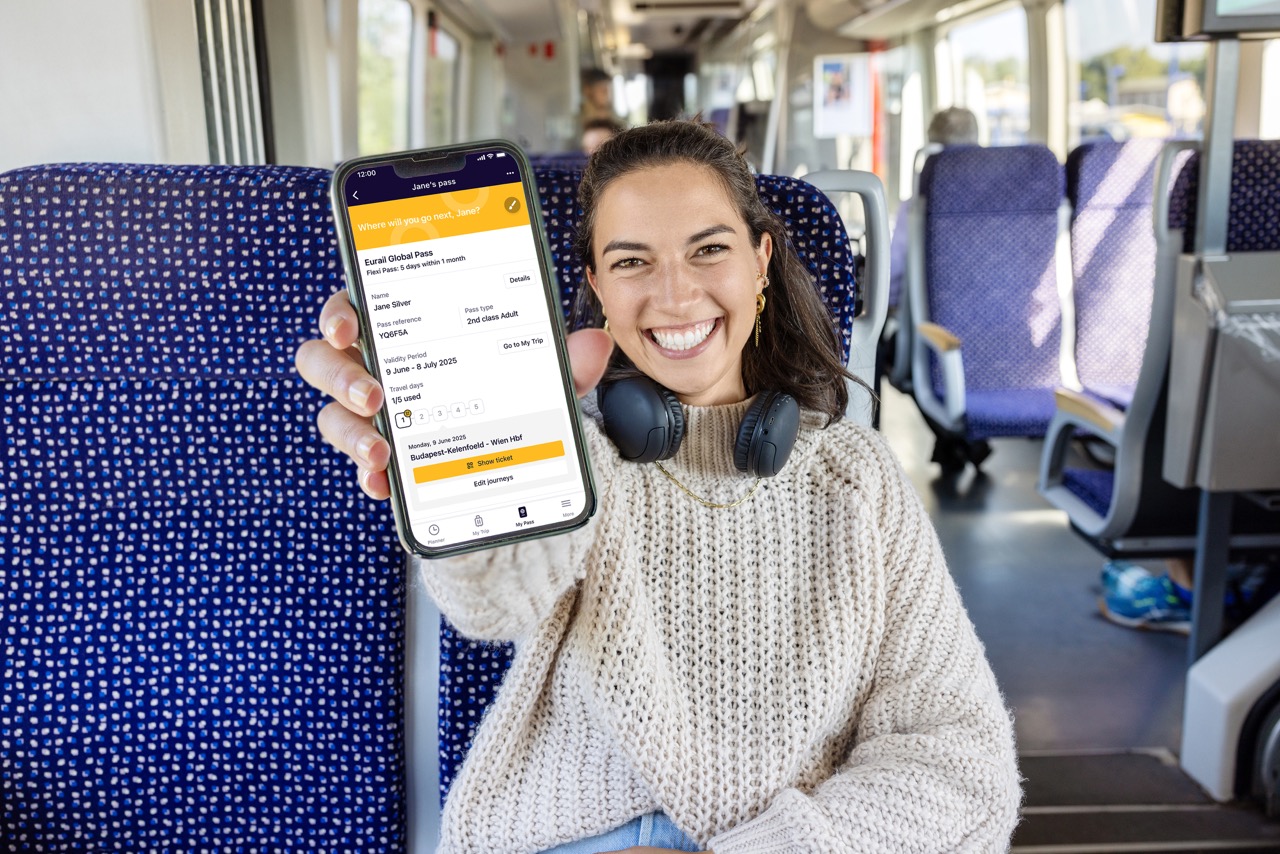



 Tushib-chiqish mumkin bo‘lgan sayyohlik avtobusi