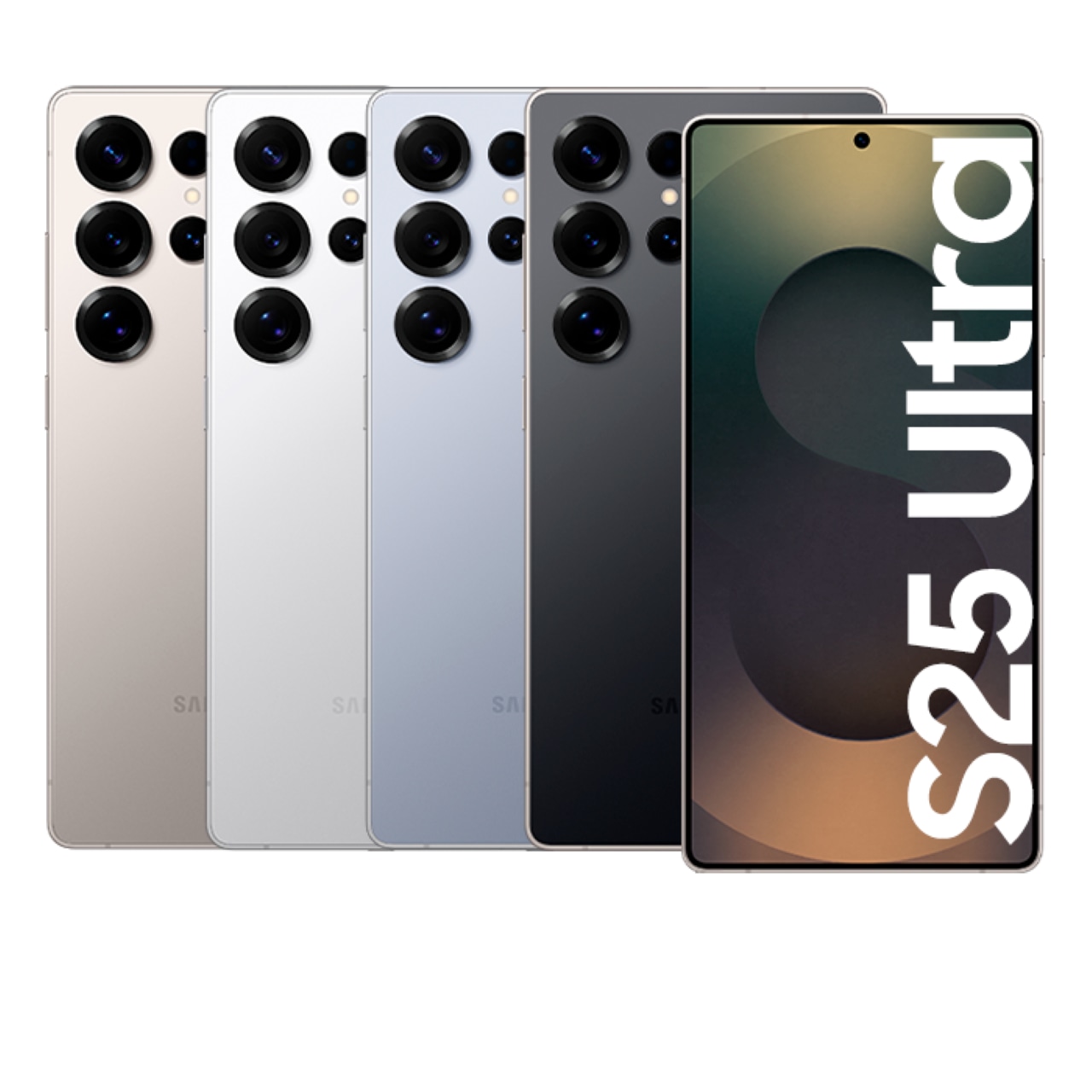

Incheon aeroportida Galaxy S Ultra seriyali telefon ijarasi

Incheon, South Korea
5 (103 sharhlar)
Other Travel Equipment Rental
Tezkor tasdiqlash
Mobil vaucher
Galaxy S Ultra Series Phone Rental at Incheon Airport
Chex, Dan, Fin, Fransuz, Golland, Indonez, Ingliz, Ispan, Italyan, Malay, Nemis, Polyak, Portugal, Rus, Shved, Tagalog, Tay, Turk, Vyetnam, Xitoy, Yapon

Mavjud variantlar

Damage Protection Plan

Per case
97 600 so'm
≈$8

What's included

  • ※ Cannot be purchased separately
  • ※ Coverage : Only applies to damages that are repairable.
  • For more details, please refer to the official page.

Not included

  • • Coverage Exclusions: Total damage(Irreparable damage; device unusable), Loss, Theft
  • ※ Loss and theft are not covered.

Address

  • Pickup / Retrun Location:
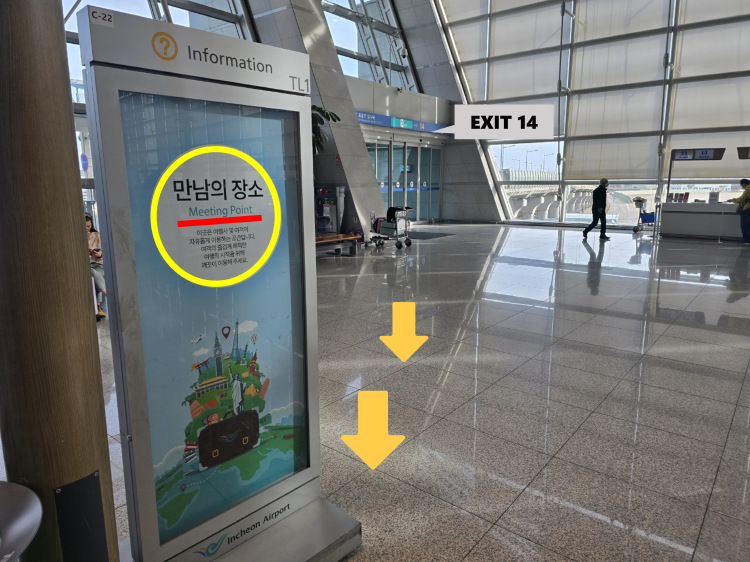
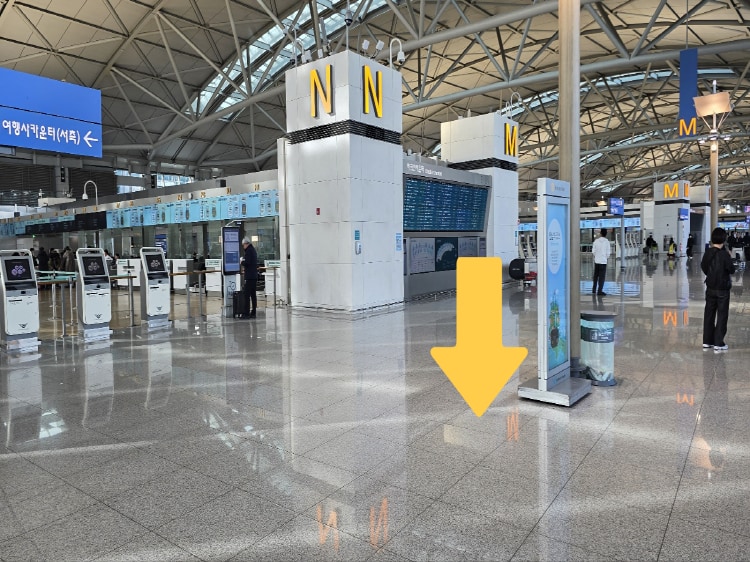
  • Incheon Airport T1 : Meeting Point inside Exit 14 on the 3F
  • [Operating hours]
  • 05:00 - 23:00
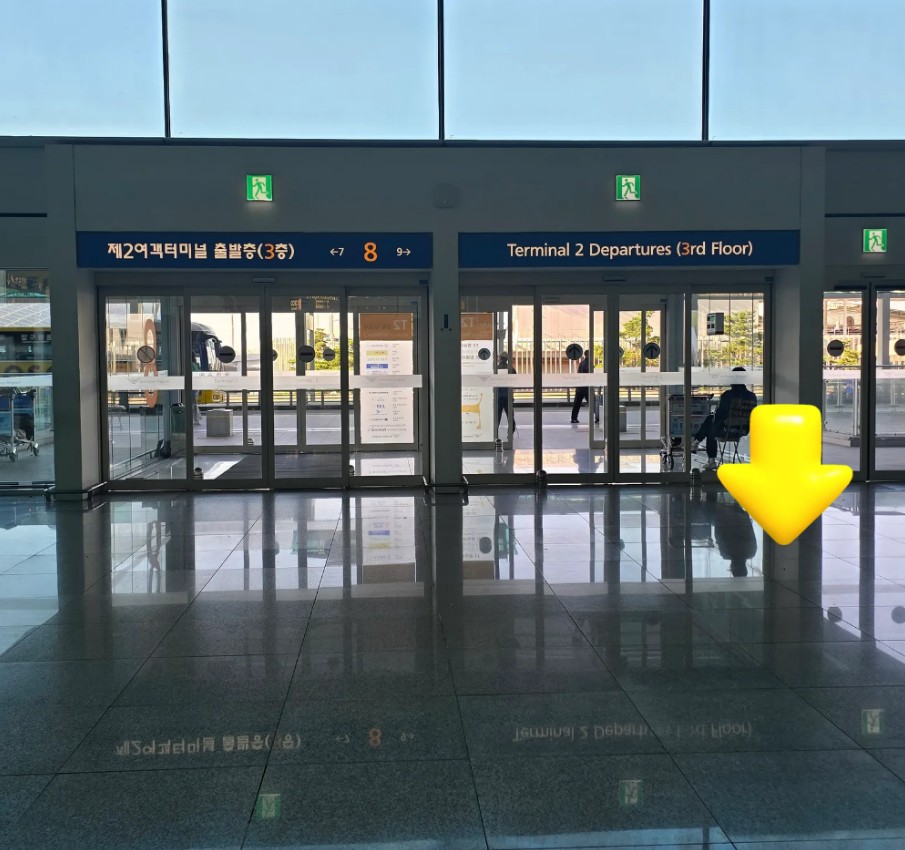
  • Incheon Airport T2 : Inside Exit 8 on the 3F, Departure floor
  • [Operating hours]
  • 05:00 - 22:00
  • NOTE: Rental services are not available for storage/pick-up or return outside of operating hours.

Usage validity

  • The voucher is valid only on the specified date (and time if applicable)

Confirmation

  • You'll get confirmation within minutes. If you don't see any confirmation, reach out to our customer support.

Voucher type

  • Present your mobile voucher

Redemption information

  • ※ Cannot be purchased separately
  • ※ Coverage : Only applies to damages that are repairable.
  • • Deductible : 30% of repair cost (paid by customer)
  • • Coverage Exclusions: Total damage(Irreparable damage; device unusable), Loss, Theft
  • • A single one-time fee applies regardless of rental duration.
  • ※ Loss and theft are not covered.
  • ※This plan can only be added up to 1 day before pickup. It cannot be added after the rental period begins.
  • ⚠️ Loss and Damage Policy
  • ※Loss or irreparable damage → 100% of the retail price will be charged. (To ensure transparent pricing, a purchase receipt will be provided.)
  • Contact CS Center after purchasing the product.
  • If there are no staff members available, please send the information via the link
  • For more details, please refer to the official page.

How to get there

  • ※ Coverage : Only applies to damages that are repairable.
  • • Deductible : 30% of repair cost (paid by customer)
  • • Coverage Exclusions: Total damage(Irreparable damage; device unusable), Loss, Theft
  • • A single one-time fee applies regardless of rental duration.
  • ※ Loss and theft are not covered.
  • ※This plan can only be added up to 1 day before pickup. It cannot be added after the rental period begins.
  • ⚠️ Loss and Damage Policy : Loss or irreparable damage → 100% of the retail price will be charged. (To ensure transparent pricing, a purchase receipt will be provided.)
  • [CS Center]
  • LINE ID : @558hovam (@ should be included)
  • kakao ID : forholiday
  • whatsapp: +82 10 5241 5257

  • Incheon Airport T1 : Meeting Point inside Exit 14 on the 3F

Incheon Airport T1 : Meeting Point inside Exit 14 on the 3F

Incheon Airport T1 : Meeting Point inside Exit 14 on the 3F

  • Incheon Airport T1 : Meeting Point inside Exit 14 on the 3F

Incheon Airport T1 : Meeting Point inside Exit 14 on the 3F

Incheon Airport T1 : Meeting Point inside Exit 14 on the 3F

  • Incheon Airport T2 : Inside Exit 8 on the 3F, Departure floor

Incheon Airport T2 : Inside Exit 8 on the 3F, Departure floor

Incheon Airport  T2 : Inside Exit 8 on the 3F, Departure floor

Ushbu variantni tanlash

Data transfer service

Single Use
231 800 so'm
≈$19

What's included

  • Data transfer service - Available for one-time use

Usage validity

  • The voucher is valid only on the specified date (and time if applicable)

Confirmation

  • You'll get confirmation within minutes. If you don't see any confirmation, reach out to our customer support.

Voucher type

  • Present your mobile voucher

Meet-up information

How to use

  • ※ Rental services are not available for storage/pick-up or return outside of operating hours.
  • ※ Customers using Incheon Airport T1 between 10:00 PM and 11:00 PM, please contact the CS channel for separate inquiries.
      1. Select the desired rental start date and time.
      1. Complete the reservation by entering the required information.
      1. After completing your reservation, you must check the instruction email sent to you and fill out the Google Form. >>> Click
  • ⚠️ If the Google Form is not completed after booking, your reservation may be canceled. Customers who do not submit the Google Form will be excluded from reservation priority, and their booking may be automatically canceled if stock becomes unavailable.
      1. Please visit on time and follow the staff's guidance.
      1. Please return the rental equipment according to the schedule you've purchased.
  • ※ Rental period is based on date. e.g. If you want to start rental on the 1st of March and return to 5th of March, purchase 5 days (Not 24 hours based)

Rental Equipment Pickup Process

      1. When you arrive at the meeting point, please send your information via the link below. Click
  • (During operating hours, staff will be stationed near the meeting point. Please wait a moment.)
      1. Please inform the staff of the service you have reserved.
      1. Rental items cannot be picked up or returned outside of operating hours.

Rental Equipment Return Process

      1. Please check the rental package to ensure no items are missing.
      1. If any items or components are missing, please contact us before returning the equipment.
      1. When you arrive at the meeting point, please send your information via the link below.
  • Clich
      1. Rental items cannot be picked up or returned outside of operating hours.

Notice

      1. If the rental equipment is damaged/lost, please contact the CS center.
  • LINE ID : @558hovam (@ should be included)
  • kakao ID : forholiday
  • whatsapp: +82 10 7582 4470
    • For inquiries, please contact our CS center first.
      1. If the equipment is not returned without prior contact, corresponding action will be taken.
      1. To change the pickup time or the pickup terminal, you must contact CS center by 3PM(KST) the day before the pickup date.
      1. Requests to change the pickup terminal or pickup time cannot be made on the day of pickup.
      1. Pickup and return are available at both T1 and T2, and returns must be made during the operating hours.
      1. The minimum rental period is 3 days. (If you pay for 3 days, you can also rent for 1-2 days.)
      1. Operating hours : 5am - 10pm(T2) / 5am - 11pm(T1).
      1. ※ Reservations are confirmed based on the order in which the Google Form is submitted. (Customers who do not complete the form will be excluded from reservation priority, and their booking may be automatically canceled if stock becomes unavailable.) Click
      1. For customers who couldn't transfer their videos during the rental period or want to enjoy their schedule without worrying about data transfer, a data transfer service is available. Please follow the process below.
  • • STEP 1. Contact CS Center after purchasing the product.
  • • STEP 2. Send your English full name, rental schedule and request data transfer to the CS Center.
  • • STEP 3. After returning the device, data will be uploaded to our cloud within 2 days, and a download link will be sent via your messenger.
  • • STEP 4. You must download the data within 7 days after the link is received.
  • ※ Data will be deleted after 7 days.
  • ※ When returning the phone, the device will be reset the following day after collection, so any purchase or CS inquiries must be made on the same day the device is returned.
      1. Damage Protection Plan (Optional)
  • A one-time fee applies regardless of the rental period.
  • • Minor damage → You are responsible for 30% of the repair cost.
  • • Irreparable damage → 100% of the retail price will be charged.
  • • Loss and theft are not covered.
  • ※ Can only be added up to 1 day before the pickup. Cannot be added after the rental period begins.

Lost, damaged will be charged

    • We do not charge for repairs in the case of Life scratches and general contamination.
    • In case of loss or irreparable damage to the product during rental, we charge 100% of the product sales price.
    • For transparency in billing, we are sending you the purchase receipt.

  • Incheon Airport T1 : Meeting Point inside Exit 14 on the 3F

Incheon Airport T1 : Meeting Point inside Exit 14 on the 3F

Incheon Airport T1 : Meeting Point inside Exit 14 on the 3F

  • Incheon Airport T1 : Meeting Point inside Exit 14 on the 3F

Incheon Airport T1 : Meeting Point inside Exit 14 on the 3F

Incheon Airport T1 : Meeting Point inside Exit 14 on the 3F

  • Incheon Airport T2 : Inside Exit 8 on the 3F, Departure floor

Incheon Airport T2 : Inside Exit 8 on the 3F, Departure floor

Incheon Airport  T2 : Inside Exit 8 on the 3F, Departure floor

Ushbu variantni tanlash

Galaxy S26 Ultra Rental

Data transfer service
231 800 so'm
≈$19
Per Day
231 800 so'm
≈$19

What's included

  • The minimum rental period is 3 days. (If you pay for 3 days, you can also rent for 1-2 days.)
  • [Reservation Information] Please choose the time to start the equipment rental at the airport.
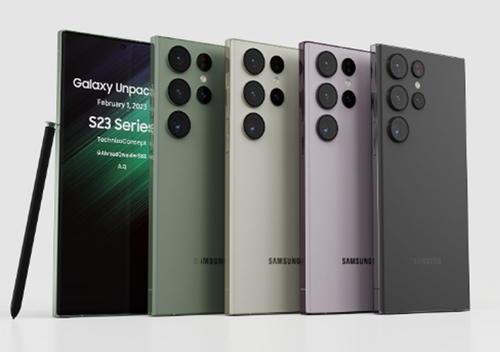
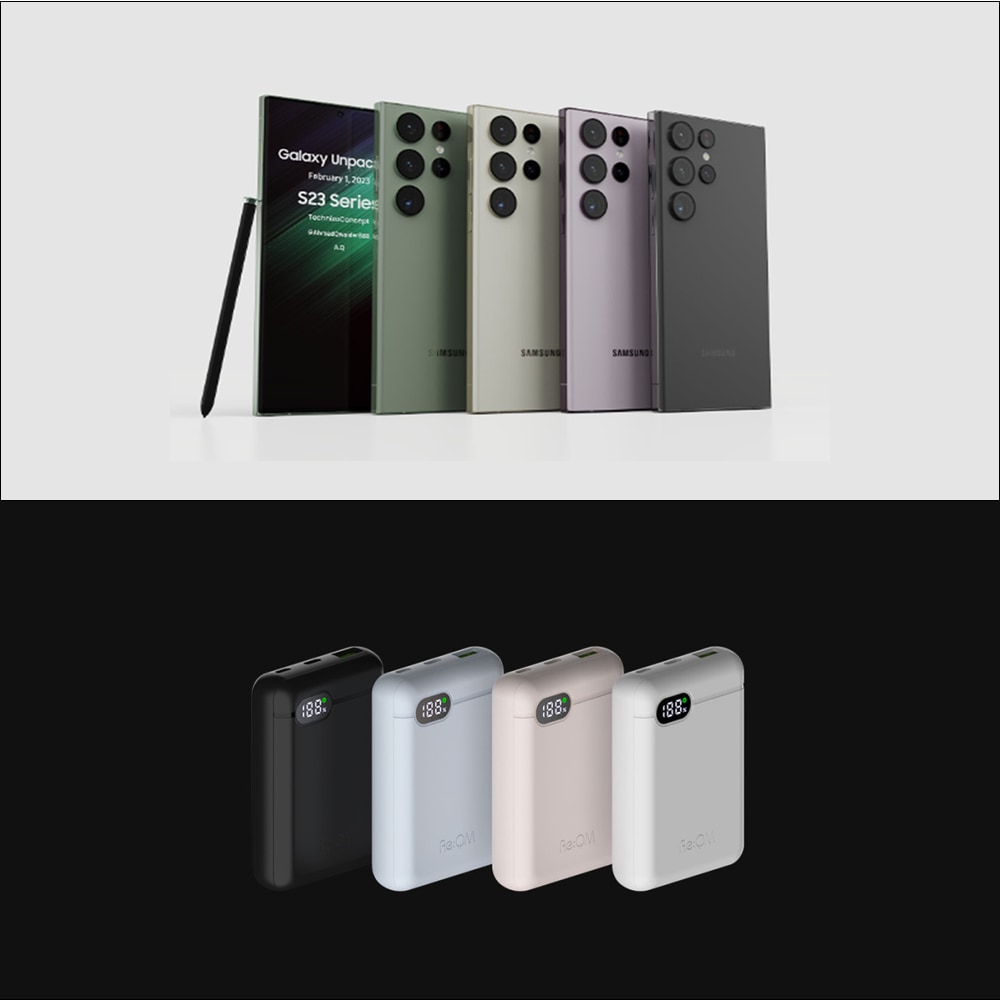
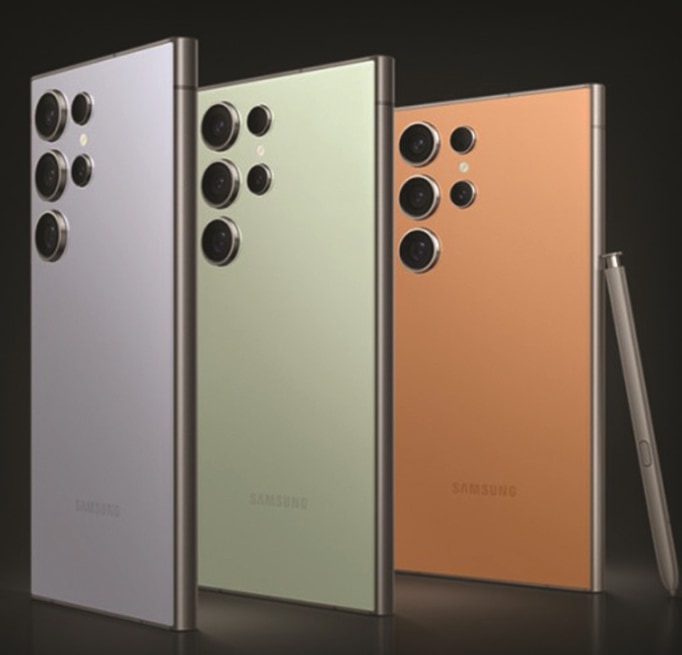
  • Galaxy S26 Ultra Device
  • Charger
  • Supplementary Battery
  • Camera proteced case

Not included

  • Unable to support communication services such as USIM (Device Rental Only)

Usage validity

  • The voucher is valid only on the specified date (and time if applicable)

Confirmation

  • You'll get confirmation within minutes. If you don't see any confirmation, reach out to our customer support.

Voucher type

  • Present your mobile voucher

Meet-up information

How to use

  • ※ Rental services are not available for storage/pick-up or return outside of operating hours.
  • ※ Customers using Incheon Airport T1 between 10:00 PM and 11:00 PM, please contact the CS channel for separate inquiries.
      1. Select the desired rental start date and time.
      1. Complete the reservation by entering the required information.
      1. After completing your reservation, you must check the instruction email sent to you and fill out the Google Form. >>> Click
  • ⚠️ If the Google Form is not completed after booking, your reservation may be canceled. Customers who do not submit the Google Form will be excluded from reservation priority, and their booking may be automatically canceled if stock becomes unavailable.
      1. Please visit on time and follow the staff's guidance.
      1. Please return the rental equipment according to the schedule you've purchased.
  • ※ Rental period is based on date. e.g. If you want to start rental on the 1st of March and return to 5th of March, purchase 5 days (Not 24 hours based)

Rental Equipment Pickup Process

      1. When you arrive at the meeting point, please send your information via the link below. Click
  • (During operating hours, staff will be stationed near the meeting point. Please wait a moment.)
      1. Please inform the staff of the service you have reserved.
      1. Rental items cannot be picked up or returned outside of operating hours.

Rental Equipment Return Process

      1. Please check the rental package to ensure no items are missing.
      1. If any items or components are missing, please contact us before returning the equipment.
      1. When you arrive at the meeting point, please send your information via the link below.
  • Clich
      1. Rental items cannot be picked up or returned outside of operating hours.

Notice

      1. If the rental equipment is damaged/lost, please contact the CS center.
  • LINE ID : @558hovam (@ should be included)
  • kakao ID : forholiday
  • whatsapp: +82 10 7582 4470
    • For inquiries, please contact our CS center first.
      1. If the equipment is not returned without prior contact, corresponding action will be taken.
      1. To change the pickup time or the pickup terminal, you must contact CS center by 3PM(KST) the day before the pickup date.
      1. Requests to change the pickup terminal or pickup time cannot be made on the day of pickup.
      1. Pickup and return are available at both T1 and T2, and returns must be made during the operating hours.
      1. The minimum rental period is 3 days. (If you pay for 3 days, you can also rent for 1-2 days.)
      1. Operating hours : 5am - 10pm(T2) / 5am - 11pm(T1).
      1. ※ Reservations are confirmed based on the order in which the Google Form is submitted. (Customers who do not complete the form will be excluded from reservation priority, and their booking may be automatically canceled if stock becomes unavailable.) Click
      1. For customers who couldn't transfer their videos during the rental period or want to enjoy their schedule without worrying about data transfer, a data transfer service is available. Please follow the process below.
  • • STEP 1. Contact CS Center after purchasing the product.
  • • STEP 2. Send your English full name, rental schedule and request data transfer to the CS Center.
  • • STEP 3. After returning the device, data will be uploaded to our cloud within 2 days, and a download link will be sent via your messenger.
  • • STEP 4. You must download the data within 7 days after the link is received.
  • ※ Data will be deleted after 7 days.
  • ※ When returning the phone, the device will be reset the following day after collection, so any purchase or CS inquiries must be made on the same day the device is returned.
      1. Damage Protection Plan (Optional)
  • A one-time fee applies regardless of the rental period.
  • • Minor damage → You are responsible for 30% of the repair cost.
  • • Irreparable damage → 100% of the retail price will be charged.
  • • Loss and theft are not covered.
  • ※ Can only be added up to 1 day before the pickup. Cannot be added after the rental period begins.

Lost, damaged will be charged

    • We do not charge for repairs in the case of Life scratches and general contamination.
    • In case of loss or irreparable damage to the product during rental, we charge 100% of the product sales price.
    • For transparency in billing, we are sending you the purchase receipt.

  • Incheon Airport T1 : Meeting Point inside Exit 14 on the 3F

Incheon Airport T1 : Meeting Point inside Exit 14 on the 3F

Incheon Airport T1 : Meeting Point inside Exit 14 on the 3F

  • Incheon Airport T1 : Meeting Point inside Exit 14 on the 3F

Incheon Airport T1 : Meeting Point inside Exit 14 on the 3F

Incheon Airport T1 : Meeting Point inside Exit 14 on the 3F

  • Incheon Airport T2 : Inside Exit 8 on the 3F, Departure floor

Incheon Airport T2 : Inside Exit 8 on the 3F, Departure floor

Incheon Airport  T2 : Inside Exit 8 on the 3F, Departure floor

Ushbu variantni tanlash

Galaxy S25 Ultra Rental

Per Day
170 800 so'm
≈$14
Data transfer service
231 800 so'm
≈$19

What's included

  • The minimum rental period is 3 days. (If you pay for 3 days, you can also rent for 1-2 days.)
  • Galaxy S25 Ultra Device
  • Charger
  • Supplementary Battery
  • Camera proteced case

Not included

  • Unable to support communication services such as USIM (Device Rental Only)

Usage validity

  • The voucher is valid only on the specified date (and time if applicable)

Confirmation

  • You'll get confirmation within minutes. If you don't see any confirmation, reach out to our customer support.

Voucher type

  • Present your mobile voucher

Meet-up information

How to use

  • ※ Rental services are not available for storage/pick-up or return outside of operating hours.
  • ※ Customers using Incheon Airport T1 between 10:00 PM and 11:00 PM, please contact the CS channel for separate inquiries.
      1. Select the desired rental start date and time.
      1. Complete the reservation by entering the required information.
      1. After completing your reservation, you must check the instruction email sent to you and fill out the Google Form. >>> Click
  • ⚠️ If the Google Form is not completed after booking, your reservation may be canceled. Customers who do not submit the Google Form will be excluded from reservation priority, and their booking may be automatically canceled if stock becomes unavailable.
      1. Please visit on time and follow the staff's guidance.
      1. Please return the rental equipment according to the schedule you've purchased.
  • ※ Rental period is based on date. e.g. If you want to start rental on the 1st of March and return to 5th of March, purchase 5 days (Not 24 hours based)

Rental Equipment Pickup Process

      1. When you arrive at the meeting point, please send your information via the link below. Click
  • (During operating hours, staff will be stationed near the meeting point. Please wait a moment.)
      1. Please inform the staff of the service you have reserved.
      1. Rental items cannot be picked up or returned outside of operating hours.

Rental Equipment Return Process

      1. Please check the rental package to ensure no items are missing.
      1. If any items or components are missing, please contact us before returning the equipment.
      1. When you arrive at the meeting point, please send your information via the link below.
  • Clich
      1. Rental items cannot be picked up or returned outside of operating hours.

Notice

      1. If the rental equipment is damaged/lost, please contact the CS center.
  • LINE ID : @558hovam (@ should be included)
  • kakao ID : forholiday
  • whatsapp: +82 10 7582 4470
    • For inquiries, please contact our CS center first.
      1. If the equipment is not returned without prior contact, corresponding action will be taken.
      1. To change the pickup time or the pickup terminal, you must contact CS center by 3PM(KST) the day before the pickup date.
      1. Requests to change the pickup terminal or pickup time cannot be made on the day of pickup.
      1. Pickup and return are available at both T1 and T2, and returns must be made during the operating hours.
      1. The minimum rental period is 3 days. (If you pay for 3 days, you can also rent for 1-2 days.)
      1. Operating hours : 5am - 10pm(T2) / 5am - 11pm(T1).
      1. ※ Reservations are confirmed based on the order in which the Google Form is submitted. (Customers who do not complete the form will be excluded from reservation priority, and their booking may be automatically canceled if stock becomes unavailable.) Click
      1. For customers who couldn't transfer their videos during the rental period or want to enjoy their schedule without worrying about data transfer, a data transfer service is available. Please follow the process below.
  • • STEP 1. Contact CS Center after purchasing the product.
  • • STEP 2. Send your English full name, rental schedule and request data transfer to the CS Center.
  • • STEP 3. After returning the device, data will be uploaded to our cloud within 2 days, and a download link will be sent via your messenger.
  • • STEP 4. You must download the data within 7 days after the link is received.
  • ※ Data will be deleted after 7 days.
  • ※ When returning the phone, the device will be reset the following day after collection, so any purchase or CS inquiries must be made on the same day the device is returned.
      1. Damage Protection Plan (Optional)
  • A one-time fee applies regardless of the rental period.
  • • Minor damage → You are responsible for 30% of the repair cost.
  • • Irreparable damage → 100% of the retail price will be charged.
  • • Loss and theft are not covered.
  • ※ Can only be added up to 1 day before the pickup. Cannot be added after the rental period begins.

Lost, damaged will be charged

    • We do not charge for repairs in the case of Life scratches and general contamination.
    • In case of loss or irreparable damage to the product during rental, we charge 100% of the product sales price.
    • For transparency in billing, we are sending you the purchase receipt.

  • Incheon Airport T1 : Meeting Point inside Exit 14 on the 3F

Incheon Airport T1 : Meeting Point inside Exit 14 on the 3F

Incheon Airport T1 : Meeting Point inside Exit 14 on the 3F

  • Incheon Airport T1 : Meeting Point inside Exit 14 on the 3F

Incheon Airport T1 : Meeting Point inside Exit 14 on the 3F

Incheon Airport T1 : Meeting Point inside Exit 14 on the 3F

  • Incheon Airport T2 : Inside Exit 8 on the 3F, Departure floor

Incheon Airport T2 : Inside Exit 8 on the 3F, Departure floor

Incheon Airport  T2 : Inside Exit 8 on the 3F, Departure floor

Ushbu variantni tanlash
dan
97 600 so'm kishi uchun
≈$8
Keshbek 4 880 so'mgacha
Variantni tanlash va band qilish

Yuqoridagi mavjud variantlardan tanlang

Xavfsiz to'lov
Tezkor tasdiqlash

Политика отмены

  • You'll get a full refund if you cancel at least 48 hour(s) before the activity date (destination local time)

O'xshash ekskursiyalar