【FREE GIFT】Taiwan eSIM (1 eSIM per booking)

Taipei, Taiwan
5 (226 отзывов)
Мгновенное подтверждение
Мобильный ваучер

Доступные варианты

Data in total · 7 days · 1GB · Data only

eSIM
Цена по запросу

Additional Information

  • eSIM compatible devices

  • eSIM FAQ

  • The connection speed depends on your reception coverage and the local tele company. No refund will be issued for any speed drop

IOS: Please refer to the images below (use the latest version of the Klook App); Android: Please refer to the guide

  • Your eSIM plan will begin upon connection to the destination mobile network, according to the time connected. For example, if you activate your 3-day plan at 10:00, it will end 3 days later at 10:00.

  • Activate in Klook App (Update Klook APP to the latest version)

Activate in Klook App (Update Klook APP to the latest version)
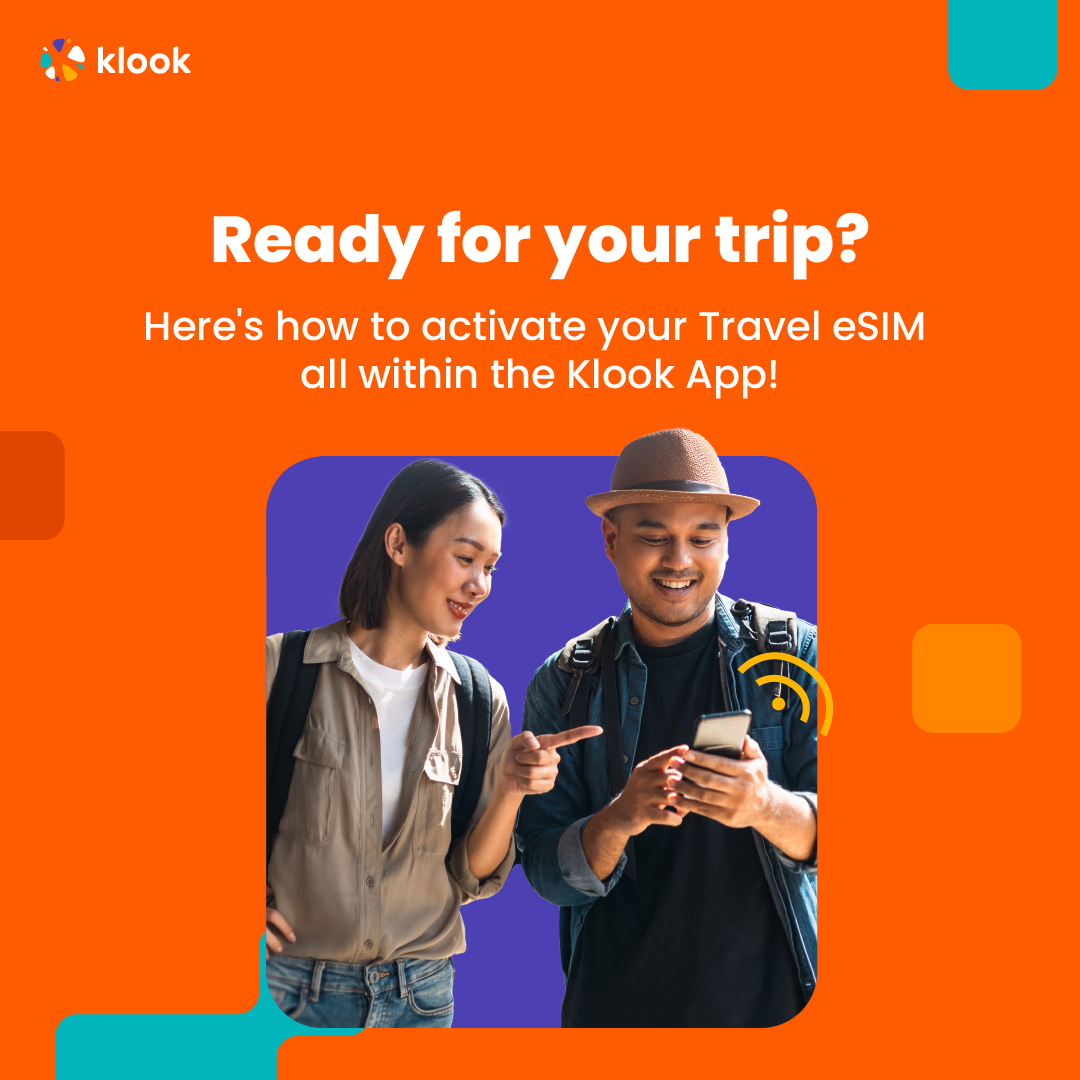
Activate in Klook App (Update Klook APP to the latest version)

  • Klook App: Account > Bookings > Click activate (You can also find the eSIM QR code in the voucher, Settings > Cellular > SIMs > Tap Add eSIM > scan QR code )
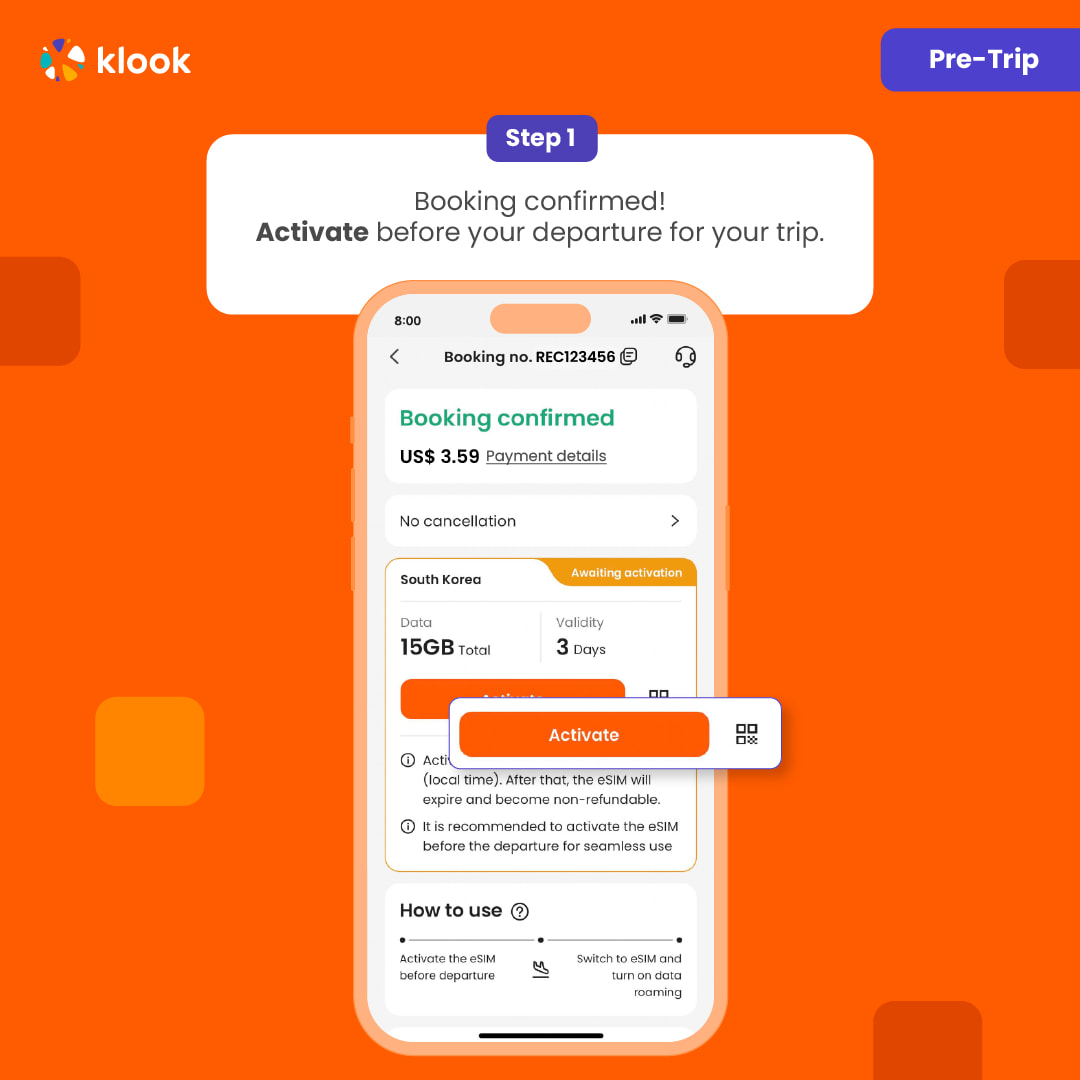
Klook App: Account > Bookings > Click activate (You can also find the eSIM QR code in the voucher, Settings > Cellular > SIMs > Tap Add eSIM > scan QR code )

Klook App: Account > Bookings > Click activate (You can also find the eSIM QR code in the voucher, Settings > Cellular > SIMs > Tap Add eSIM > scan QR code )

  • Read the reminder and start installing the eSIM (The time and data will not start counting.)

Read the reminder and start installing the eSIM (The time and data will not start counting.)
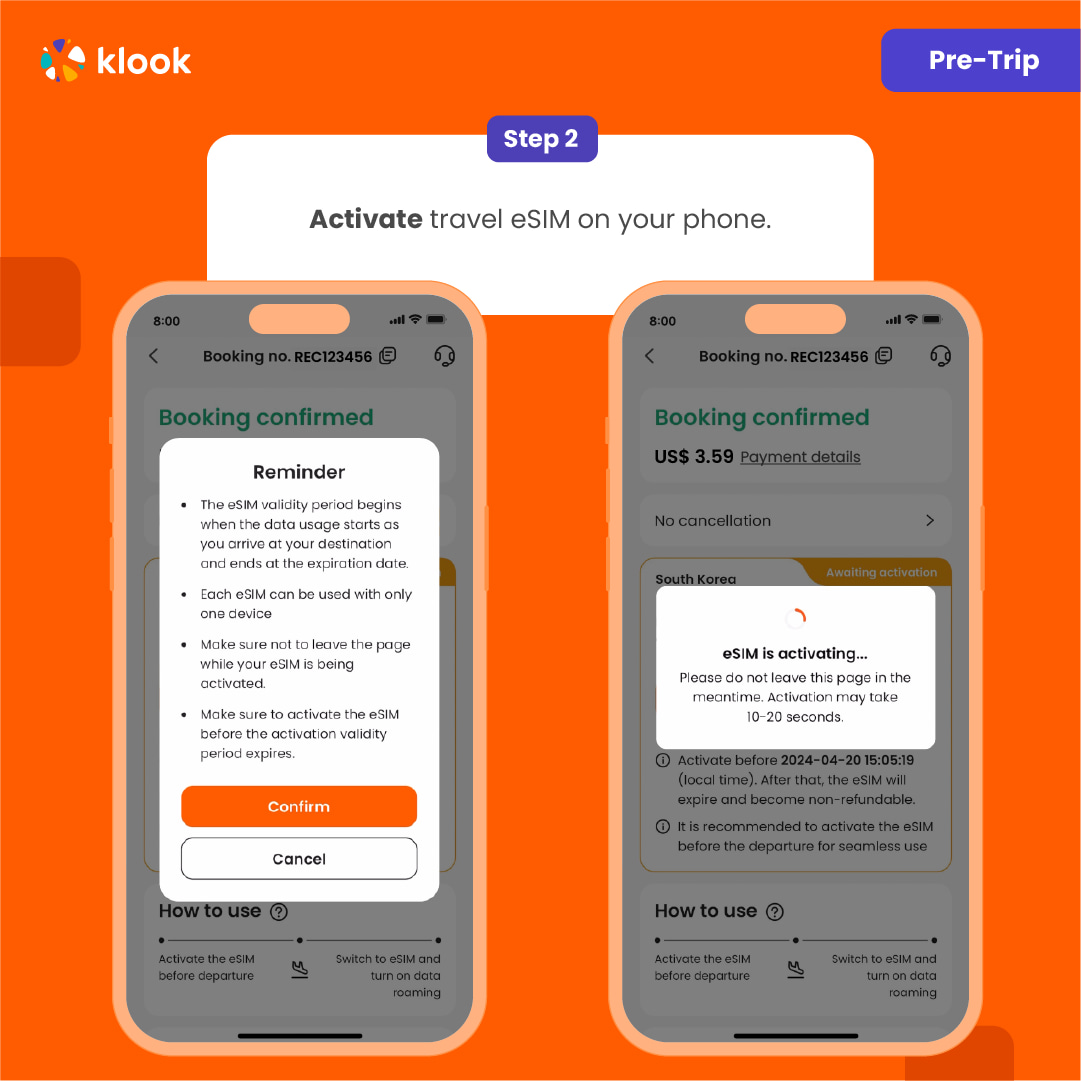
Read the reminder and start installing the eSIM (The time and data will not start counting.)

  • Suggest install under wifi connection and please do not leave the page (might take some time)

Suggest install under wifi connection and please do not leave the page (might take some time)
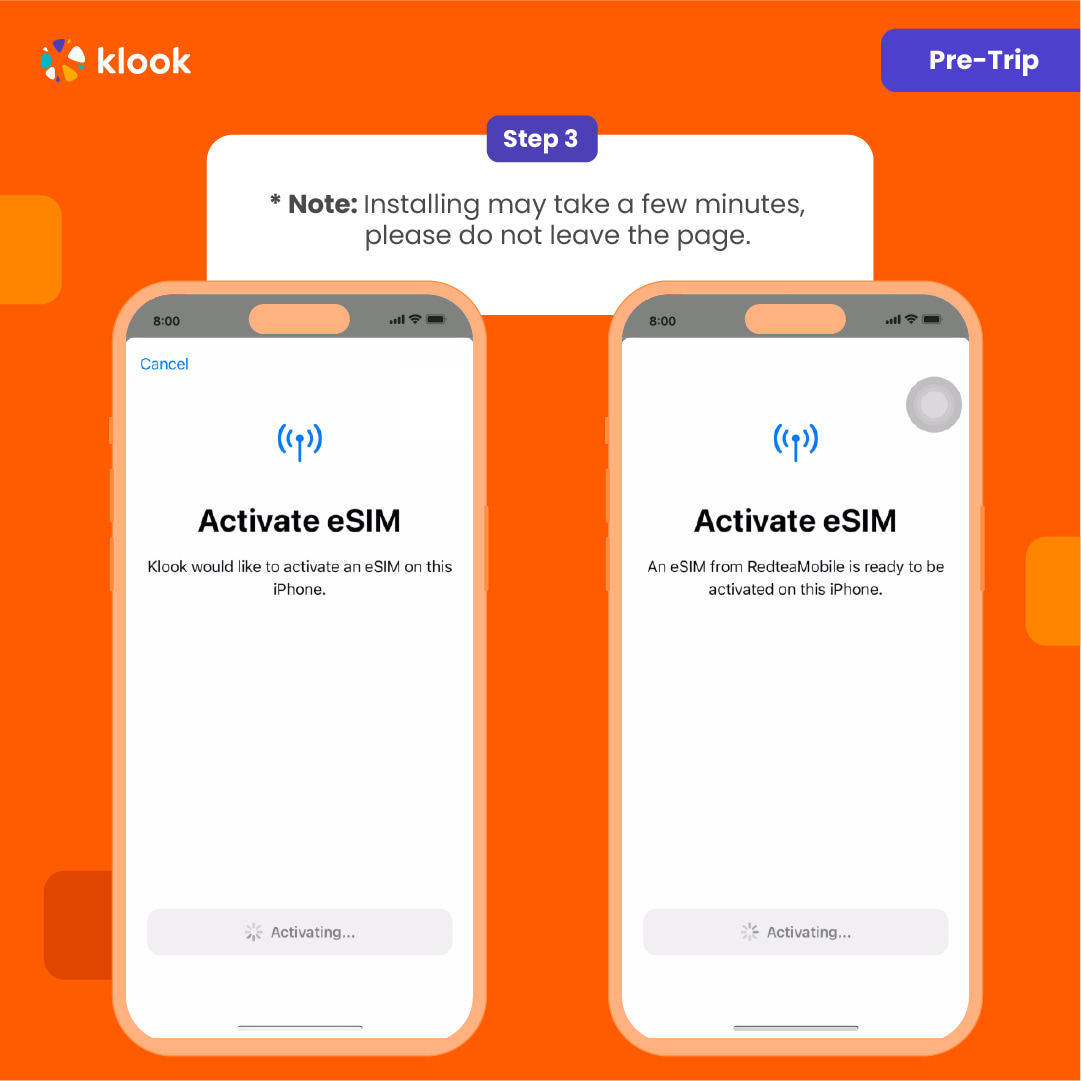
Suggest install under wifi connection and please do not leave the page (might take some time)

  • Please select "Primary" if you're not in your destination.

Please select "Primary" if you're not in your destination.
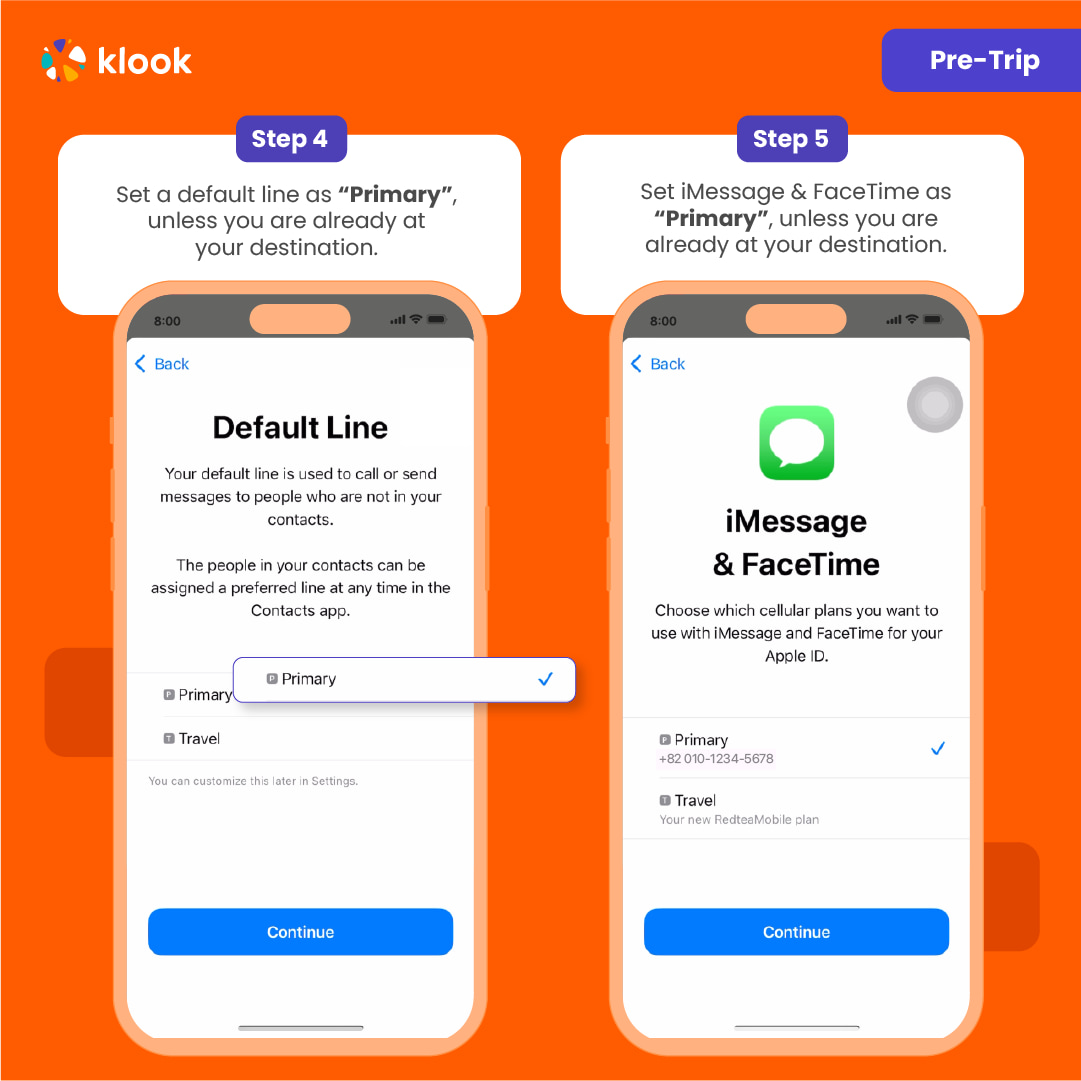
Please select "Primary" if you're not in your destination.

  • Turn off cellular switching and the eSIM is installed! (If you failed, can try again.)

Turn off cellular switching and the eSIM is installed! (If you failed, can try again.)
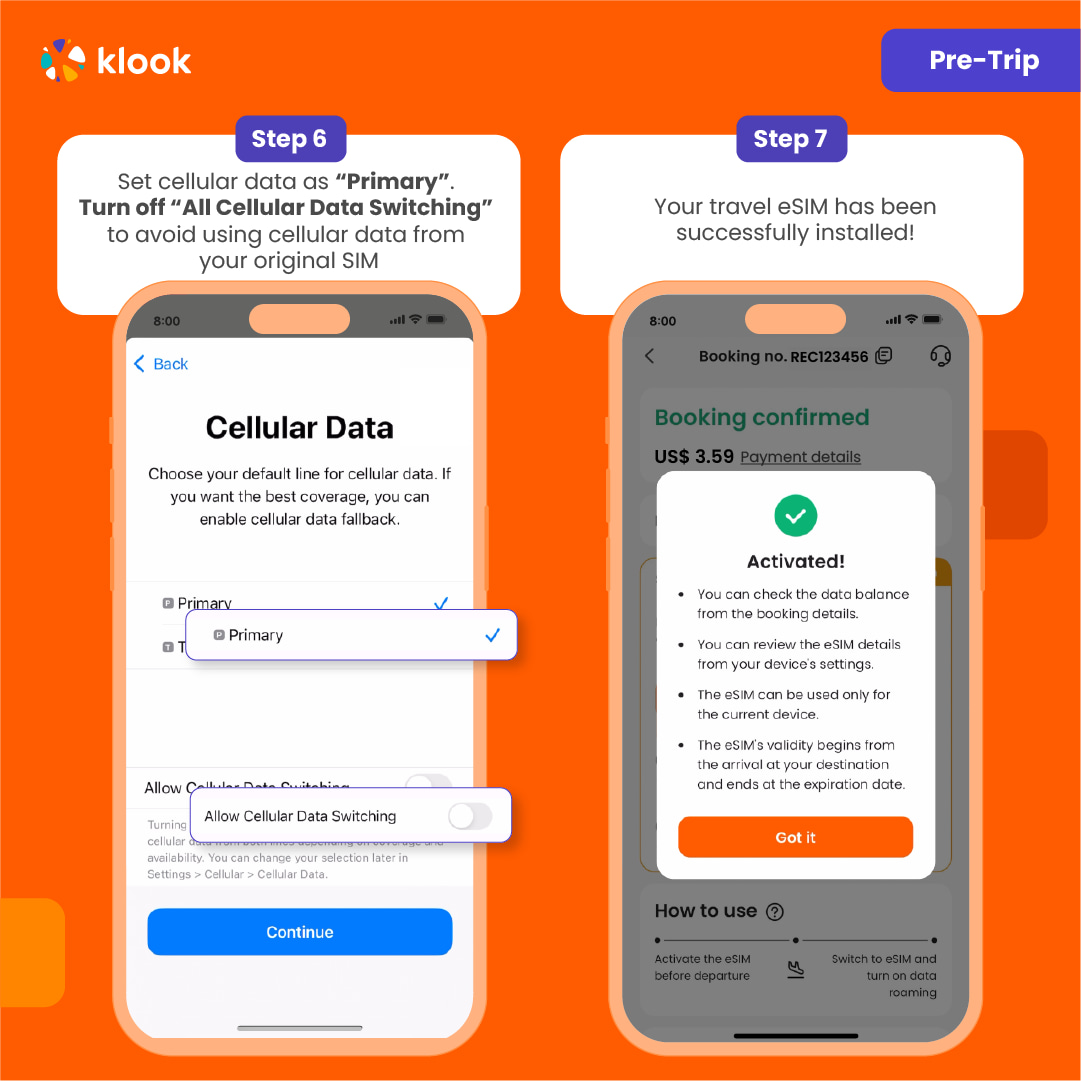
Turn off cellular switching and the eSIM is installed! (If you failed, can try again.)

  • After you arrive the destination: Turn on the eSIM line and turn on the data roaming.

After you arrive the destination: Turn on the eSIM line and turn on the data roaming.
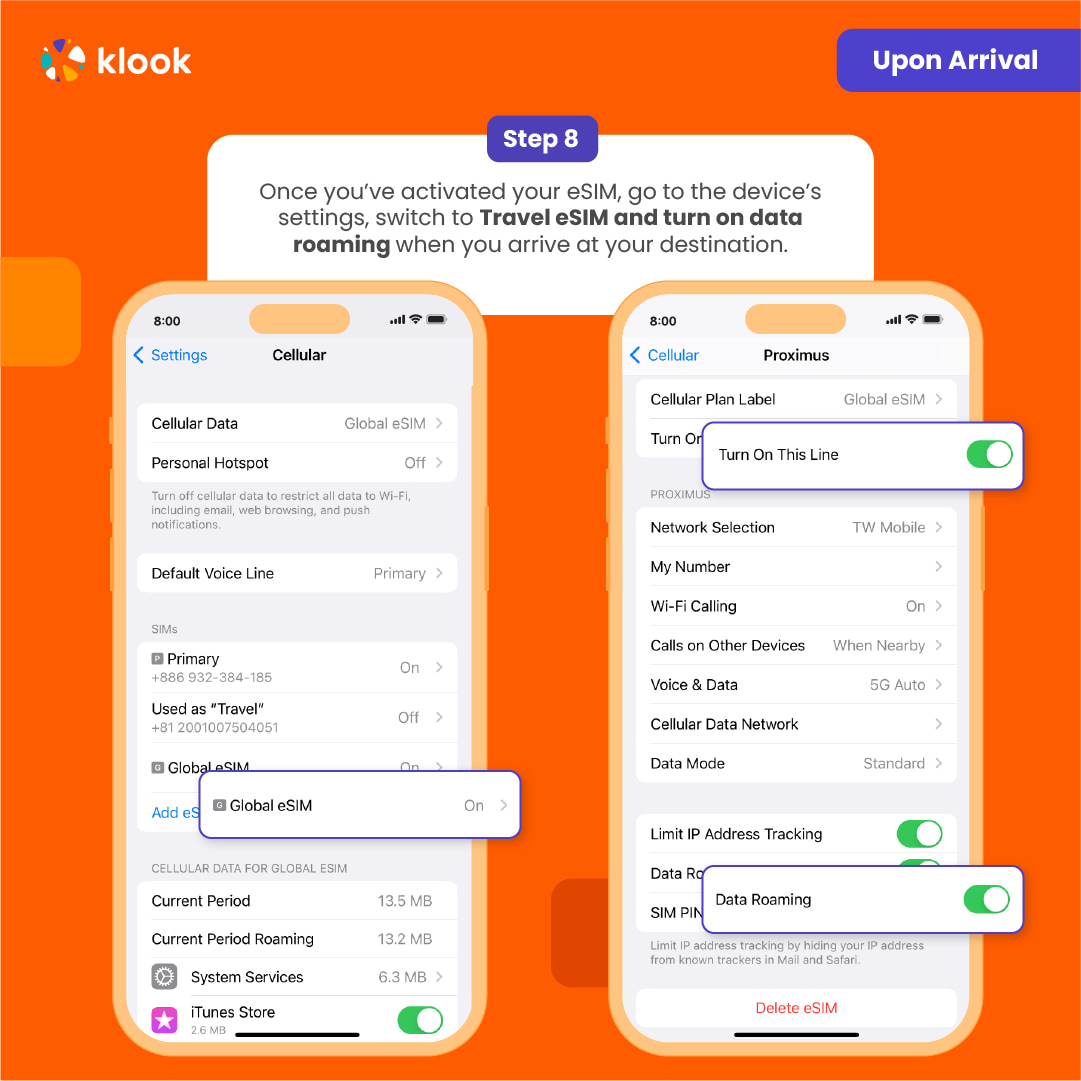
After you arrive the destination: Turn on the eSIM line and turn on the data roaming.

  • After you arrive the destination: Switch the cellular data to the eSIM card.

After you arrive the destination: Switch the cellular data to the eSIM card.
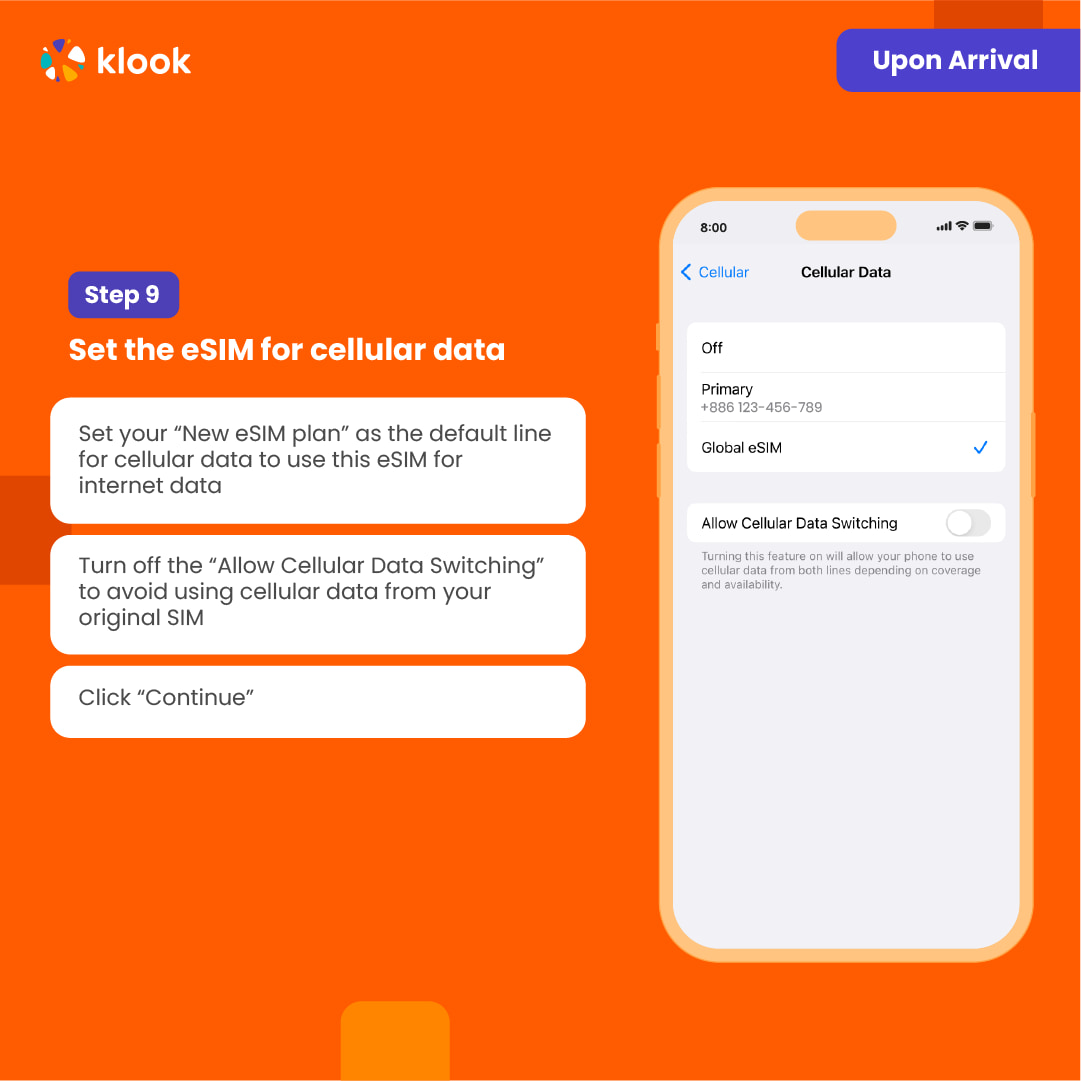
After you arrive the destination: Switch the cellular data to the eSIM card.

  • Check the eSIM status in your bookings in Klook APP (Reach out to us on the top right of the booking if you have any issues!)
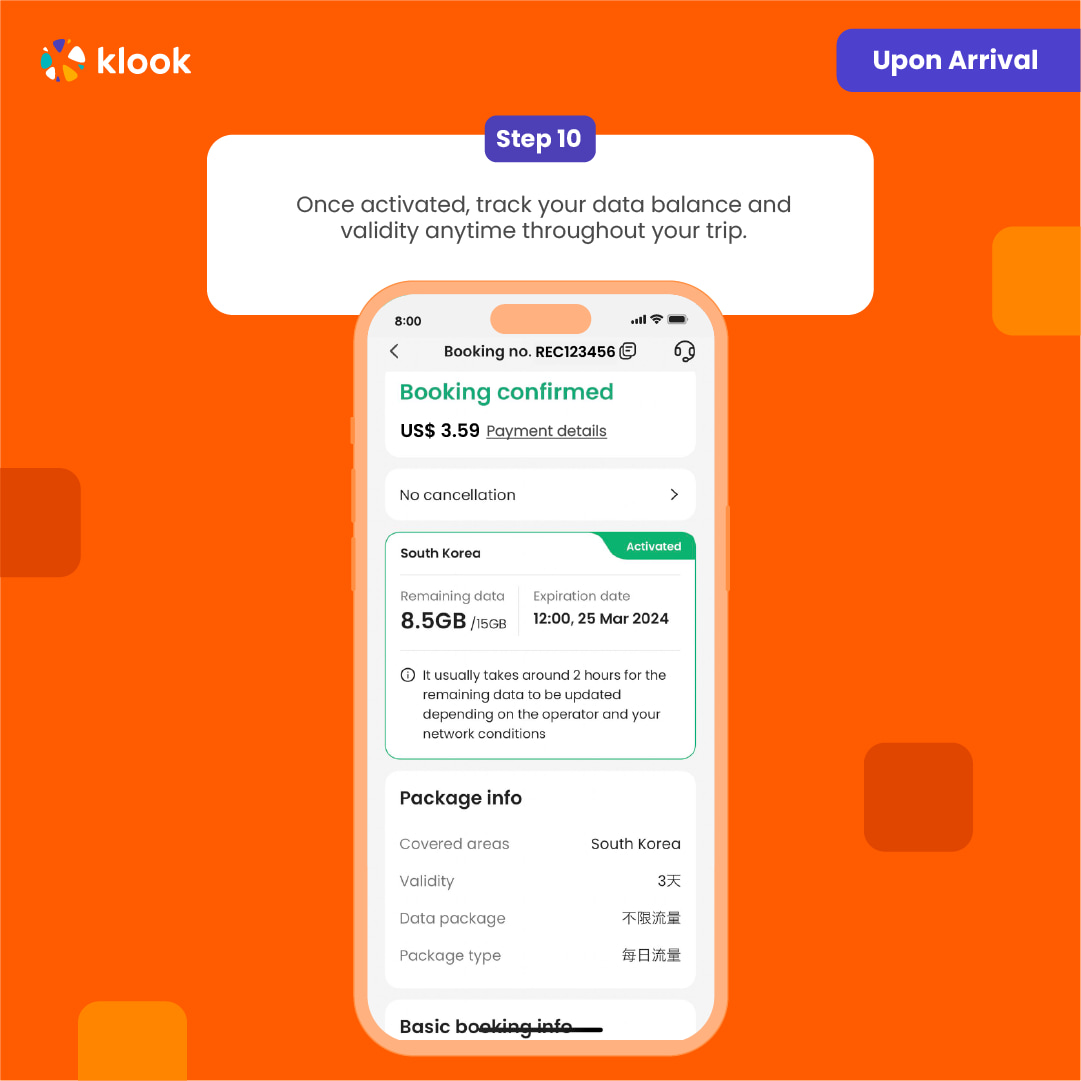

Check the eSIM status in your bookings in Klook APP (Reach out to us on the top right of the booking if you have any issues!)

Check the eSIM status in your bookings in Klook APP (Reach out to us on the top right of the booking if you have any issues!)

Confirmation policy

  • You'll get confirmation within minutes. If you don't see any confirmation, reach out to our customer support.

Выбрать этот вариант

Data in total · 30 days · 5GB · Data only

eSIM
23 900 UZS
≈$2

Additional Information

  • eSIM compatible devices

  • eSIM FAQ

  • The connection speed depends on your reception coverage and the local tele company. No refund will be issued for any speed drop

IOS: Please refer to the images below (use the latest version of the Klook App); Android: Please refer to the guide

  • Your eSIM plan will begin upon connection to the destination mobile network, according to the time connected. For example, if you activate your 3-day plan at 10:00, it will end 3 days later at 10:00.

  • Activate in Klook App (Update Klook APP to the latest version)

Activate in Klook App (Update Klook APP to the latest version)

Activate in Klook App (Update Klook APP to the latest version)

  • Klook App: Account > Bookings > Click activate (You can also find the eSIM QR code in the voucher, Settings > Cellular > SIMs > Tap Add eSIM > scan QR code )

Klook App: Account > Bookings > Click activate (You can also find the eSIM QR code in the voucher, Settings > Cellular > SIMs > Tap Add eSIM > scan QR code )

Klook App: Account > Bookings > Click activate (You can also find the eSIM QR code in the voucher, Settings > Cellular > SIMs > Tap Add eSIM > scan QR code )

  • Read the reminder and start installing the eSIM (The time and data will not start counting.)

Read the reminder and start installing the eSIM (The time and data will not start counting.)

Read the reminder and start installing the eSIM (The time and data will not start counting.)

  • Suggest install under wifi connection and please do not leave the page (might take some time)

Suggest install under wifi connection and please do not leave the page (might take some time)

Suggest install under wifi connection and please do not leave the page (might take some time)

  • Please select "Primary" if you're not in your destination.

Please select "Primary" if you're not in your destination.

Please select "Primary" if you're not in your destination.

  • Turn off cellular switching and the eSIM is installed! (If you failed, can try again.)

Turn off cellular switching and the eSIM is installed! (If you failed, can try again.)

Turn off cellular switching and the eSIM is installed! (If you failed, can try again.)

  • After you arrive the destination: Turn on the eSIM line and turn on the data roaming.

After you arrive the destination: Turn on the eSIM line and turn on the data roaming.

After you arrive the destination: Turn on the eSIM line and turn on the data roaming.

  • After you arrive the destination: Switch the cellular data to the eSIM card.

After you arrive the destination: Switch the cellular data to the eSIM card.

After you arrive the destination: Switch the cellular data to the eSIM card.

  • Check the eSIM status in your bookings in Klook APP (Reach out to us on the top right of the booking if you have any issues!)

Check the eSIM status in your bookings in Klook APP (Reach out to us on the top right of the booking if you have any issues!)

Check the eSIM status in your bookings in Klook APP (Reach out to us on the top right of the booking if you have any issues!)

Confirmation policy

  • You'll get confirmation within minutes. If you don't see any confirmation, reach out to our customer support.

Выбрать этот вариант
от
23 900 UZS за человека
≈$2
Кэшбэк до 1 195 сум
Выбрать и забронировать

Выберите вариант выше

Безопасная оплата
Мгновенное подтверждение

Похожие экскурсии