
Tours
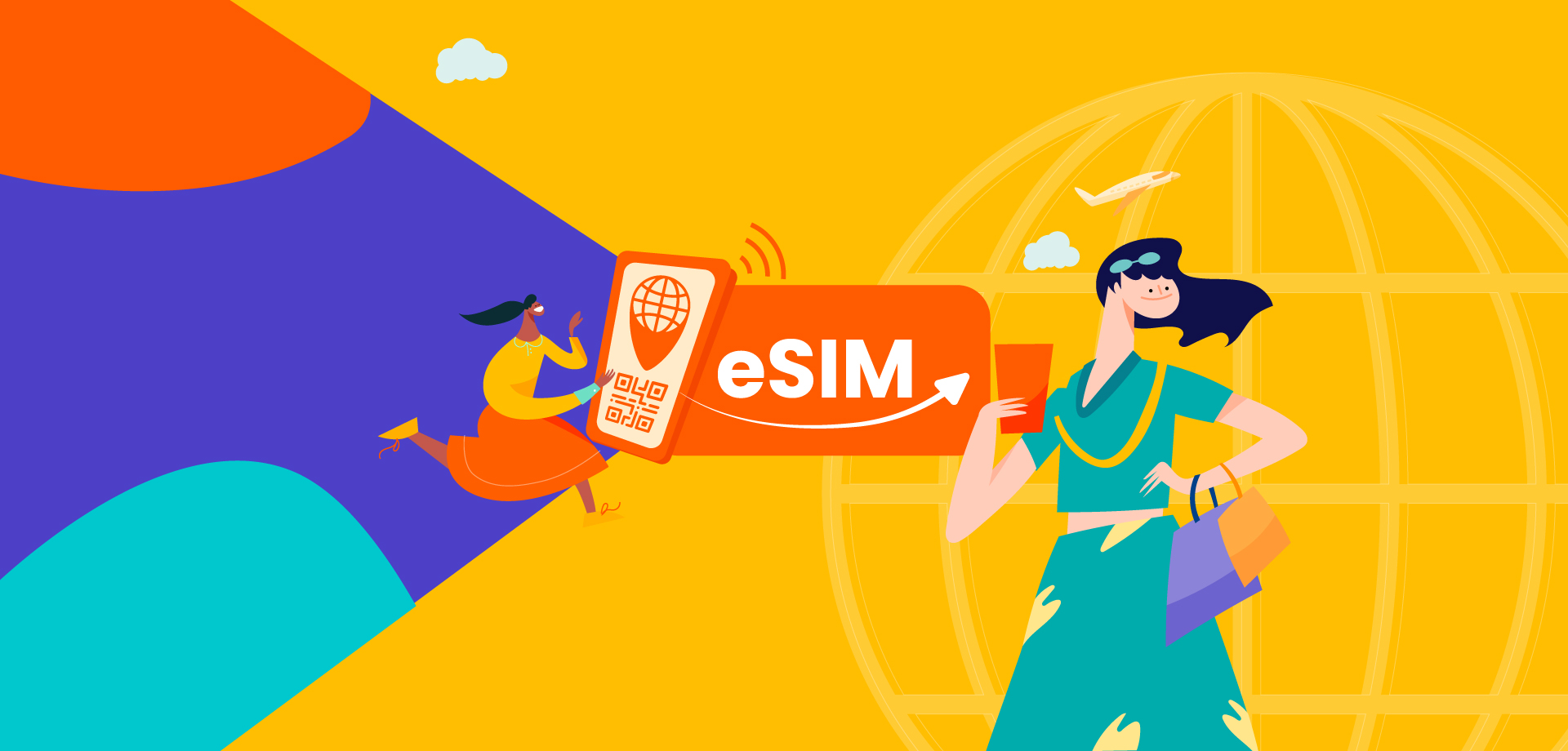
【FREE GIFT】Hong Kong eSIM (1 eSIM per booking)
Доступные варианты
Data in total · 7 days · 1GB · Data only
-
The connection speed depends on your reception coverage and the local tele company. No refund will be issued for any speed drop
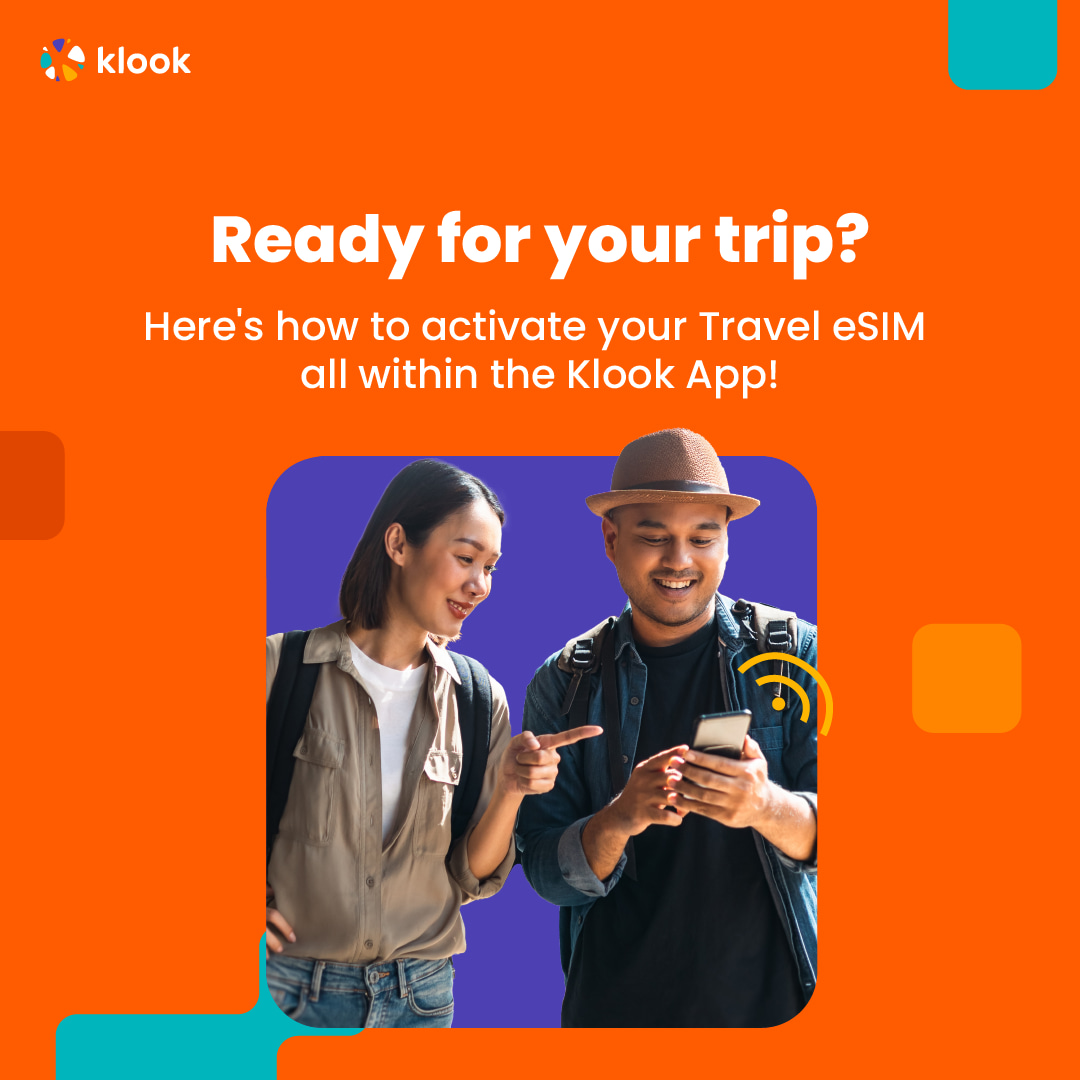
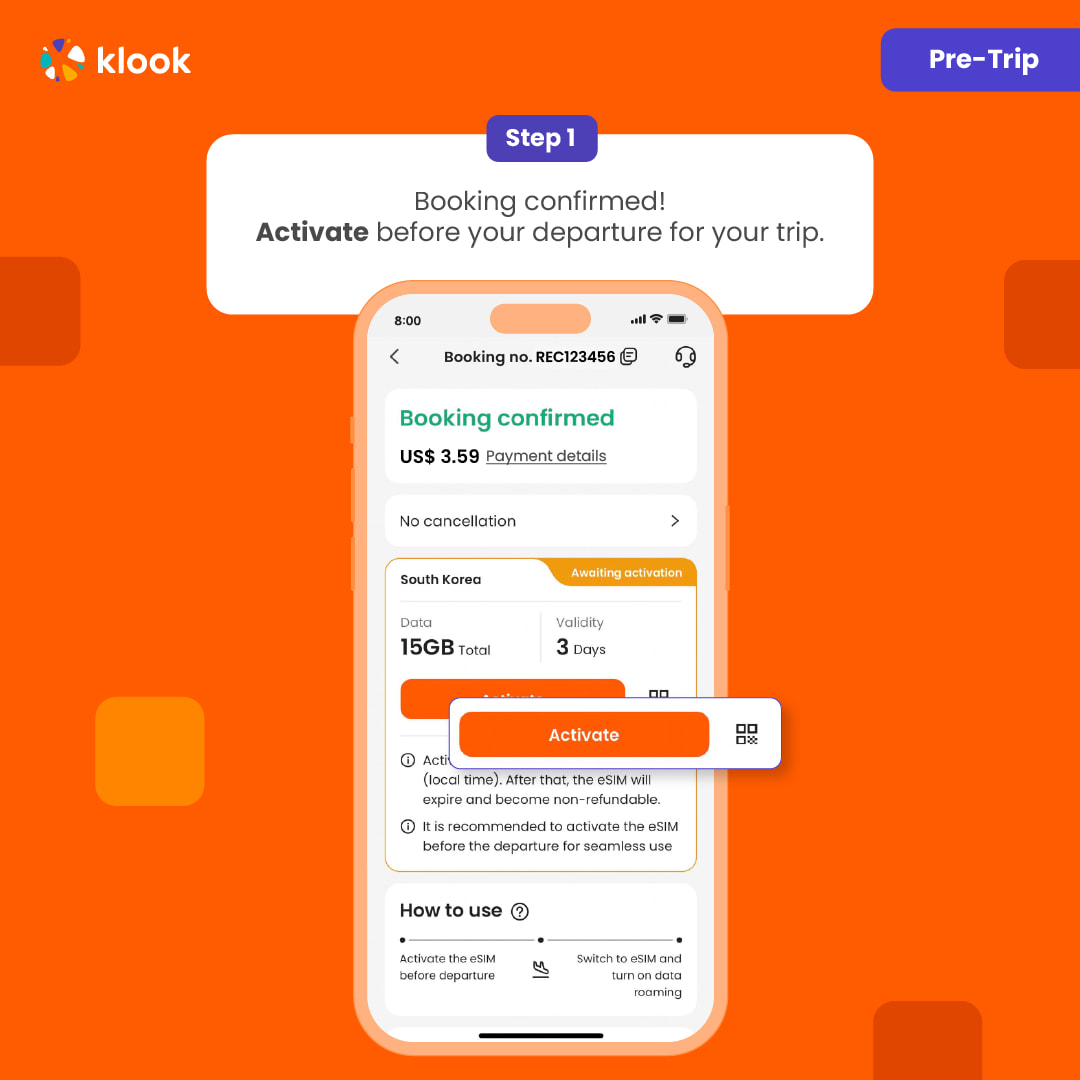
Pre-trip installation in Klook APP: Account > Bookings > Activate; When you arrive at your destination: Phone settings > Switch to eSIM & Enable Data Roaming; Time and billing will only start after you connect to the local network.
- The SIM card is valid for your selected duration after activation on a 24 hour basis. If you purchased a 3-day SIM card and activated it on 1 Oct at 21:00, it will be valid until 4 Oct 21:00
- Activate in Klook App
Activate in Klook App (Update Klook APP to the latest version)

- activation in Klook App
Klook App: Account > Bookings > Click activate (You can also find the eSIM QR code here)

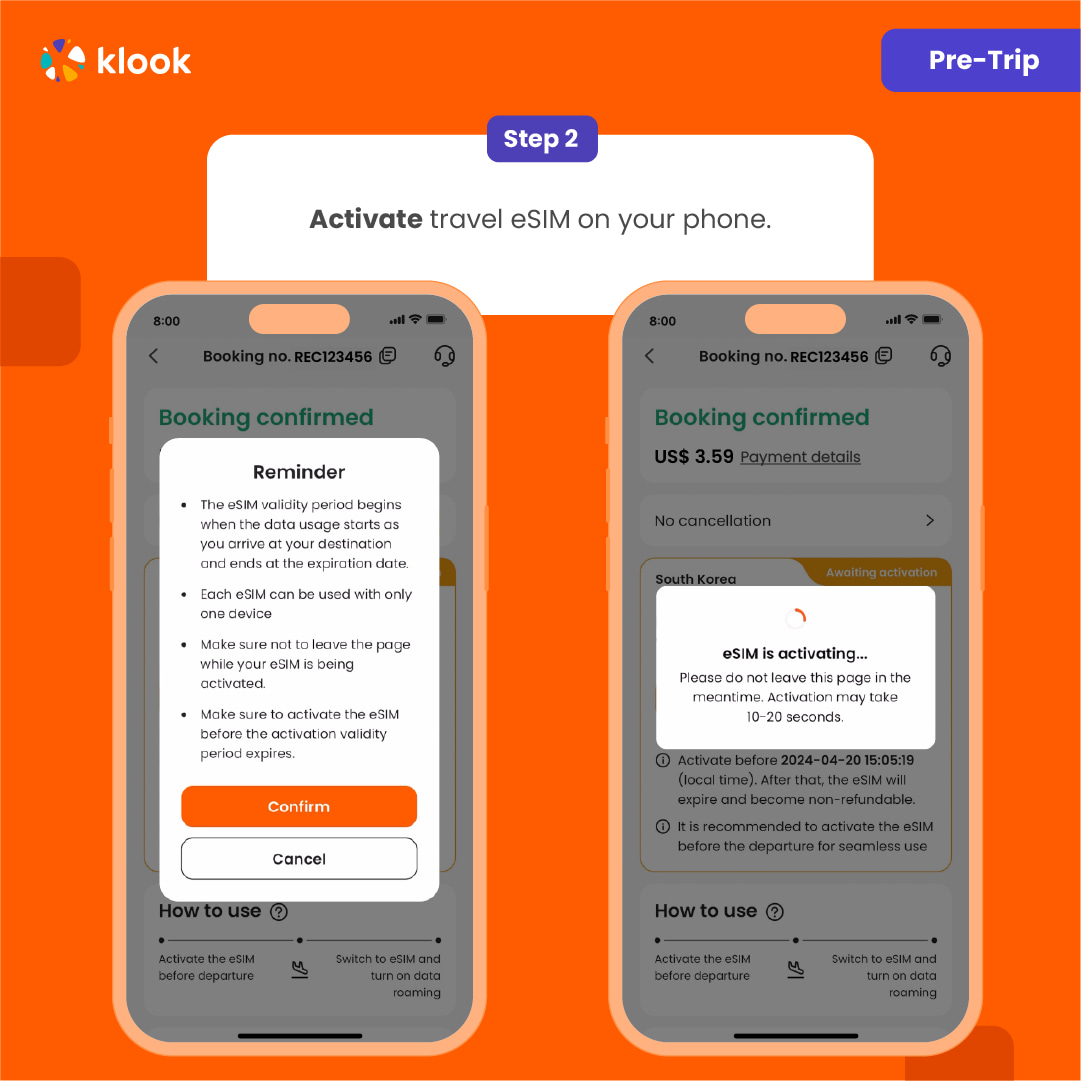
- Reminder
Read the reminder and start installing the eSIM (The time and data will not start counting.)

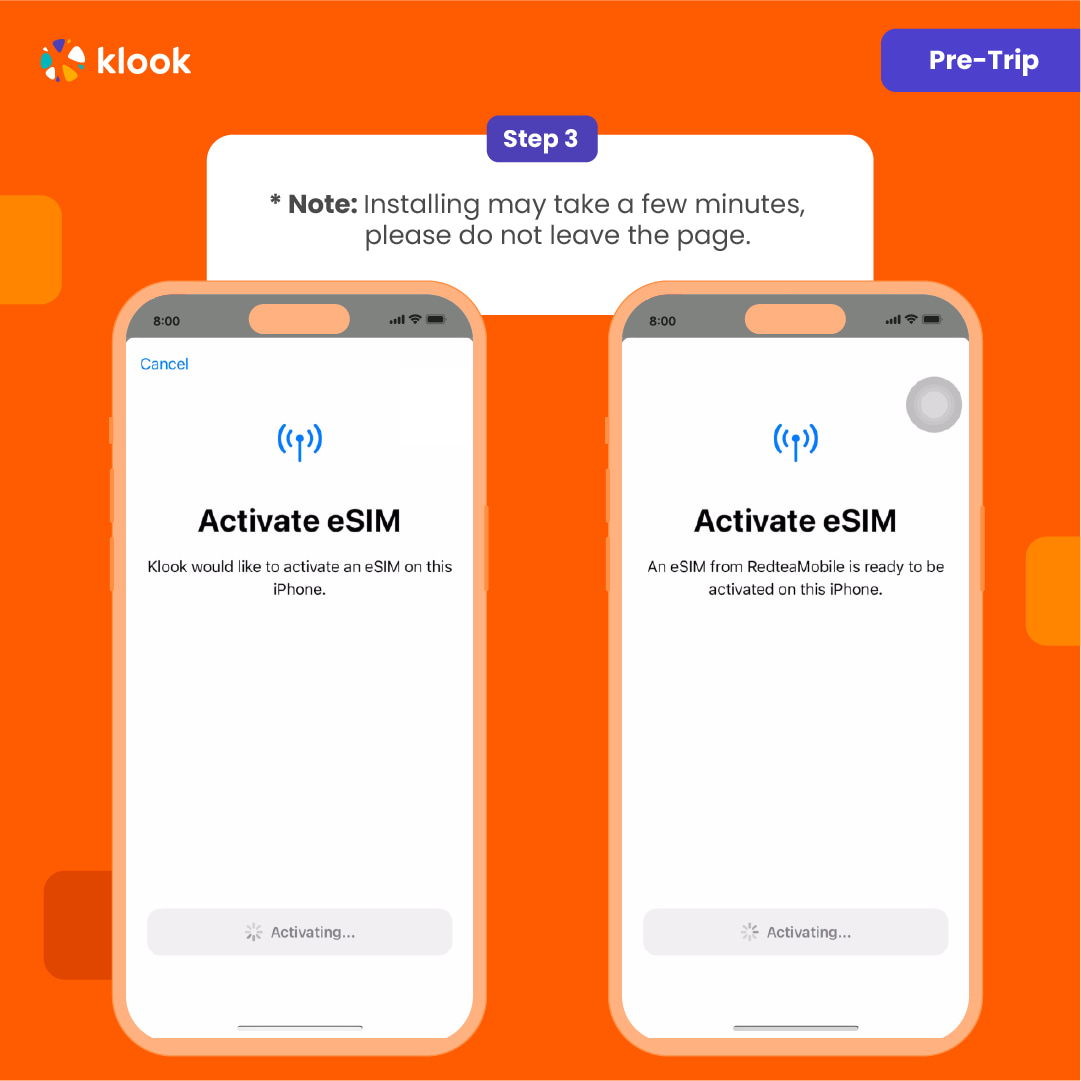
- Installation
Suggest install under wifi connection and please do not leave the page (might take some time)

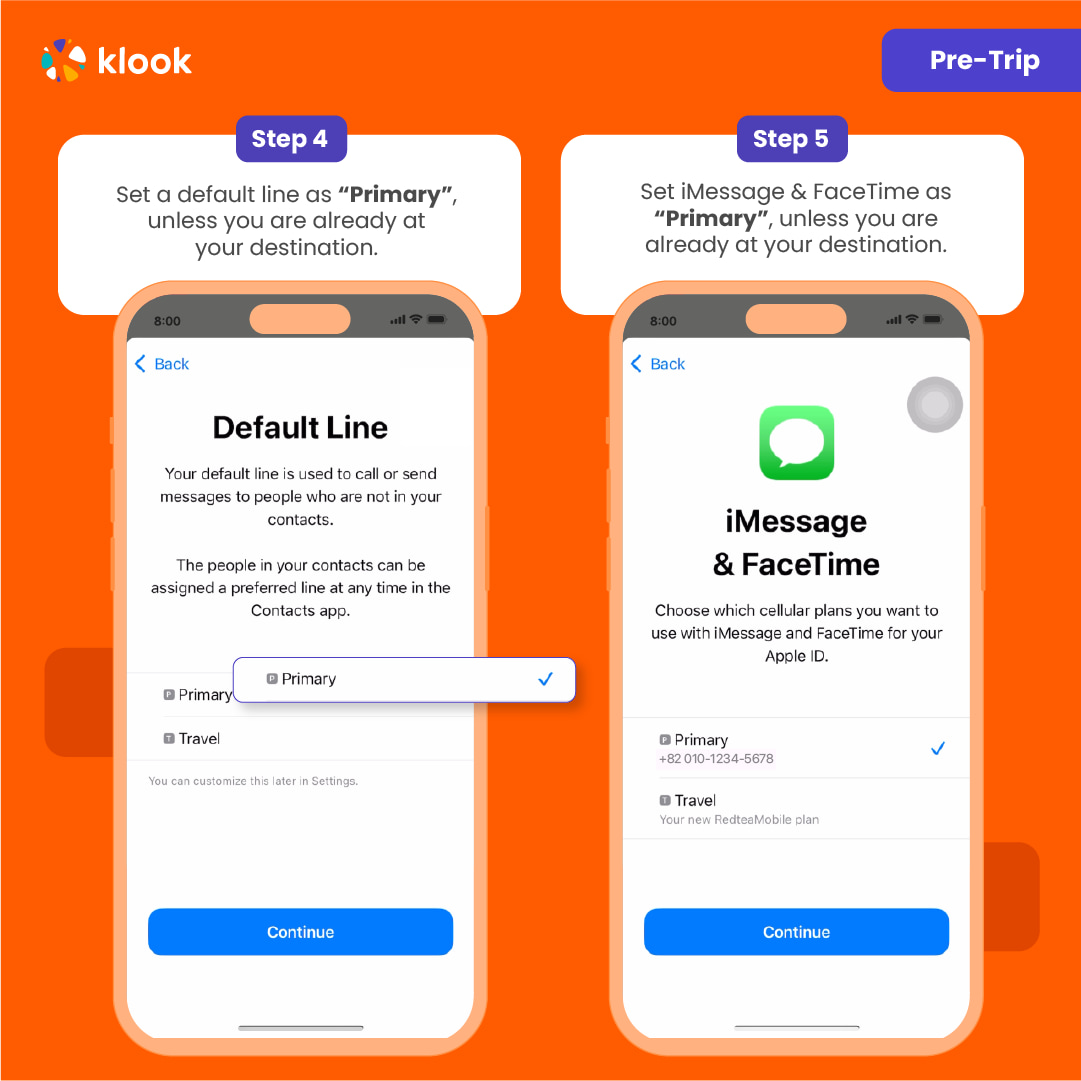
- Default settings
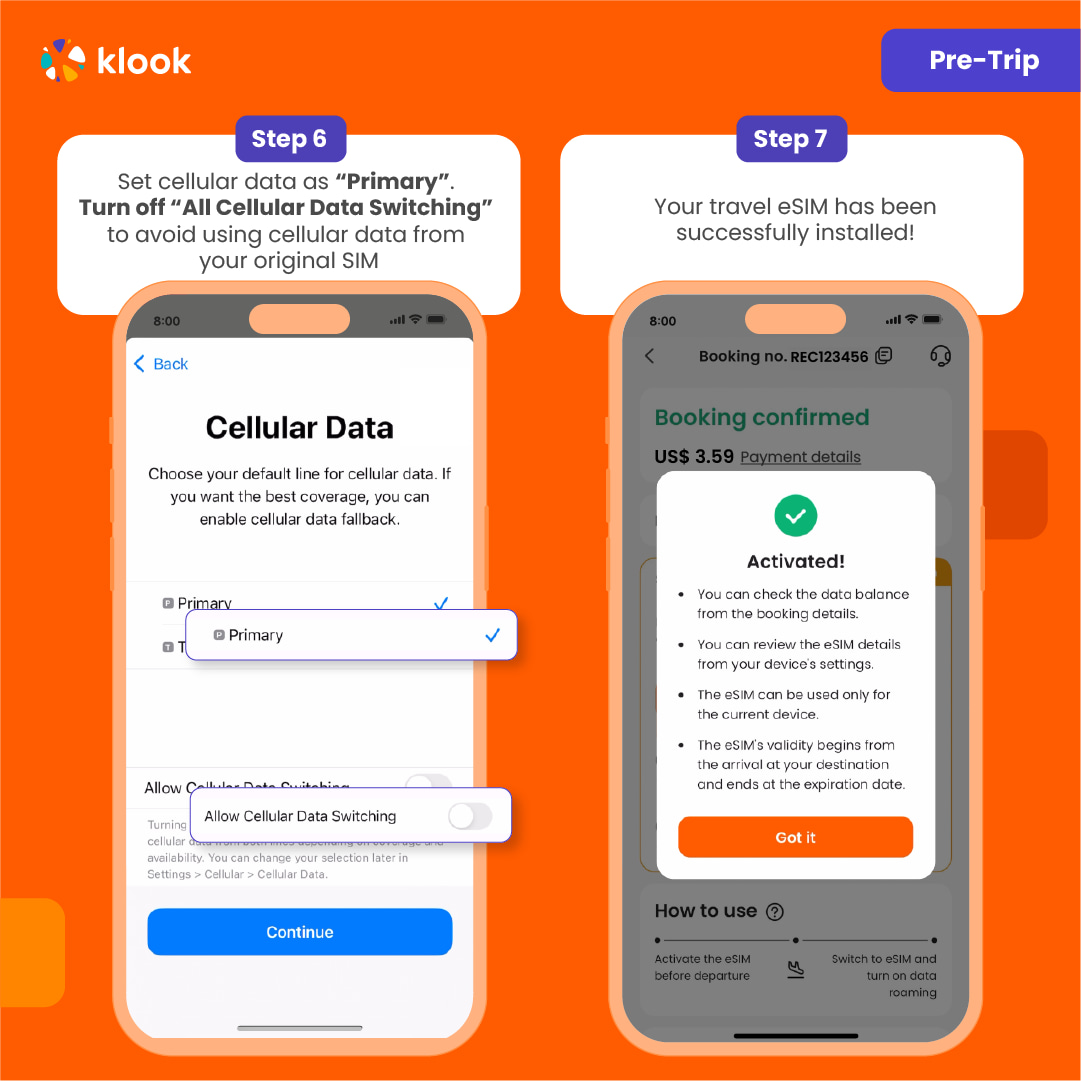
Please select "Primary" if you're not in your destination.

- Done installation
Turn off cellular switching and the eSIM is installed! (If you failed, can try again.)

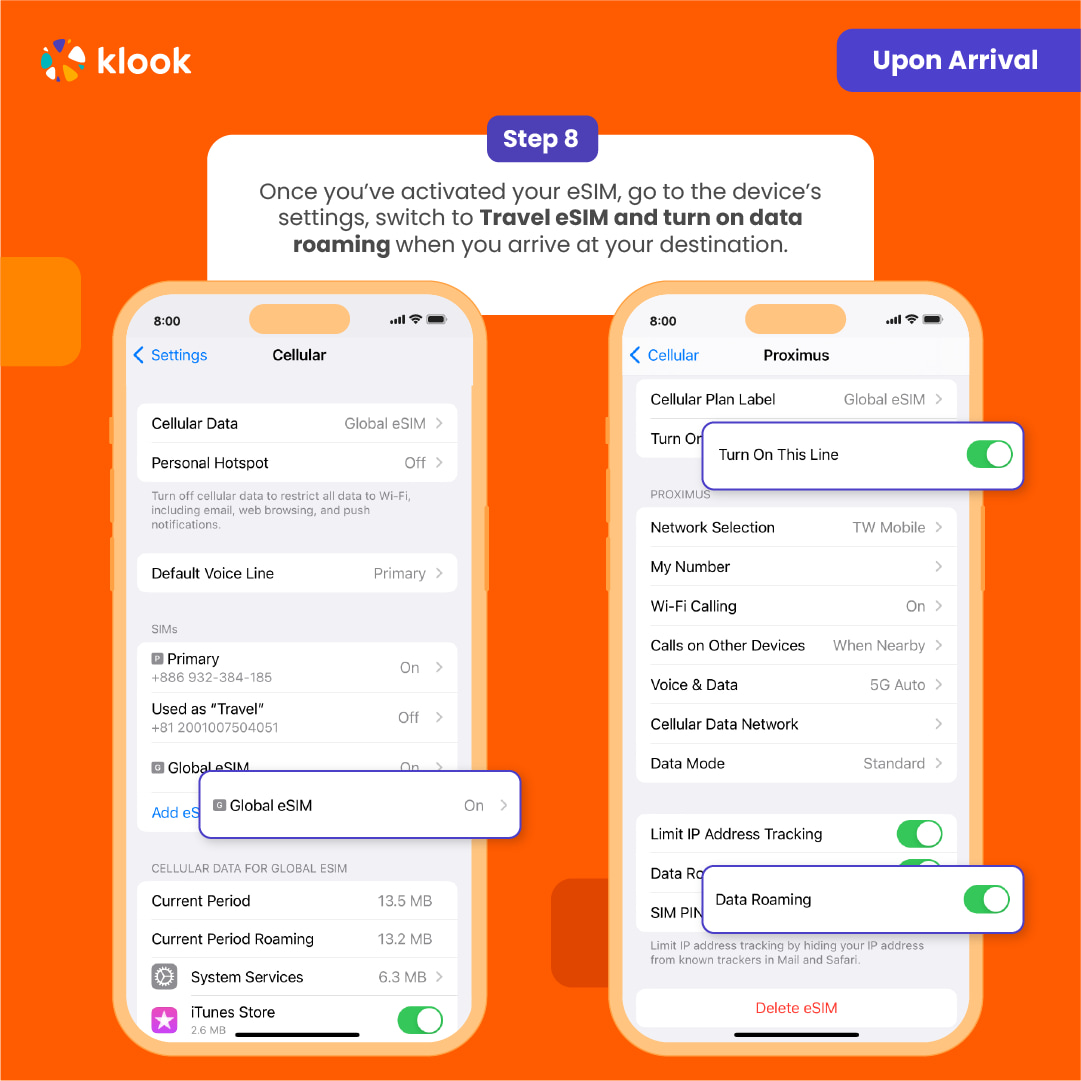
- Turn on eSIM data roaming
After you arrive the destination: Turn on the eSIM line and turn on the data roaming.

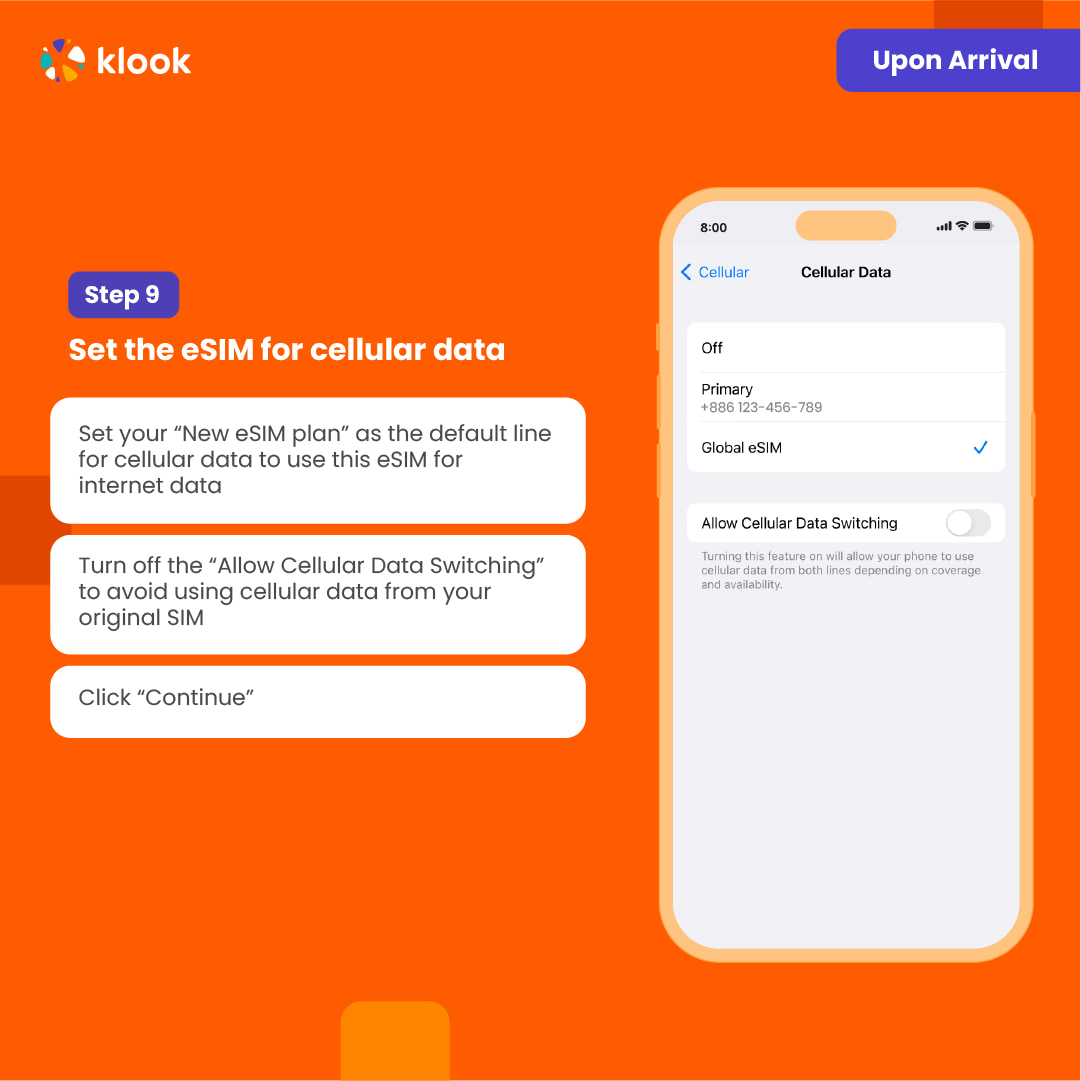
- Switch cellular data
After you arrive the destination: Switch the cellular data to the eSIM card

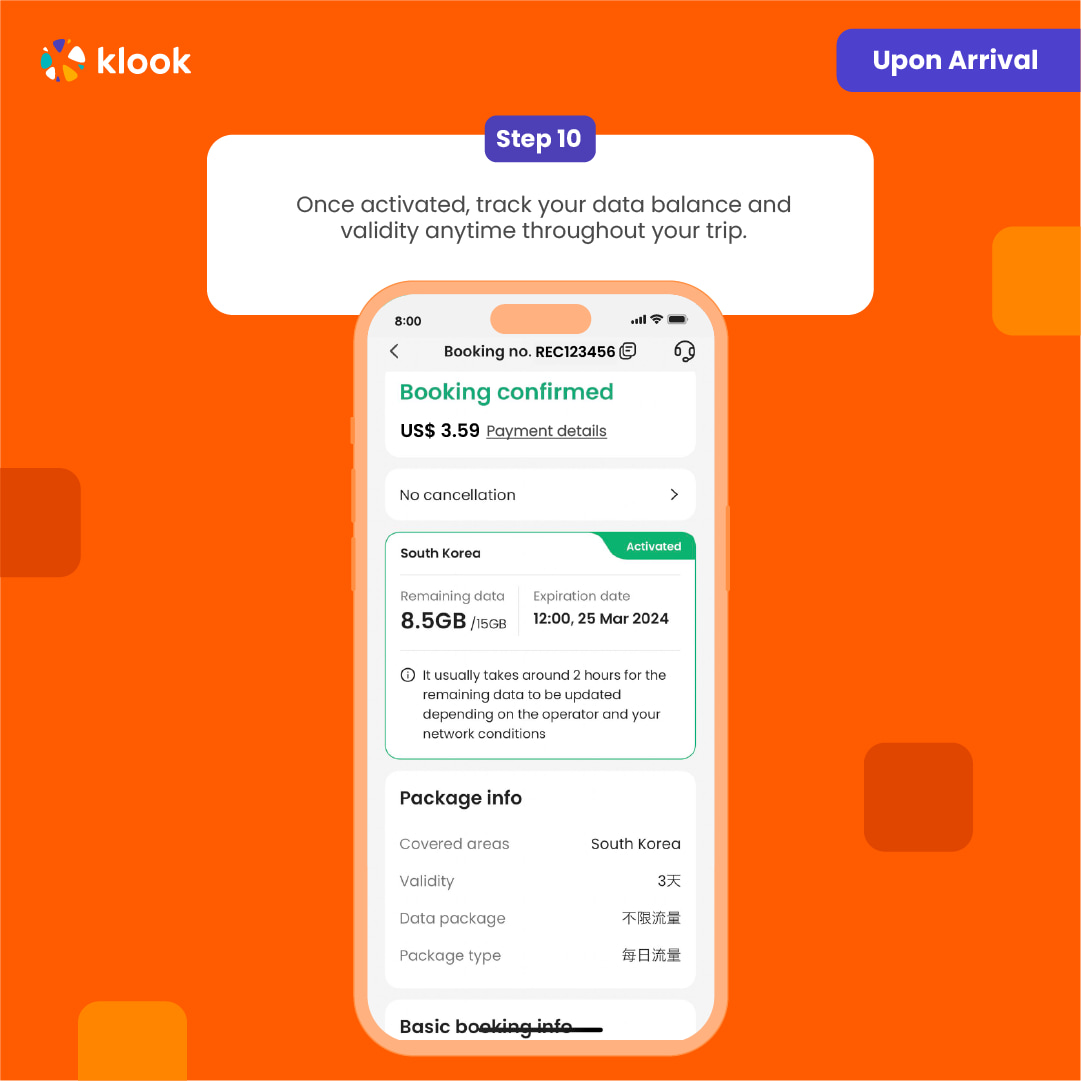
- Checking eSIM status
Check the eSIM status in your bookings in Klook APP (Reach out to us on the top right of the booking if you have any issues!)

Confirmation policy
- You'll get confirmation within minutes. If you don't see any confirmation, reach out to our customer support.
Выберите вариант выше
Похожие экскурсии
Tours
Activities & Experiences
URBANPEACE - Корейская шерстяная кукла|Moru Doll|Квун Тун
Spa & Beauty
Spa & Massage