Tours
Bus Ticket for Takayama Nohi Bus Center <> Hirayu Onsen/Honokidaira
Mavjud variantlar
[One-Way Ticket] From Hirayu Onsen to Takayama Nohi Bus Center
Включено
- Hirayu Onsen → Takayama Nohi Bus Center One-Way Ticket
- ※ When boarding the bus, please show the driver the activation screen
Не включено
- Other personal expenses
Confirmation
- You'll get confirmation within minutes. If you don't see any confirmation, reach out to our customer support.
Usage validity
- The voucher is valid only on the specified date (and time if applicable)
Voucher type
- When boarding the bus, please show the driver the activation screen
- When boarding, open the usage screen from the link sent to you at the time of purchase, press the “Use” button, and show the screen to a staff member (driver)
- *Please ensure you have a stable network connection, as you will need to access the web page on your smartphone
- *Screenshots and printed copies cannot be accepted
- *If you purchase multiple tickets in one transaction, they cannot be used separately, and all tickets will be activated simultaneously. To use the tickets individually, please purchase them separately
- *For security purposes, you may be required to authenticate using a one-time password (OTP). If prompted, please follow the steps below:
-
- Enter the email address to receive the OTP and press the send button
-
- Check that the OTP has been received by the email address set up in step 1. (The email containing the OTP will be sent from the domain “@linktivity.co.jp.” Please also check your spam folder just to be sure. If you can’t find it there, your email address may be incorrect. Open the URL for the usage screen from the voucher again and try again by entering your email address)
-
- Enter the OTP listed in the received email into the ticket screen and press the Confirm button. If you enter it correctly, the usage screen will be displayed. (Once OTP authentication is complete, the OTP will be sent to the email address you set. This email address cannot be changed, so please set an email address that can be confirmed locally on the day of use)

- How to use the digital ticket
- Voucher Expiration Date: Valid only on the day of purchase
Address
- Hirayu Onsen
- Okuhida Onsengo Hirayu, Takayama, Gifu 506-1433
- Please refer to the map for assistance
[One-Way Ticket] From Takayama Nohi Bus Center to Hirayu Onsen
Включено
- Takayama Nohi Bus Center → Hirayu Onsen One-Way Ticket
- ※ When boarding the bus, please show the driver the activation screen
Не включено
- Other personal expenses
Confirmation
- You'll get confirmation within minutes. If you don't see any confirmation, reach out to our customer support.
Usage validity
- The voucher is valid only on the specified date (and time if applicable)
Voucher type
- When boarding the bus, please show the driver the activation screen
- When boarding, open the usage screen from the link sent to you at the time of purchase, press the “Use” button, and show the screen to a staff member (driver)
- *Please ensure you have a stable network connection, as you will need to access the web page on your smartphone
- *Screenshots and printed copies cannot be accepted
- *If you purchase multiple tickets in one transaction, they cannot be used separately, and all tickets will be activated simultaneously. To use the tickets individually, please purchase them separately
- *For security purposes, you may be required to authenticate using a one-time password (OTP). If prompted, please follow the steps below:
-
- Enter the email address to receive the OTP and press the send button
-
- Check that the OTP has been received by the email address set up in step 1. (The email containing the OTP will be sent from the domain “@linktivity.co.jp.” Please also check your spam folder just to be sure. If you can’t find it there, your email address may be incorrect. Open the URL for the usage screen from the voucher again and try again by entering your email address)
-
- Enter the OTP listed in the received email into the ticket screen and press the Confirm button. If you enter it correctly, the usage screen will be displayed. (Once OTP authentication is complete, the OTP will be sent to the email address you set. This email address cannot be changed, so please set an email address that can be confirmed locally on the day of use)
- How to use the digital ticket
- Voucher Expiration Date: Valid only on the day of purchase
Address
- Takayama Nohi Bus Center
- 6 Chome-125 Hanasatomachi, Takayama, Gifu 506-0026
- Please refer to the map for assistance
[One-Way Ticket] From Honokidaira to Takayama Nohi Bus Center
Включено
- Honokidaira → Takayama Nohi Bus Center One-Way Ticket
- ※ When boarding the bus, please show the driver the activation screen
Не включено
- Other personal expenses
Confirmation
- You'll get confirmation within minutes. If you don't see any confirmation, reach out to our customer support.
Usage validity
- The voucher is valid only on the specified date (and time if applicable)
Voucher type
- When boarding the bus, please show the driver the activation screen
- When boarding, open the usage screen from the link sent to you at the time of purchase, press the “Use” button, and show the screen to a staff member (driver)
- *Please ensure you have a stable network connection, as you will need to access the web page on your smartphone
- *Screenshots and printed copies cannot be accepted
- *If you purchase multiple tickets in one transaction, they cannot be used separately, and all tickets will be activated simultaneously. To use the tickets individually, please purchase them separately
- *For security purposes, you may be required to authenticate using a one-time password (OTP). If prompted, please follow the steps below:
-
- Enter the email address to receive the OTP and press the send button
-
- Check that the OTP has been received by the email address set up in step 1. (The email containing the OTP will be sent from the domain “@linktivity.co.jp.” Please also check your spam folder just to be sure. If you can’t find it there, your email address may be incorrect. Open the URL for the usage screen from the voucher again and try again by entering your email address)
-
- Enter the OTP listed in the received email into the ticket screen and press the Confirm button. If you enter it correctly, the usage screen will be displayed. (Once OTP authentication is complete, the OTP will be sent to the email address you set. This email address cannot be changed, so please set an email address that can be confirmed locally on the day of use)
- How to use the digital ticket
- Voucher Expiration Date: Valid only on the day of purchase
[Round-Trip Ticket] Takayama Nohi Bus Center <> Honokidaira
Включено
- Takayama Nohi Bus Center ↔ Honokidaira: outbound ticket, return ticket
- ※ When boarding the bus, please show the driver the activation screen
Не включено
- Other personal expenses
Confirmation
- You'll get confirmation within minutes. If you don't see any confirmation, reach out to our customer support.
Usage validity
- The voucher is valid only on the specified date (and time if applicable)
Voucher type
- When boarding the bus, please show the driver the activation screen
- When boarding, open the usage screen from the link sent to you at the time of purchase, press the “Use” button, and show the screen to a staff member (driver)
- *Please ensure you have a stable network connection, as you will need to access the web page on your smartphone
- *Screenshots and printed copies cannot be accepted
- *If you purchase multiple tickets in one transaction, they cannot be used separately, and all tickets will be activated simultaneously. To use the tickets individually, please purchase them separately
- *For security purposes, you may be required to authenticate using a one-time password (OTP). If prompted, please follow the steps below:
-
- Enter the email address to receive the OTP and press the send button
-
- Check that the OTP has been received by the email address set up in step 1. (The email containing the OTP will be sent from the domain “@linktivity.co.jp.” Please also check your spam folder just to be sure. If you can’t find it there, your email address may be incorrect. Open the URL for the usage screen from the voucher again and try again by entering your email address)
-
- Enter the OTP listed in the received email into the ticket screen and press the Confirm button. If you enter it correctly, the usage screen will be displayed. (Once OTP authentication is complete, the OTP will be sent to the email address you set. This email address cannot be changed, so please set an email address that can be confirmed locally on the day of use)
- How to use the digital ticket
- Voucher Expiration Date: Valid only on the day of purchase
Address
- Takayama Nohi Bus Center
- 6 Chome-125 Hanasatomachi, Takayama, Gifu 506-0026
- Please refer to the map for assistance
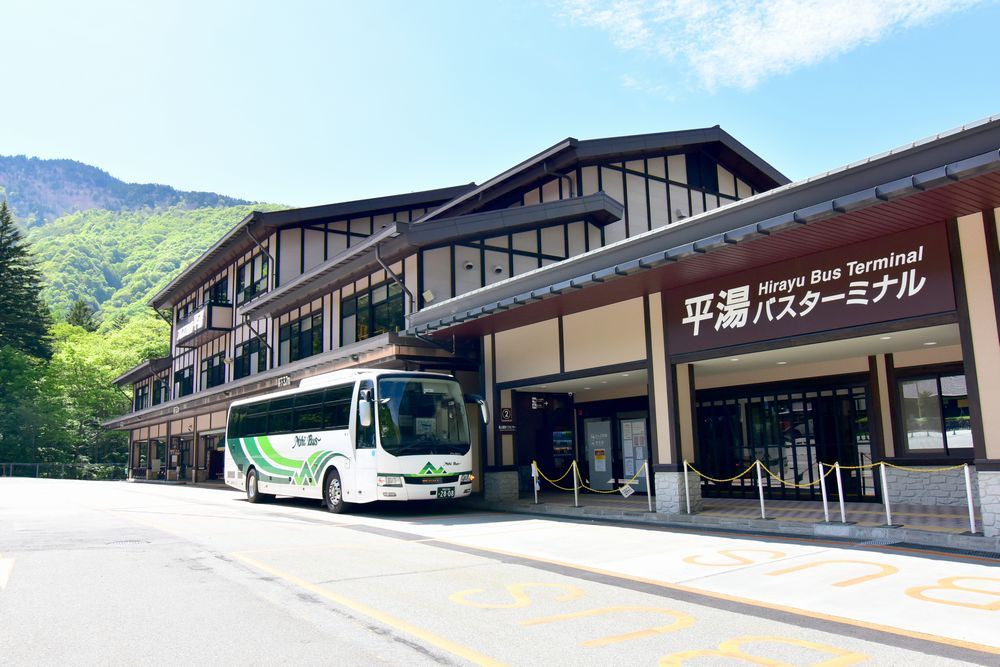
[One-Way Ticket] From Hirayu Onsen to Takayama Nohi Bus Center
Включено
- Hirayu Onsen → Takayama Nohi Bus Center One-Way Ticket
- ※ When boarding the bus, please show the driver the activation screen
Не включено
- Other personal expenses
Confirmation
- You'll get confirmation within minutes. If you don't see any confirmation, reach out to our customer support.
Usage validity
- The voucher is valid only on the specified date (and time if applicable)
Voucher type
- When boarding the bus, please show the driver the activation screen
- When boarding, open the usage screen from the link sent to you at the time of purchase, press the “Use” button, and show the screen to a staff member (driver)
- *Please ensure you have a stable network connection, as you will need to access the web page on your smartphone
- *Screenshots and printed copies cannot be accepted
- *If you purchase multiple tickets in one transaction, they cannot be used separately, and all tickets will be activated simultaneously. To use the tickets individually, please purchase them separately
- *For security purposes, you may be required to authenticate using a one-time password (OTP). If prompted, please follow the steps below:
-
- Enter the email address to receive the OTP and press the send button
-
- Check that the OTP has been received by the email address set up in step 1. (The email containing the OTP will be sent from the domain “@linktivity.co.jp.” Please also check your spam folder just to be sure. If you can’t find it there, your email address may be incorrect. Open the URL for the usage screen from the voucher again and try again by entering your email address)
-
- Enter the OTP listed in the received email into the ticket screen and press the Confirm button. If you enter it correctly, the usage screen will be displayed. (Once OTP authentication is complete, the OTP will be sent to the email address you set. This email address cannot be changed, so please set an email address that can be confirmed locally on the day of use)
- How to use the digital ticket
- Voucher Expiration Date: Valid only on the day of purchase
Address
- Hirayu Onsen
- Okuhida Onsengo Hirayu, Takayama, Gifu 506-1433
- Please refer to the map for assistance
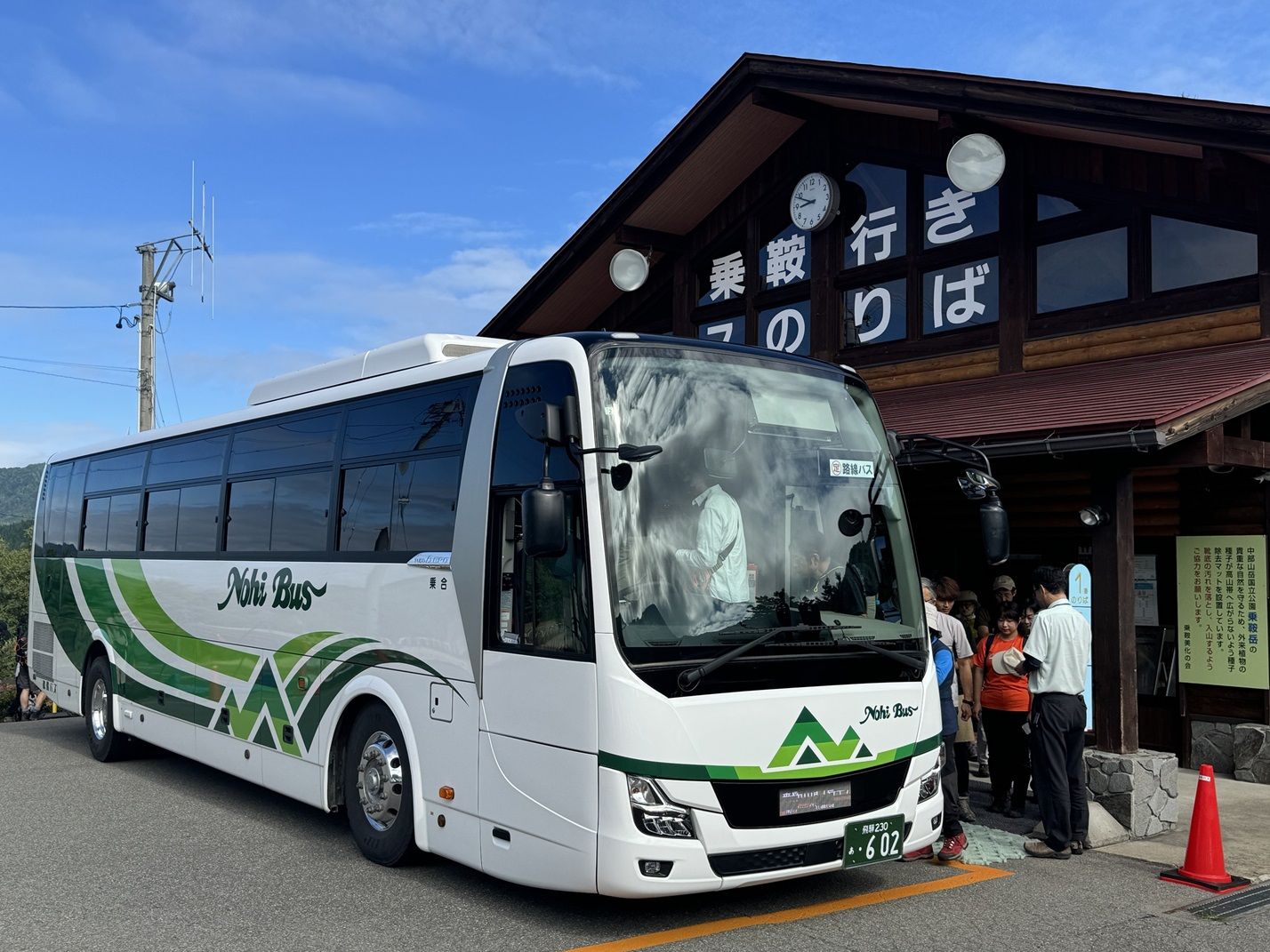
[One-Way Ticket] From Takayama Nohi Bus Center to Hirayu Onsen
Включено
- Takayama Nohi Bus Center → Hirayu Onsen One-Way Ticket
- ※ When boarding the bus, please show the driver the activation screen
Не включено
- Other personal expenses
Confirmation
- You'll get confirmation within minutes. If you don't see any confirmation, reach out to our customer support.
Usage validity
- The voucher is valid only on the specified date (and time if applicable)
Voucher type
- When boarding the bus, please show the driver the activation screen
- When boarding, open the usage screen from the link sent to you at the time of purchase, press the “Use” button, and show the screen to a staff member (driver)
- *Please ensure you have a stable network connection, as you will need to access the web page on your smartphone
- *Screenshots and printed copies cannot be accepted
- *If you purchase multiple tickets in one transaction, they cannot be used separately, and all tickets will be activated simultaneously. To use the tickets individually, please purchase them separately
- *For security purposes, you may be required to authenticate using a one-time password (OTP). If prompted, please follow the steps below:
-
- Enter the email address to receive the OTP and press the send button
-
- Check that the OTP has been received by the email address set up in step 1. (The email containing the OTP will be sent from the domain “@linktivity.co.jp.” Please also check your spam folder just to be sure. If you can’t find it there, your email address may be incorrect. Open the URL for the usage screen from the voucher again and try again by entering your email address)
-
- Enter the OTP listed in the received email into the ticket screen and press the Confirm button. If you enter it correctly, the usage screen will be displayed. (Once OTP authentication is complete, the OTP will be sent to the email address you set. This email address cannot be changed, so please set an email address that can be confirmed locally on the day of use)
- How to use the digital ticket
- Voucher Expiration Date: Valid only on the day of purchase
Address
- Takayama Nohi Bus Center
- 6 Chome-125 Hanasatomachi, Takayama, Gifu 506-0026
- Please refer to the map for assistance
[One-Way Ticket] From Honokidaira to Takayama Nohi Bus Center
Включено
- Honokidaira → Takayama Nohi Bus Center One-Way Ticket
- ※ When boarding the bus, please show the driver the activation screen
Не включено
- Other personal expenses
Confirmation
- You'll get confirmation within minutes. If you don't see any confirmation, reach out to our customer support.
Usage validity
- The voucher is valid only on the specified date (and time if applicable)
Voucher type
- When boarding the bus, please show the driver the activation screen
- When boarding, open the usage screen from the link sent to you at the time of purchase, press the “Use” button, and show the screen to a staff member (driver)
- *Please ensure you have a stable network connection, as you will need to access the web page on your smartphone
- *Screenshots and printed copies cannot be accepted
- *If you purchase multiple tickets in one transaction, they cannot be used separately, and all tickets will be activated simultaneously. To use the tickets individually, please purchase them separately
- *For security purposes, you may be required to authenticate using a one-time password (OTP). If prompted, please follow the steps below:
-
- Enter the email address to receive the OTP and press the send button
-
- Check that the OTP has been received by the email address set up in step 1. (The email containing the OTP will be sent from the domain “@linktivity.co.jp.” Please also check your spam folder just to be sure. If you can’t find it there, your email address may be incorrect. Open the URL for the usage screen from the voucher again and try again by entering your email address)
-
- Enter the OTP listed in the received email into the ticket screen and press the Confirm button. If you enter it correctly, the usage screen will be displayed. (Once OTP authentication is complete, the OTP will be sent to the email address you set. This email address cannot be changed, so please set an email address that can be confirmed locally on the day of use)

- How to use the digital ticket
- Voucher Expiration Date: Valid only on the day of purchase
[Round-Trip Ticket] Takayama Nohi Bus Center <> Honokidaira
Включено
- Takayama Nohi Bus Center ↔ Honokidaira: outbound ticket, return ticket
- ※ When boarding the bus, please show the driver the activation screen
Не включено
- Other personal expenses
Confirmation
- You'll get confirmation within minutes. If you don't see any confirmation, reach out to our customer support.
Usage validity
- The voucher is valid only on the specified date (and time if applicable)
Voucher type
- When boarding the bus, please show the driver the activation screen
- When boarding, open the usage screen from the link sent to you at the time of purchase, press the “Use” button, and show the screen to a staff member (driver)
- *Please ensure you have a stable network connection, as you will need to access the web page on your smartphone
- *Screenshots and printed copies cannot be accepted
- *If you purchase multiple tickets in one transaction, they cannot be used separately, and all tickets will be activated simultaneously. To use the tickets individually, please purchase them separately
- *For security purposes, you may be required to authenticate using a one-time password (OTP). If prompted, please follow the steps below:
-
- Enter the email address to receive the OTP and press the send button
-
- Check that the OTP has been received by the email address set up in step 1. (The email containing the OTP will be sent from the domain “@linktivity.co.jp.” Please also check your spam folder just to be sure. If you can’t find it there, your email address may be incorrect. Open the URL for the usage screen from the voucher again and try again by entering your email address)
-
- Enter the OTP listed in the received email into the ticket screen and press the Confirm button. If you enter it correctly, the usage screen will be displayed. (Once OTP authentication is complete, the OTP will be sent to the email address you set. This email address cannot be changed, so please set an email address that can be confirmed locally on the day of use)

- How to use the digital ticket
- Voucher Expiration Date: Valid only on the day of purchase
Address
- Takayama Nohi Bus Center
- 6 Chome-125 Hanasatomachi, Takayama, Gifu 506-0026
- Please refer to the map for assistance
[One-Way Ticket] From Hirayu Onsen to Takayama Nohi Bus Center
Включено
- Hirayu Onsen → Takayama Nohi Bus Center One-Way Ticket
- ※ When boarding the bus, please show the driver the activation screen
Не включено
- Other personal expenses
Confirmation
- You'll get confirmation within minutes. If you don't see any confirmation, reach out to our customer support.
Usage validity
- The voucher is valid only on the specified date (and time if applicable)
Voucher type
- When boarding the bus, please show the driver the activation screen
- When boarding, open the usage screen from the link sent to you at the time of purchase, press the “Use” button, and show the screen to a staff member (driver)
- *Please ensure you have a stable network connection, as you will need to access the web page on your smartphone
- *Screenshots and printed copies cannot be accepted
- *If you purchase multiple tickets in one transaction, they cannot be used separately, and all tickets will be activated simultaneously. To use the tickets individually, please purchase them separately
- *For security purposes, you may be required to authenticate using a one-time password (OTP). If prompted, please follow the steps below:
-
- Enter the email address to receive the OTP and press the send button
-
- Check that the OTP has been received by the email address set up in step 1. (The email containing the OTP will be sent from the domain “@linktivity.co.jp.” Please also check your spam folder just to be sure. If you can’t find it there, your email address may be incorrect. Open the URL for the usage screen from the voucher again and try again by entering your email address)
-
- Enter the OTP listed in the received email into the ticket screen and press the Confirm button. If you enter it correctly, the usage screen will be displayed. (Once OTP authentication is complete, the OTP will be sent to the email address you set. This email address cannot be changed, so please set an email address that can be confirmed locally on the day of use)
- How to use the digital ticket
- Voucher Expiration Date: Valid only on the day of purchase
Address
- Hirayu Onsen
- Okuhida Onsengo Hirayu, Takayama, Gifu 506-1433
- Please refer to the map for assistance
[One-Way Ticket] From Takayama Nohi Bus Center to Hirayu Onsen
Включено
- Takayama Nohi Bus Center → Hirayu Onsen One-Way Ticket
- ※ When boarding the bus, please show the driver the activation screen
Не включено
- Other personal expenses
Confirmation
- You'll get confirmation within minutes. If you don't see any confirmation, reach out to our customer support.
Usage validity
- The voucher is valid only on the specified date (and time if applicable)
Voucher type
- When boarding the bus, please show the driver the activation screen
- When boarding, open the usage screen from the link sent to you at the time of purchase, press the “Use” button, and show the screen to a staff member (driver)
- *Please ensure you have a stable network connection, as you will need to access the web page on your smartphone
- *Screenshots and printed copies cannot be accepted
- *If you purchase multiple tickets in one transaction, they cannot be used separately, and all tickets will be activated simultaneously. To use the tickets individually, please purchase them separately
- *For security purposes, you may be required to authenticate using a one-time password (OTP). If prompted, please follow the steps below:
-
- Enter the email address to receive the OTP and press the send button
-
- Check that the OTP has been received by the email address set up in step 1. (The email containing the OTP will be sent from the domain “@linktivity.co.jp.” Please also check your spam folder just to be sure. If you can’t find it there, your email address may be incorrect. Open the URL for the usage screen from the voucher again and try again by entering your email address)
-
- Enter the OTP listed in the received email into the ticket screen and press the Confirm button. If you enter it correctly, the usage screen will be displayed. (Once OTP authentication is complete, the OTP will be sent to the email address you set. This email address cannot be changed, so please set an email address that can be confirmed locally on the day of use)

- How to use the digital ticket
- Voucher Expiration Date: Valid only on the day of purchase
Address
- Takayama Nohi Bus Center
- 6 Chome-125 Hanasatomachi, Takayama, Gifu 506-0026
- Please refer to the map for assistance
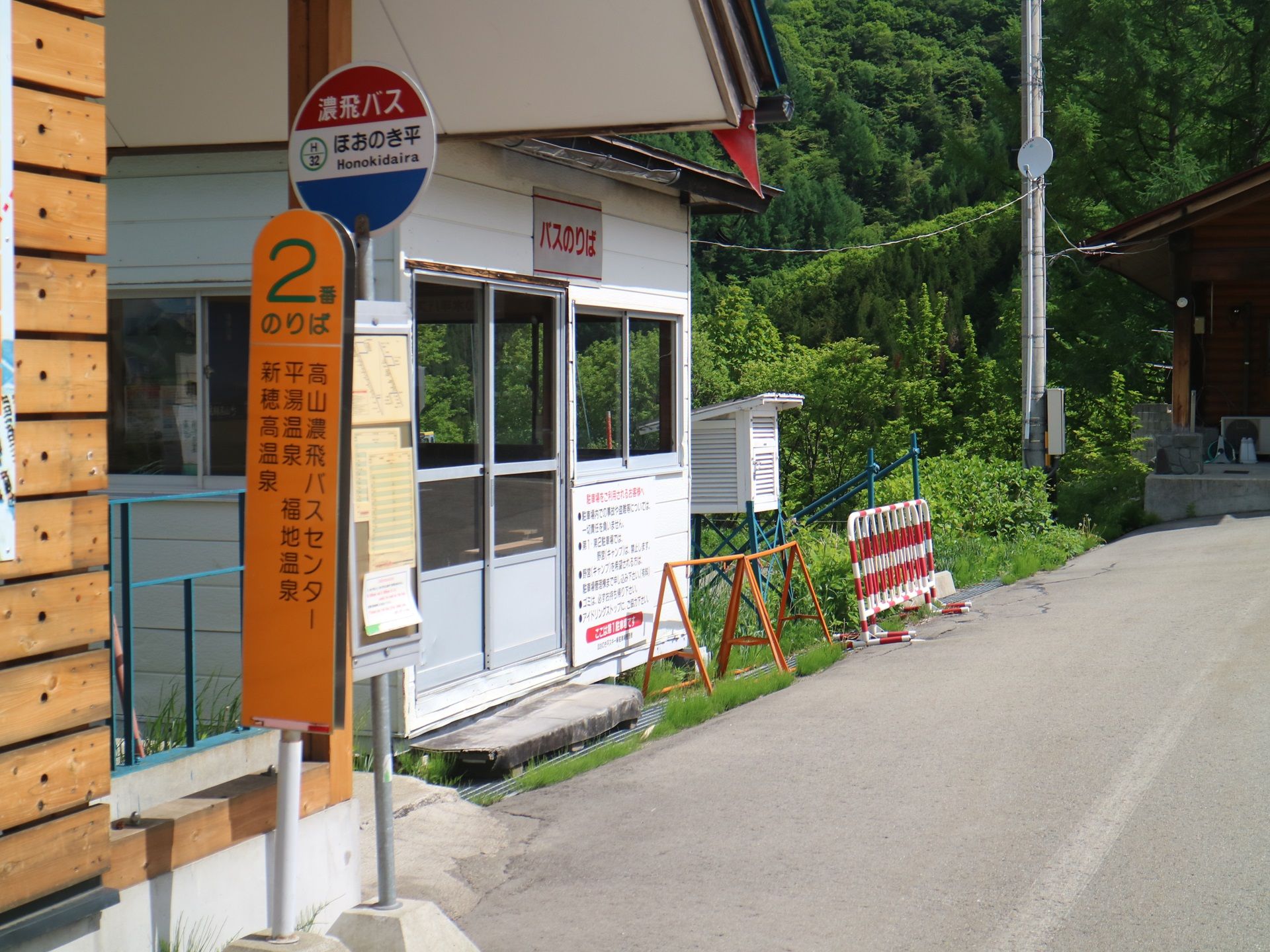
[One-Way Ticket] From Honokidaira to Takayama Nohi Bus Center
Включено
- Honokidaira → Takayama Nohi Bus Center One-Way Ticket
- ※ When boarding the bus, please show the driver the activation screen
Не включено
- Other personal expenses
Confirmation
- You'll get confirmation within minutes. If you don't see any confirmation, reach out to our customer support.
Usage validity
- The voucher is valid only on the specified date (and time if applicable)
Voucher type
- When boarding the bus, please show the driver the activation screen
- When boarding, open the usage screen from the link sent to you at the time of purchase, press the “Use” button, and show the screen to a staff member (driver)
- *Please ensure you have a stable network connection, as you will need to access the web page on your smartphone
- *Screenshots and printed copies cannot be accepted
- *If you purchase multiple tickets in one transaction, they cannot be used separately, and all tickets will be activated simultaneously. To use the tickets individually, please purchase them separately
- *For security purposes, you may be required to authenticate using a one-time password (OTP). If prompted, please follow the steps below:
-
- Enter the email address to receive the OTP and press the send button
-
- Check that the OTP has been received by the email address set up in step 1. (The email containing the OTP will be sent from the domain “@linktivity.co.jp.” Please also check your spam folder just to be sure. If you can’t find it there, your email address may be incorrect. Open the URL for the usage screen from the voucher again and try again by entering your email address)
-
- Enter the OTP listed in the received email into the ticket screen and press the Confirm button. If you enter it correctly, the usage screen will be displayed. (Once OTP authentication is complete, the OTP will be sent to the email address you set. This email address cannot be changed, so please set an email address that can be confirmed locally on the day of use)

- How to use the digital ticket
- Voucher Expiration Date: Valid only on the day of purchase
[Round-Trip Ticket] Takayama Nohi Bus Center <> Honokidaira
Включено
- Takayama Nohi Bus Center ↔ Honokidaira: outbound ticket, return ticket
- ※ When boarding the bus, please show the driver the activation screen
Не включено
- Other personal expenses
Confirmation
- You'll get confirmation within minutes. If you don't see any confirmation, reach out to our customer support.
Usage validity
- The voucher is valid only on the specified date (and time if applicable)
Voucher type
- When boarding the bus, please show the driver the activation screen
- When boarding, open the usage screen from the link sent to you at the time of purchase, press the “Use” button, and show the screen to a staff member (driver)
- *Please ensure you have a stable network connection, as you will need to access the web page on your smartphone
- *Screenshots and printed copies cannot be accepted
- *If you purchase multiple tickets in one transaction, they cannot be used separately, and all tickets will be activated simultaneously. To use the tickets individually, please purchase them separately
- *For security purposes, you may be required to authenticate using a one-time password (OTP). If prompted, please follow the steps below:
-
- Enter the email address to receive the OTP and press the send button
-
- Check that the OTP has been received by the email address set up in step 1. (The email containing the OTP will be sent from the domain “@linktivity.co.jp.” Please also check your spam folder just to be sure. If you can’t find it there, your email address may be incorrect. Open the URL for the usage screen from the voucher again and try again by entering your email address)
-
- Enter the OTP listed in the received email into the ticket screen and press the Confirm button. If you enter it correctly, the usage screen will be displayed. (Once OTP authentication is complete, the OTP will be sent to the email address you set. This email address cannot be changed, so please set an email address that can be confirmed locally on the day of use)

- How to use the digital ticket
- Voucher Expiration Date: Valid only on the day of purchase
Address
- Takayama Nohi Bus Center
- 6 Chome-125 Hanasatomachi, Takayama, Gifu 506-0026
- Please refer to the map for assistance
[One-Way Ticket] From Hirayu Onsen to Takayama Nohi Bus Center
Включено
- Hirayu Onsen → Takayama Nohi Bus Center One-Way Ticket
- ※ When boarding the bus, please show the driver the activation screen
Не включено
- Other personal expenses
Confirmation
- You'll get confirmation within minutes. If you don't see any confirmation, reach out to our customer support.
Usage validity
- The voucher is valid only on the specified date (and time if applicable)
Voucher type
- When boarding the bus, please show the driver the activation screen
- When boarding, open the usage screen from the link sent to you at the time of purchase, press the “Use” button, and show the screen to a staff member (driver)
- *Please ensure you have a stable network connection, as you will need to access the web page on your smartphone
- *Screenshots and printed copies cannot be accepted
- *If you purchase multiple tickets in one transaction, they cannot be used separately, and all tickets will be activated simultaneously. To use the tickets individually, please purchase them separately
- *For security purposes, you may be required to authenticate using a one-time password (OTP). If prompted, please follow the steps below:
-
- Enter the email address to receive the OTP and press the send button
-
- Check that the OTP has been received by the email address set up in step 1. (The email containing the OTP will be sent from the domain “@linktivity.co.jp.” Please also check your spam folder just to be sure. If you can’t find it there, your email address may be incorrect. Open the URL for the usage screen from the voucher again and try again by entering your email address)
-
- Enter the OTP listed in the received email into the ticket screen and press the Confirm button. If you enter it correctly, the usage screen will be displayed. (Once OTP authentication is complete, the OTP will be sent to the email address you set. This email address cannot be changed, so please set an email address that can be confirmed locally on the day of use)

- How to use the digital ticket
- Voucher Expiration Date: Valid only on the day of purchase
Address
- Hirayu Onsen
- Okuhida Onsengo Hirayu, Takayama, Gifu 506-1433
- Please refer to the map for assistance
[One-Way Ticket] From Takayama Nohi Bus Center to Hirayu Onsen
Включено
- Takayama Nohi Bus Center → Hirayu Onsen One-Way Ticket
- ※ When boarding the bus, please show the driver the activation screen
Не включено
- Other personal expenses
Confirmation
- You'll get confirmation within minutes. If you don't see any confirmation, reach out to our customer support.
Usage validity
- The voucher is valid only on the specified date (and time if applicable)
Voucher type
- When boarding the bus, please show the driver the activation screen
- When boarding, open the usage screen from the link sent to you at the time of purchase, press the “Use” button, and show the screen to a staff member (driver)
- *Please ensure you have a stable network connection, as you will need to access the web page on your smartphone
- *Screenshots and printed copies cannot be accepted
- *If you purchase multiple tickets in one transaction, they cannot be used separately, and all tickets will be activated simultaneously. To use the tickets individually, please purchase them separately
- *For security purposes, you may be required to authenticate using a one-time password (OTP). If prompted, please follow the steps below:
-
- Enter the email address to receive the OTP and press the send button
-
- Check that the OTP has been received by the email address set up in step 1. (The email containing the OTP will be sent from the domain “@linktivity.co.jp.” Please also check your spam folder just to be sure. If you can’t find it there, your email address may be incorrect. Open the URL for the usage screen from the voucher again and try again by entering your email address)
-
- Enter the OTP listed in the received email into the ticket screen and press the Confirm button. If you enter it correctly, the usage screen will be displayed. (Once OTP authentication is complete, the OTP will be sent to the email address you set. This email address cannot be changed, so please set an email address that can be confirmed locally on the day of use)

- How to use the digital ticket
- Voucher Expiration Date: Valid only on the day of purchase
Address
- Takayama Nohi Bus Center
- 6 Chome-125 Hanasatomachi, Takayama, Gifu 506-0026
- Please refer to the map for assistance
[One-Way Ticket] From Honokidaira to Takayama Nohi Bus Center
Включено
- Honokidaira → Takayama Nohi Bus Center One-Way Ticket
- ※ When boarding the bus, please show the driver the activation screen
Не включено
- Other personal expenses
Confirmation
- You'll get confirmation within minutes. If you don't see any confirmation, reach out to our customer support.
Usage validity
- The voucher is valid only on the specified date (and time if applicable)
Voucher type
- When boarding the bus, please show the driver the activation screen
- When boarding, open the usage screen from the link sent to you at the time of purchase, press the “Use” button, and show the screen to a staff member (driver)
- *Please ensure you have a stable network connection, as you will need to access the web page on your smartphone
- *Screenshots and printed copies cannot be accepted
- *If you purchase multiple tickets in one transaction, they cannot be used separately, and all tickets will be activated simultaneously. To use the tickets individually, please purchase them separately
- *For security purposes, you may be required to authenticate using a one-time password (OTP). If prompted, please follow the steps below:
-
- Enter the email address to receive the OTP and press the send button
-
- Check that the OTP has been received by the email address set up in step 1. (The email containing the OTP will be sent from the domain “@linktivity.co.jp.” Please also check your spam folder just to be sure. If you can’t find it there, your email address may be incorrect. Open the URL for the usage screen from the voucher again and try again by entering your email address)
-
- Enter the OTP listed in the received email into the ticket screen and press the Confirm button. If you enter it correctly, the usage screen will be displayed. (Once OTP authentication is complete, the OTP will be sent to the email address you set. This email address cannot be changed, so please set an email address that can be confirmed locally on the day of use)
- How to use the digital ticket
- Voucher Expiration Date: Valid only on the day of purchase
[Round-Trip Ticket] Takayama Nohi Bus Center <> Honokidaira
Включено
- Takayama Nohi Bus Center ↔ Honokidaira: outbound ticket, return ticket
- ※ When boarding the bus, please show the driver the activation screen
Не включено
- Other personal expenses
Confirmation
- You'll get confirmation within minutes. If you don't see any confirmation, reach out to our customer support.
Usage validity
- The voucher is valid only on the specified date (and time if applicable)
Voucher type
- When boarding the bus, please show the driver the activation screen
- When boarding, open the usage screen from the link sent to you at the time of purchase, press the “Use” button, and show the screen to a staff member (driver)
- *Please ensure you have a stable network connection, as you will need to access the web page on your smartphone
- *Screenshots and printed copies cannot be accepted
- *If you purchase multiple tickets in one transaction, they cannot be used separately, and all tickets will be activated simultaneously. To use the tickets individually, please purchase them separately
- *For security purposes, you may be required to authenticate using a one-time password (OTP). If prompted, please follow the steps below:
-
- Enter the email address to receive the OTP and press the send button
-
- Check that the OTP has been received by the email address set up in step 1. (The email containing the OTP will be sent from the domain “@linktivity.co.jp.” Please also check your spam folder just to be sure. If you can’t find it there, your email address may be incorrect. Open the URL for the usage screen from the voucher again and try again by entering your email address)
-
- Enter the OTP listed in the received email into the ticket screen and press the Confirm button. If you enter it correctly, the usage screen will be displayed. (Once OTP authentication is complete, the OTP will be sent to the email address you set. This email address cannot be changed, so please set an email address that can be confirmed locally on the day of use)
- How to use the digital ticket
- Voucher Expiration Date: Valid only on the day of purchase
Address
- Takayama Nohi Bus Center
- 6 Chome-125 Hanasatomachi, Takayama, Gifu 506-0026
- Please refer to the map for assistance
Yuqoridagi mavjud variantlardan tanlang
Политика отмены
- You'll get a full refund as long as you don't redeem your voucher
O'xshash ekskursiyalar
Tours
Tours
From Nagoya: Small Group Tour of Hida Takayama and Shirakawa-go
Tours
Takayama History and Temples One Day Tour with Handcraft Experience
Tours