Japan Railway Pass
Eurail Greek Islands Pass
Обзор
What is Eurail Pass for Greek Islands?
With Klook’s Eurail Greek Islands Pass, discover the Greek islands as you hop from one island to the next using ferry services Blue Star Ferries & Hellenic Seaways. The pass includes domestic travel days and seat reservations, international travel days are included if 6 days pass is chosen. Pass holders can enjoy a 30% discount on upgrades and additional ferry trips during one month validity period too! Use this Greek Islands Pass Guide for an overview of all ferries and routes, practical information on accommodation, and reservations. With the Eurail pass for Greek Islands, simply get your seat reservations and get ready to sail!
What to do with Eurail Pass for Greek Islands?
There's 55 destinations to choose from, including Crete, Rhodes and Santorini. Please visit Blue Star Ferries and Hellenic Seaways to design your perfect route. Here are some example routes you could plan for your island hopping:
- Piraeus - Santorini (1st travel day)
- Santorini - Kos (2nd travel day)
- Kos - Rhodes (3rd travel day)
- Rhodes - Piraeus (4th travel day)
How to Activate the Eurail Pass for Greek Islands
This Eurail pass is a mobile pass so you do not have to redeem any paper pass. With that, here is a step-by-step guide on how to activate your Eurail Global Pass & Eurail One Country Pass on your mobile or computer.
How to Reserve Seats for Eurail Greek Islands Pass
Seat reservations are free of charge but mandatory to travel. Here are ways to reserve your seats:
- For domestic ferries, visit Blue Star Ferries or Hellenic Seaways website and choose Greek Islands Pass discount during checkout to reserve your seats
- For international ferries, visit Superfast Ferries or Anek Lines website and choose Greek Island Pass discount during checkout to reserve your seats
- At the port where you depart on the day of travel (subject to availability)
- Email the Attica Help Desk at helpdesk@attica-group.com
- Call the Attica Group Call Center in Athens at +30-210-8919800
Important: You must book your ferries in the order that you will use them! If you book out of order, your Pass will not be valid from your starting location.

Что ожидать
English / Greek
Enter with voucher
Open date ticket
- Important: Get your pass number from Klook instantly, activate the passes on the Rail Planner app, and board the ferry to explore Greek Islands!
- Enjoy the beauty of the Greek Islands by ferries – without the hassle of collecting multiple ferry tickets
- Explore popular islands like Santorini, Kos, and Rhodes
- Eurail Passes can be booked by non-European citizens or non-European residents only
- Looking for Europe trains? Book your train here with over 40 currencies and various payment methods!
Confirmation
- You'll get confirmation within minutes. If you don't see any confirmation, reach out to our customer support.
Booking guidelines
- The name, country of residence, and passport numbers entered when booking must be an exact match to the passports used when boarding
Pass eligibility
-
Important: Infants and children must be included in the passenger headcount
-
Important: Indicate the total number of adults and children aged 0-11 when booking
-
Up to 2 children aged 0-11 travel free of charge for every adult with an Adult Pass (not applicable for the Senior Pass)
-
If more than 2 children are traveling with 1 adult, a separate Youth Pass must be purchased for each additional child
-
Only non-European residents can travel with a Eurail Pass
-
To be considered as a resident of a country, you have to stay in the country for more than 6 months and must provide a proof of residence or citizenship while on the train
-
Proof of citizenship can be established by a passport. Proof of residence can be established by government issued residency documents, e.g. visa, residence card
-
If you have resided in country A for over 6 months, but are a passport-holder of country B, you can either fill in A as your country of residence at checkout and provide your passport and proof of residence while on the train, or fill in B as your country of residence at checkout and provide your passport while on the train
Additional information
-
Staff is available for guests requiring disability assistance
-
Your pass is accepted on all domestic ferries operated by Blue Star Ferries and Hellenic Seaways, and international ferries operated by Superfast Ferries and Anek Lines. Pass holders can enjoy a 30% discount on upgrades and additional ferry trips during the one month validity period. Please refer to the Eurail website for more details
-
A travel day consist of a 24-hour period in which you can travel on multiple ferries with your Pass. It lasts from 00:00 to 23:59 on the same calendar day. Overnight journeys are counted on the day of departure. For example, the ferry from Patras to Venice takes 2 nights. However, pass holders only spend one travel day on this journey
Please select your departure date
Доступные варианты
Regular · Second Class · 4 days in 1 month
Включено
- 4 travel days for unlimited domestic ferry trips within 1 month period
- 30% discount on all additional trips within Greek Islands (valid on Economy Class only) during the validity period
- 30% reduction on all upgrades in accommodation (except Luxcabins). Valid for International and Domestic routes
- Fuel surcharge and port fees
Не включено
- Meals and beverages
- Other personal expenses
- International trips not possible on this pass
Confirmation
- You'll get confirmation within minutes. If you don't see any confirmation, reach out to our customer support.
Usage validity
- The voucher is valid for 334 day(s) from the booking confirmation date. It expires at 23:59 on the last day
Voucher type
- You can use the Mobile Pass by downloading the Eurail/Interrail Rail Planner app
- Domestic routes: You can hop on board the ferry by simply showing your e-boarding pass (this is included in your e-reservation) and Eurail Greek Islands Pass
- International routes: You will need a boarding pass for each ferry, which you can pick up by presenting your reservation at the embarkation port. On international routes, it's mandatory to pass through the port to show your passport or ID to the authorities
Redemption information
- An electronic voucher will be sent to your email instantly after booking confirmation
Activation Process
- You can actively use the Mobile Pass up to 11 months from the date of purchase by downloading the Eurail/Interrail Rail Planner app
- Step 1: Add your Pass by entering your Last Name & Pass Number sent by Klook
- Step 2: Connect a trip to your Pass by either creating a new trip or choosing a trip you’ve already created in the App
- Step 3: Activate your Pass by entering your Passport / ID Number and choosing your first travel day. Note that you can't board your first trip unless your Pass has been activated, and you need to be online to activate your Pass
- Phones must be set as Gregorian calendar in order to activate the pass in Rail Planner App
- For more details on how to activate your passes, please refer to the Ultimate Guide to Eurail Global Pass
- If the date of your journey is not a travel day yet, you'll need to use one of your travel days. You can see how many travel days you have left in My Trip and in My Pass, along with an overview of all your travel days
- Please don't activate a travel day when traveling with a 30% discounted ticket (additional trips)
- For more information about this pass, visit Greek Islands Pass Guide or Greek Islands Pass FAQs
Seat Reservation Process
- Seat reservations are free of charge but mandatory to travel
- Here are ways to reserve your seats:
- Visit Blue Star Ferries or Hellenic Seaways website and choose Greek Islands Pass 4 Days discount during checkout to reserve your seats
- Make a reservation at the port where you depart on the day of travel (subject to availability)
- Email the Attica Help Desk at helpdesk@attica-group.com
- Call the Attica Group Call Center in Athens at +30-210-8919800
- Important: You must book your ferries in the order that you will use them! If you book out of order, your Pass will not be valid from your starting location. For example, you book your first ferry for the 10th of August, this date will be the activation date of your Pass. The next ferry you book can only be after this date, for example on the 13th of August, not on the 8th of August
- Visit Eurail website for more information on seat reservations
Regular · First class · 6 days in 1 month
Включено
- 2 international and 4 domestic travel days on ferries in the Greek Islands within 1 month period
- Transfer from the international port in Patras to and from the domestic port of Piraeus
- International ferries: First and economy class seating included
- Domestic ferries: Economy class seating included
- 30% discount on all additional trips within Greek Islands (valid on Economy Class only) during the validity period
- 30% reduction on all upgrades in accommodation (except Luxcabins). Valid for International and Domestic routes
- Fuel surcharge and port fees
Не включено
- Meals and beverages
- Other personal expenses
Confirmation
- You'll get confirmation within minutes. If you don't see any confirmation, reach out to our customer support.
Usage validity
- The voucher is valid for 334 day(s) from the booking confirmation date. It expires at 23:59 on the last day
Voucher type
- You can use the Mobile Pass by downloading the Eurail/Interrail Rail Planner app
- Domestic routes: You can hop on board the ferry by simply showing your e-boarding pass (this is included in your e-reservation) and Eurail Greek Islands Pass
- International routes: You will need a boarding pass for each ferry, which you can pick up by presenting your reservation at the embarkation port. On international routes, it's mandatory to pass through the port to show your passport or ID to the authorities
Activation Process
- You can actively use the Mobile Pass up to 11 months from the date of purchase by downloading the Eurail/Interrail Rail Planner app
- Step 1: Add your Pass by entering your Last Name & Pass Number sent by Klook
- Step 2: Connect a trip to your Pass by either creating a new trip or choosing a trip you’ve already created in the App
- Step 3: Activate your Pass by entering your Passport / ID Number and choosing your first travel day. Note that you can't board your first trip unless your Pass has been activated, and you need to be online to activate your Pass
- Phones must be set as Gregorian calendar in order to activate the pass in Rail Planner App
- For more details on how to activate your passes, please refer to the Ultimate Guide to Eurail Global Pass
- If the date of your journey is not a travel day yet, you'll need to use one of your travel days. You can see how many travel days you have left in My Trip and in My Pass, along with an overview of all your travel days
- Please don't activate a travel day when traveling with a 30% discounted ticket (additional trips)
- For more information about this pass, visit Greek Islands Pass Guide or Greek Islands Pass FAQs
Seat Reservation Process
- Seat reservations are free of charge but mandatory to travel
- Here are ways to reserve your seats:
- For domestic ferries, visit Blue Star Ferries or Hellenic Seaways website and choose Greek Islands Pass 6 Days discount during checkout to reserve your seats
- For international ferries, visit Superfast Ferries or Anek Lines website and choose Greek Island Pass 6 Days discount during checkout to reserve your seats
- Make a reservation at the port where you depart on the day of travel (subject to availability)
- Email the Attica Help Desk at helpdesk@attica-group.com
- Call the Attica Group Call Center in Athens at +30-210-8919800
- Important: You must book your ferries in the order that you will use them! If you book out of order, your Pass will not be valid from your starting location. For example, you book your first ferry for the 10th of August, this date will be the activation date of your Pass. The next ferry you book can only be after this date, for example on the 13th of August, not on the 8th of August
- Visit Eurail website for more information on seat reservations
- How to use port transfer Patras-Piraeus
- To get a free ticket and seat reservation (Bus and train journey) to travel from Patras to Piraeus and vice versa, please head to the ticketing office of Hellenic Train railway station and present the following:
- 1: The My Pass section of the 6-day Greek Islands Pass screen (name, id/passport, validity of pass)
- 2: The ticket and barcode (travel day ticket) that was generated for the international ferry journey
- 3: The seat reservation made for the international ferry journey (date and journey)
- Once the pass holder has received valid tickets and a seat reservation for the bus, they can begin their journey
- From Patras to Kiato: This part of the journey is by bus. You have to transfer to a train in Kiato
- From Kiato to Piraeus: Continue on board an Athens Suburban Railway to Piraeus
- You'll be able to reach the ferry terminals by foot, taxi or bus from Piraeus train station
- If travelling from Piraeus to Patras, a Pass holder can request the tickets at the train station in Piraeus
- There's no need to use a travel day for the port transfer
Regular · Second Class · 6 days in 1 month
Включено
- 2 international and 4 domestic travel days on ferries in the Greek Islands within 1 month period
- Transfer from the international port in Patras to and from the domestic port of Piraeus
- International ferries: Economy class seating included
- Domestic ferries: Economy class seating included
- 30% discount on all additional trips within Greek Islands (valid on Economy Class only) during the validity period
- 30% reduction on all upgrades in accommodation (except Luxcabins). Valid for International and Domestic routes
- Fuel surcharge and port fees
Не включено
- Meals and beverages
- Other personal expenses
Confirmation
- You'll get confirmation within minutes. If you don't see any confirmation, reach out to our customer support.
Usage validity
- The voucher is valid for 334 day(s) from the booking confirmation date. It expires at 23:59 on the last day
Voucher type
- You can use the Mobile Pass by downloading the Eurail/Interrail Rail Planner app
- Domestic routes: You can hop on board the ferry by simply showing your e-boarding pass (this is included in your e-reservation) and Eurail Greek Islands Pass
- International routes: You will need a boarding pass for each ferry, which you can pick up by presenting your reservation at the embarkation port. On international routes, it's mandatory to pass through the port to show your passport or ID to the authorities
Activation Process
- You can actively use the Mobile Pass up to 11 months from the date of purchase by downloading the Eurail/Interrail Rail Planner app
- Step 1: Add your Pass by entering your Last Name & Pass Number sent by Klook
- Step 2: Connect a trip to your Pass by either creating a new trip or choosing a trip you’ve already created in the App
- Step 3: Activate your Pass by entering your Passport / ID Number and choosing your first travel day. Note that you can't board your first trip unless your Pass has been activated, and you need to be online to activate your Pass
- Phones must be set as Gregorian calendar in order to activate the pass in Rail Planner App
- For more details on how to activate your passes, please refer to the Ultimate Guide to Eurail Global Pass
- If the date of your journey is not a travel day yet, you'll need to use one of your travel days. You can see how many travel days you have left in My Trip and in My Pass, along with an overview of all your travel days
- Please don't activate a travel day when traveling with a 30% discounted ticket (additional trips)
- For more information about this pass, visit Greek Islands Pass Guide or Greek Islands Pass FAQs
Seat Reservation Process
- Seat reservations are free of charge but mandatory to travel
- Here are ways to reserve your seats:
- For domestic ferries, visit Blue Star Ferries or Hellenic Seaways website and choose Greek Islands Pass 6 Days discount during checkout to reserve your seats
- For international ferries, visit Superfast Ferries or Anek Lines website and choose Greek Island Pass 6 Days discount during checkout to reserve your seats
- Make a reservation at the port where you depart on the day of travel (subject to availability)
- Email the Attica Help Desk at helpdesk@attica-group.com
- Call the Attica Group Call Center in Athens at +30-210-8919800
- Important: You must book your ferries in the order that you will use them! If you book out of order, your Pass will not be valid from your starting location. For example, you book your first ferry for the 10th of August, this date will be the activation date of your Pass. The next ferry you book can only be after this date, for example on the 13th of August, not on the 8th of August
- Visit Eurail website for more information on seat reservations
- How to use port transfer Patras-Piraeus
- To get a free ticket and seat reservation (Bus and train journey) to travel from Patras to Piraeus and vice versa, please head to the ticketing office of Hellenic Train railway station and present the following:
- 1: The My Pass section of the 6-day Greek Islands Pass screen (name, id/passport, validity of pass)
- 2: The ticket and barcode (travel day ticket) that was generated for the international ferry journey
- 3: The seat reservation made for the international ferry journey (date and journey)
- Once the pass holder has received valid tickets and a seat reservation for the bus, they can begin their journey
- From Patras to Kiato: This part of the journey is by bus. You have to transfer to a train in Kiato
- From Kiato to Piraeus: Continue on board an Athens Suburban Railway to Piraeus
- You'll be able to reach the ferry terminals by foot, taxi or bus from Piraeus train station
- If travelling from Piraeus to Patras, a Pass holder can request the tickets at the train station in Piraeus
- There's no need to use a travel day for the port transfer
Выберите вариант выше
Политика отмены
- Please note that there is no refund available on partially used, activated passes
- A 100% refund applies to non-activated regular passes within 1 year from the date of purchase
- Please deactivate the pass if you are requesting for a refund, you can deactivate your pass any time before the start of your chosen start date (00:00 CET on that day). On the Rail Planner App, go to My Pass, tap the three dots on the top right, and tap ‘Deactivate Pass’. You can then activate your Pass again when you’re ready to travel
- You'll get a full refund as long as you don't redeem your voucher
Похожие экскурсии
Japan Railway Pass
Japan Railway Pass

Полудневной сафари по северу Родоса с исследованием скрытых деревень
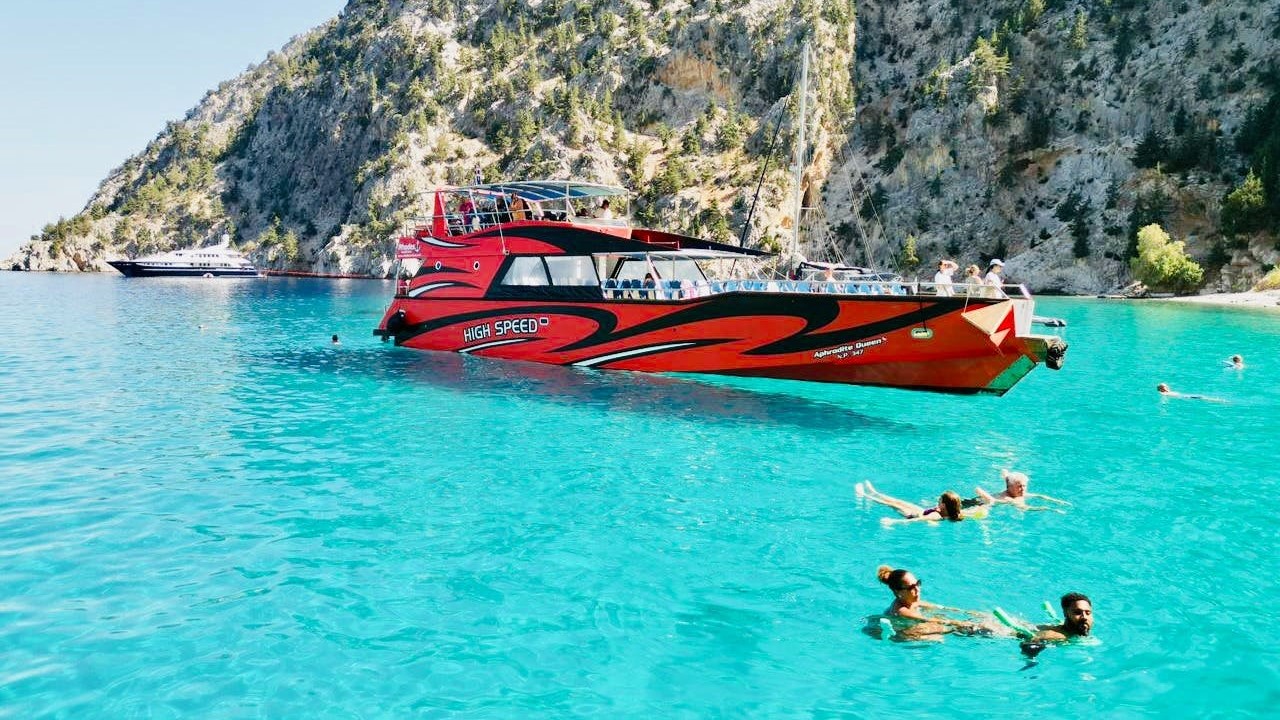
Путешествие на лодке к острову Симi с остановкой для купания в заливе Св. Георгия